




Here's how it works



How to use or fill out french bulldog puppy contract with our platform

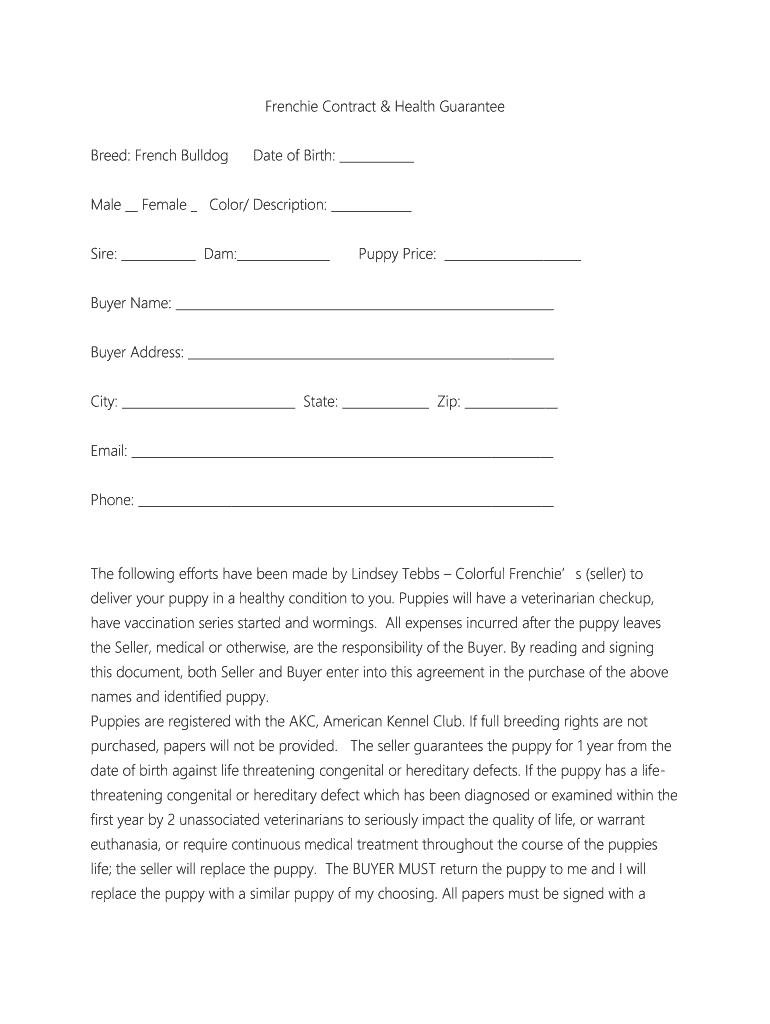
- Click ‘Get Form’ to open the french bulldog puppy contract in the editor.
- Begin by filling in the 'Date of Birth' and selecting the gender of the puppy. Specify the color and description for clarity.
- Enter details about the sire and dam, followed by the puppy price to ensure all financial aspects are clear.
- Complete your personal information including your name, address, email, and phone number. This is crucial for communication regarding your new puppy.
- Review the health guarantee section carefully. Initial where indicated to acknowledge understanding of responsibilities regarding veterinary care within 48 hours of delivery.
- Sign and date both buyer and seller sections at the bottom of the contract to finalize your agreement.
Start using our platform today for free to streamline your document editing experience!
It's free
Got questions?
Can I sign my bulldog puppy on a mobile?
Of course, you’ll find numerous apps for this on the web. However, if you need to eSign your bulldog puppy without installing additional software, DocHub is the best choice you can make. This robust editor works on mobile devices just like on desktops. Open our editor in your preferred internet browser, register or log in to your account, and start processing your forms.
How do you edit french bulldog contract in Chrome?
If you use Chrome, there are two straightforward ways to edit your french bulldog contract online. First, visit the DocHub website, add your document, and edit it utilizing our toolbar. You may also install our Chrome extension and edit any document by dragging and dropping it in your web browser window.
Do French Bulldogs calm down after being neutered?
Can Frenchies be left alone for 8 hours?
What age should I neuter my French bulldog?
Security and compliance
At DocHub, your data security is our priority. We follow HIPAA, SOC2, GDPR, and other standards, so you can work on your documents with confidence.
Learn more


