Type text, add images, blackout confidential details, add comments, highlights and more.
02. Sign it in a few clicks
Draw your signature, type it, upload its image, or use your mobile device as a signature pad.
03. Share your form with others
Send peba form 7204 via email, link, or fax. You can also download it, export it or print it out.
How to use or fill out pepa form with our platform
Ease of Setup
DocHub User Ratings on G2
Ease of Use
DocHub User Ratings on G2
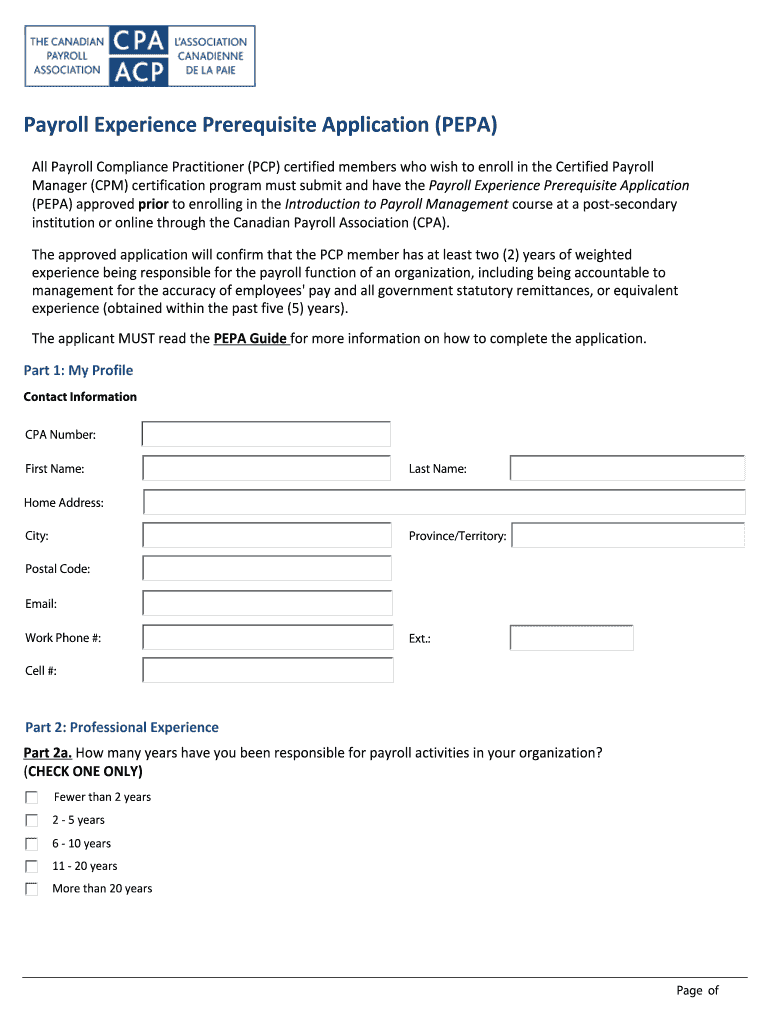
Click ‘Get Form’ to open the PEPA form in the editor.
Begin with Part 1: My Profile. Fill in your contact information, including your CPA number, name, address, and phone numbers. Ensure all details are accurate for effective communication.
Move to Part 2: Professional Experience. Indicate how many years you have been responsible for payroll activities by checking the appropriate box.
In Part 2b, select relevant administrative activities you have performed. Check all that apply to showcase your experience accurately.
Continue through Parts 2c to 5b, providing necessary declarations and verification information. Make sure to include the verifier's details for confirmation of your experience.
Review all sections thoroughly before submitting to ensure completeness and accuracy of the information provided.
Start filling out your PEPA form today on our platform for free!
A Tool for Evaluation of Undergraduate Peer Counselors
by NR Mastroleo 2009 Cited by 22 The PEPA was designed to allow a systematic assessment of fidelity using an objective measure which may benefit not only less clinically experienced peerRead more
In this paper we show that for some PEPA models this structure may also be used to advantage during the solution of the model. Several papers offering product
Cookie consent notice
This site uses cookies to enhance site navigation and personalize your experience.
By using this site you agree to our use of cookies as described in our Privacy Notice.
You can modify your selections by visiting our Cookie and Advertising Notice.