




Here's how it works

01. Edit your sample divorce motions online
Type text, add images, blackout confidential details, add comments, highlights and more.

02. Sign it in a few clicks
Draw your signature, type it, upload its image, or use your mobile device as a signature pad.

03. Share your form with others
Send it via email, link, or fax. You can also download it, export it or print it out.
How to use or fill out motion divorce with our platform

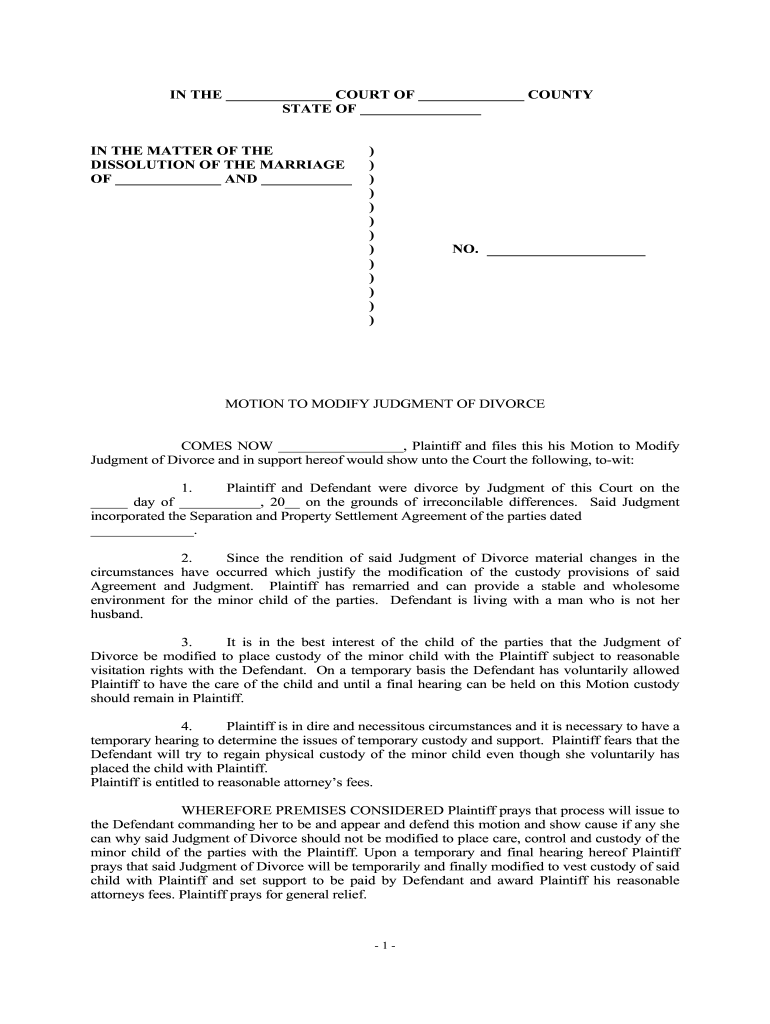
- Click ‘Get Form’ to open the motion divorce document in the editor.
- Begin by filling in the court name and county at the top of the form. This identifies where your case will be heard.
- Next, enter the names of both parties involved in the divorce. Ensure accuracy as this information is crucial for legal proceedings.
- In section one, provide the date of the original divorce judgment and include any relevant agreements that were part of that judgment.
- Section two requires you to detail any material changes in circumstances since the original judgment. Clearly state your reasons for seeking modification, such as changes in living situations or remarriage.
- In section three, articulate why modifying custody is in the best interest of your child. Include any temporary arrangements that have been made regarding custody.
- Finally, complete section four by stating your request for a temporary hearing and any attorney’s fees you believe are warranted. Make sure to sign and date at the end.
Start using our platform today to easily fill out your motion divorce form online for free!
Fill out motion divorce online
It's free
It's free
Security and compliance
At DocHub, your data security is our priority. We follow HIPAA, SOC2, GDPR, and other standards, so you can work on your documents with confidence.
Learn more


