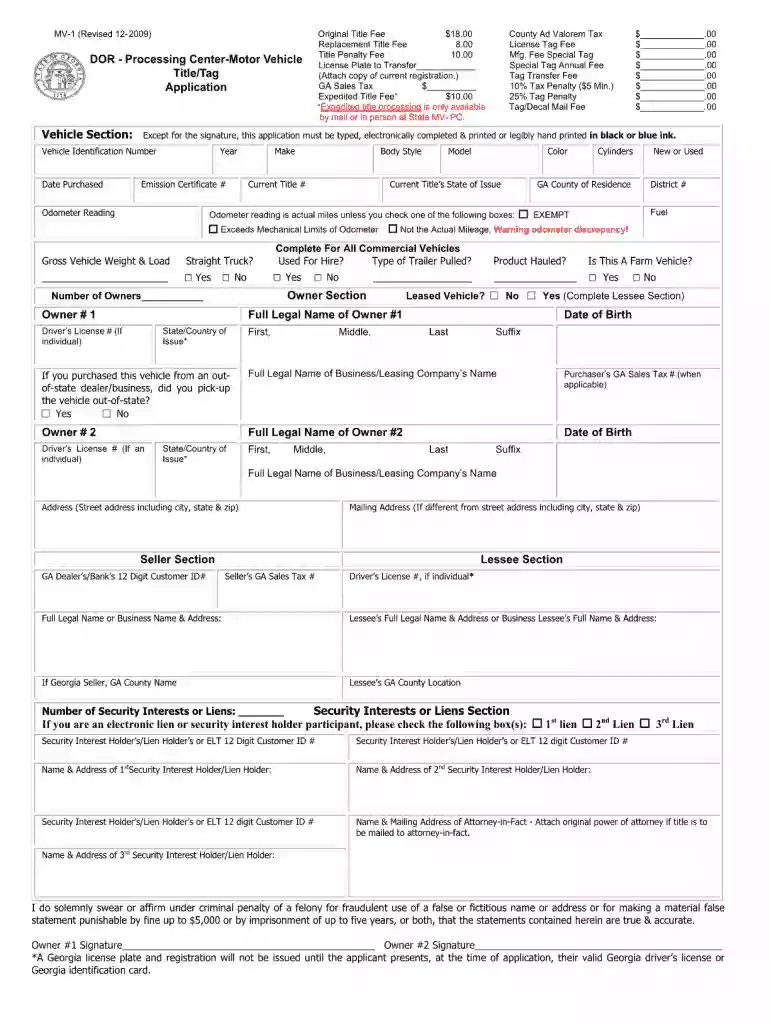
Mv 1 form 2025

Get Form
mv 1 Preview on Page 1

Here's how it works

01. Edit your mv 1 online
Type text, add images, blackout confidential details, add comments, highlights and more.

02. Sign it in a few clicks
Draw your signature, type it, upload its image, or use your mobile device as a signature pad.

03. Share your form with others
Send mv1 form ga via email, link, or fax. You can also download it, export it or print it out.

How to use or fill out mv 1 form with our platform

Form edit decoration
9.5
Ease of Setup
DocHub User Ratings on G2
9.0
Ease of Use
DocHub User Ratings on G2
  1. Click ‘Get Form’ to open the mv 1 form in the editor.
  2. Begin by entering your personal information in the designated fields, including your name, address, and contact details. Ensure accuracy for a smooth processing experience.
  3. Next, navigate to the vehicle information section. Here, input details such as the make, model, year, and VIN of your vehicle. Double-check these entries to avoid any discrepancies.
  4. Proceed to the ownership section where you will indicate whether you are the owner or if there are multiple owners. Fill out any additional required fields related to ownership status.
  5. Finally, review all entered information for completeness and accuracy. Once satisfied, utilize our platform’s signing feature to electronically sign the document before submission.

Start using our platform today for free and streamline your mv 1 form completion!

be ready to get more

Complete this form in 5 minutes or less

Get form

Got questions?

We have answers to the most popular questions from our customers. If you can't find an answer to your question, please contact us.
Contact us
This form is used to obtain a Pennsylvania Certificate of Title for vehicles not currently titled in Pennsylvania, or which were repossessed (1.
Vehicle Owners - If you own your vehicle and the lien on it has been satisfied and you need to request a duplicate title, you will need to complete form MV-38O. Please mail the completed form to PennDOT at the address listed on the form along with a check or money order made payable to the Commonwealth of Pennsylvania.
Gather all required documents such as proof of identity, vehicle title, and proof of insurance. Obtain Form MV-1 from the Pennsylvania Department of Transportation (PennDOT) website or local office. Carefully read the instructions provided on the form regarding vehicle registration and title transfer.
Selling a New Vehicle The sellers signature is required to be docHubd or verified on the Pennsylvania title. The sellers signature may be required to be docHubd on some out-of-state titles. The seller will need to provide the authorized PennDOT agent with proper proof of identification (PDF).
If you did not receive the MV-1 letter by February 15, 2025, you may access your letter by visiting MyTaxes and clicking Request Another Motor Vehicle Property Tax Letter to use the Online Letter Portal to generate your letter.
be ready to get more

Complete this form in 5 minutes or less

Get form