Type text, add images, blackout confidential details, add comments, highlights and more.
02. Sign it in a few clicks
Draw your signature, type it, upload its image, or use your mobile device as a signature pad.
03. Share your form with others
Send it via email, link, or fax. You can also download it, export it or print it out.
How to use or fill out xp permit with our platform
Ease of Setup
DocHub User Ratings on G2
Ease of Use
DocHub User Ratings on G2
Click ‘Get Form’ to open the xp permit in the editor.
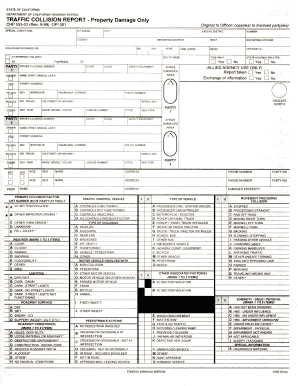
Begin by entering the permit number and reference number at the top of the form. This information is crucial for tracking your application.
Fill in the fee amount and payment details, including check/account number or credit transaction number, ensuring accuracy to avoid processing delays.
Provide details about your vehicle combination, including tractor/semi-trailer or truck/trailer specifics. Enter the license numbers for both tractor and trailer as required.
Complete the mailing address for the billed company along with contact numbers. This ensures that all communications are directed correctly.
Specify the dates for which the permit is valid, ensuring compliance with any conditions outlined in the regulations section.
Review and sign at the bottom of the form, confirming your understanding of all conditions and restrictions associated with this permit.
Start filling out your xp permit today using our platform for a seamless experience!
1. DRIVER must be able to produce copy of permit upon request and MUST STOP AT ALL OPEN WEIGH STATIONS. 2. No movement permitted during inclement weatherRead more
(d) PRIA exploratory permit area, X-P-PI, has an annual quota of 1,000 kg for all precious coral MUS combined with the exception of black corals. CFRRead more
Cookie consent notice
This site uses cookies to enhance site navigation and personalize your experience.
By using this site you agree to our use of cookies as described in our Privacy Notice.
You can modify your selections by visiting our Cookie and Advertising Notice.