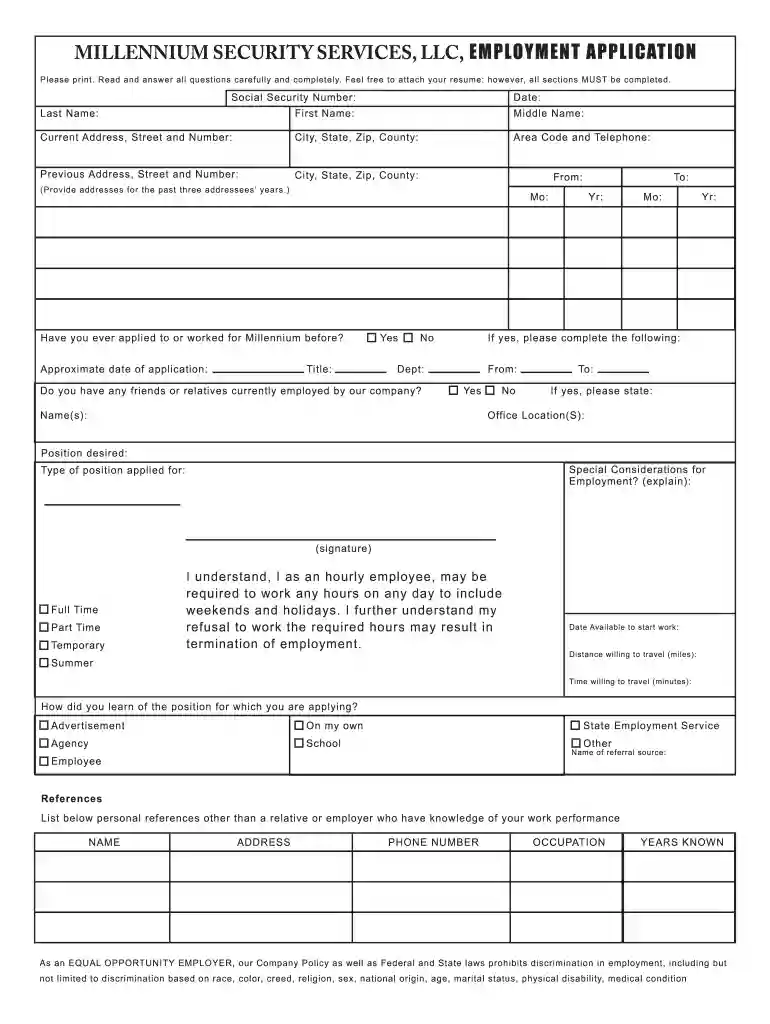
millennium security jobs Preview on Page 1

Millennium security employment application 2026

Here's how it works

  • 01. Edit your millennium security jobs online

    Type text, add images, blackout confidential details, add comments, highlights and more.

  • 02. Sign it in a few clicks

    Draw your signature, type it, upload its image, or use your mobile device as a signature pad.

  • 03. Share your form with others

    Send it via email, link, or fax. You can also download it, export it or print it out.

How to use or fill out millennium security employment application with our platform

Form edit decoration
9.5
Ease of Setup
DocHub User Ratings on G2
9.0
Ease of Use
DocHub User Ratings on G2
  1. Click ‘Get Form’ to open the millennium security employment application in the editor.
  2. Begin by filling in your personal information, including your Social Security Number, date, last name, first name, and middle name. Ensure all details are accurate.
  3. Complete your current and previous addresses, including city, state, zip code, and county. If you have lived at multiple addresses in the past three years, provide those as well.
  4. Indicate whether you have previously applied or worked for Millennium Security. If yes, provide the approximate date of application and title.
  5. List any friends or relatives currently employed by Millennium Security and specify their office location if applicable.
  6. Select the type of position you are applying for (Full Time, Part Time, Temporary) and indicate your availability to start work.
  7. Fill out the education section with details about your high school and any colleges attended. Include GPA and degrees earned.
  8. In the employment record section, list all employers from the last ten years starting with your most recent job. Include reasons for leaving each position.
  9. Finally, review all sections for completeness before signing and dating the application to certify its accuracy.

Start filling out your millennium security employment application today using our platform for free!

be ready to get more

Complete this form in 5 minutes or less

Security and compliance

At DocHub, your data security is our priority. We follow HIPAA, SOC2, GDPR, and other standards, so you can work on your documents with confidence.

Related links

Security Assistant

Get noticed by agency recruiters. Once you add a resume to your profile, make it searchable. Agency recruiters can view your profile andRead more

Learn more
Future Intern

Mar 11, 2026 As an intern with the Mission Assurance team at Millennium Space Systems, youll work alongside experienced engineers on real spacecraftRead more

Learn more
HP Color LaserJet 9500 Software Technical Reference

Security The driver tabs are available in the software application from which you send your print jobs to the printer and from.Read more

Learn more
If you believe that this page should be taken down, please follow our DMCA take down process here