Type text, add images, blackout confidential details, add comments, highlights and more.
02. Sign it in a few clicks
Draw your signature, type it, upload its image, or use your mobile device as a signature pad.
03. Share your form with others
Send it via email, link, or fax. You can also download it, export it or print it out.
How to use or fill out claim seven corners with our platform
Ease of Setup
DocHub User Ratings on G2
Ease of Use
DocHub User Ratings on G2
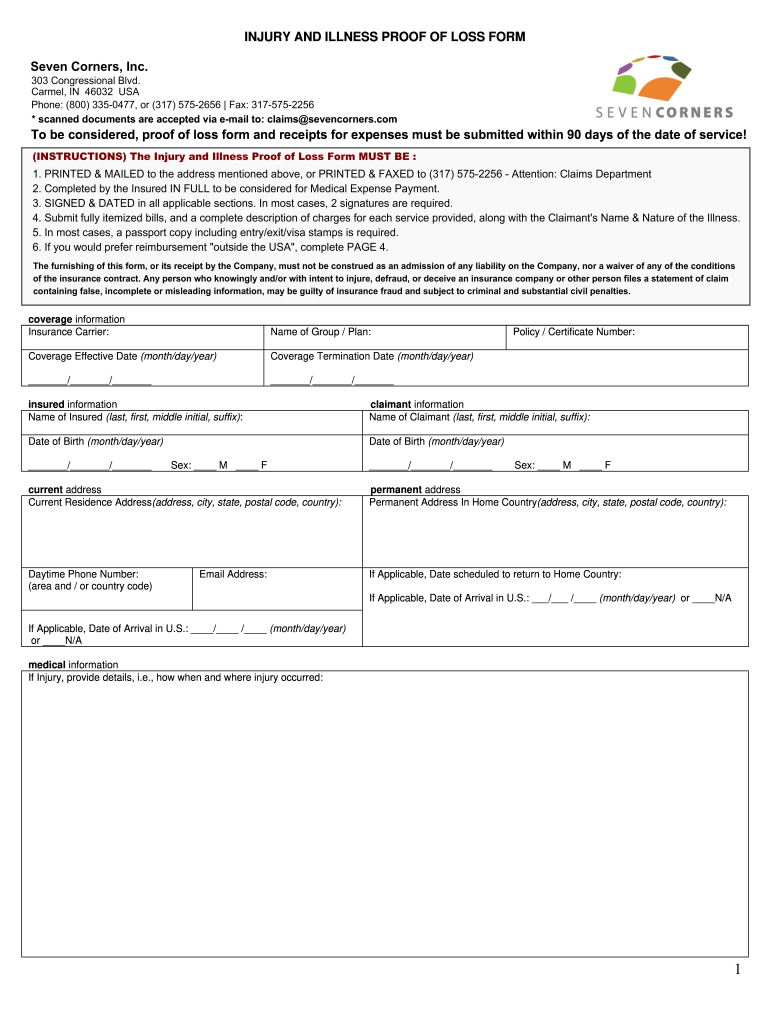
Click ‘Get Form’ to open the claim seven corners document in the editor.
Begin by filling in your personal information, including your name, date of birth, and current address. Ensure all details are accurate for processing.
Provide the necessary medical information. If applicable, describe how and when the injury occurred or detail the symptoms of your illness.
Attach itemized bills and receipts for all medical expenses incurred. Each bill should include the claimant's name and a description of services provided.
Sign and date the form in all required sections. Remember that two signatures may be needed in certain cases.
Review all entered information for accuracy before submitting. Once confirmed, submit the completed form via email or fax as instructed.
Start using our platform today to streamline your claims process effortlessly!
To be considered, all claims must be submitted to the Seven. Corners Claim Department within 90 days after the date of service. Travel Assistance - To receiveRead more
Apr 15, 2022 Between May 2011 and September 2016, Caceres prepared and submitted thirty fraudulent insurance claims to Seven Corners totaling more thanRead more
Cookie consent notice
This site uses cookies to enhance site navigation and personalize your experience.
By using this site you agree to our use of cookies as described in our Privacy Notice.
You can modify your selections by visiting our Cookie and Advertising Notice.