




Here's how it works



How to use or fill out glen highland collie rescue with our platform

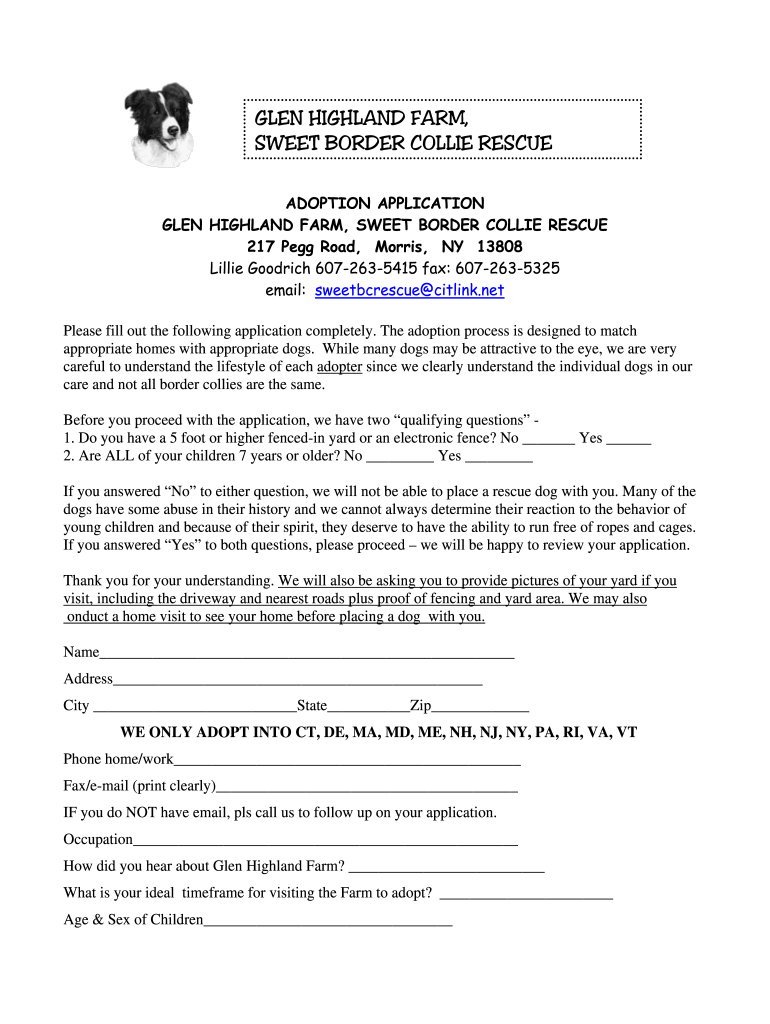
- Click ‘Get Form’ to open the Glen Highland Collie Rescue adoption application in the editor.
- Begin by answering the qualifying questions regarding your yard and children. Ensure you select 'Yes' for both to proceed with the application.
- Fill in your personal information, including your name, address, phone number, and email. Make sure all details are accurate for effective communication.
- Provide information about your household, including the ages of children and other adults living with you. This helps assess compatibility with potential dogs.
- Describe a typical day for the dog in your home. Be specific about activities and routines to give insight into how you plan to integrate a new pet.
- Complete the preferences section by indicating what traits you are looking for in a dog, such as age, temperament, and any special needs.
- Review your responses carefully before submitting. Ensure that all required fields are filled out completely to avoid delays in processing your application.
Start filling out the Glen Highland Collie Rescue application today using our platform for free!
It's free
Got questions?
Can I sign my second chance border collie rescue on a mobile?
Yes, you’ll find numerous applications for this on the web. Nevertheless, if you need to eSign your second chance border collie rescue without installing extra software, DocHub is the optimum choice you can make. This powerful editor works on mobile devices just like on desktops. Open our editor in your preferred internet browser, register or log in to your account, and start processing your documents.
How to fill out and sign glen highland collie rescue online?
You may easily complete, edit, and even eSign your glen highland collie rescue using DocHub. Create a new profile and begin your free trial. After that, you can add the document with the form and simply make all the needed edits. No need to print on paper or use a third-party application to sign it, as you can place your electronic signature on your document faster through DocHub.
Security and compliance
At DocHub, your data security is our priority. We follow HIPAA, SOC2, GDPR, and other standards, so you can work on your documents with confidence.
Learn more


