




01. Edit your cable test report format online
Type text, add images, blackout confidential details, add comments, highlights and more.

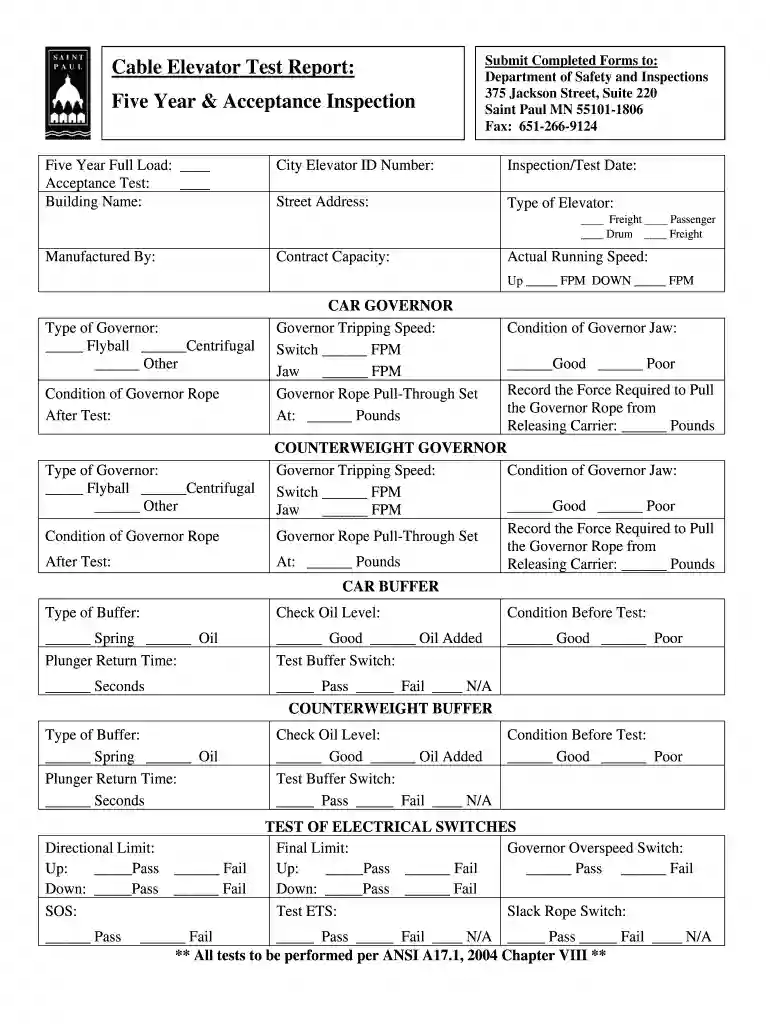
Type text, add images, blackout confidential details, add comments, highlights and more.

Draw your signature, type it, upload its image, or use your mobile device as a signature pad.

Send it via email, link, or fax. You can also download it, export it or print it out.

Start using our platform today to streamline your document editing and ensure a smooth completion of your inspection report!
Sign in to your DocHub account and add your CABLE ELEVATOR FIVE YEAR INSPECTION TEST REPORT - stpaul to our editor using one of its upload options - from your device, cloud storage, secure URL, or your DocHub folders if you have already managed your document before. Open our editor, click the Sign key in the upper toolbar, and choose your signing method. You can use a picture of your handwritten signature, draw it, type in your name, or use a QR code as an alternative.
If you are using Chrome, there are two straightforward methods to modify your CABLE ELEVATOR FIVE YEAR INSPECTION TEST REPORT - stpaul online. First, visit the DocHub website, add your file, and modify it utilizing our toolbar. You may also set up our Chrome extension and modify any document by dragging and dropping it in your browser tab.
At DocHub, your data security is our priority. We follow HIPAA, SOC2, GDPR, and other standards, so you can work on your documents with confidence.
is expected to be met within five years and the fourth year monitoring effort can be skipped. An outline of the six steps and suggested subparts is shown inRead more
Cable Elevator Test Report: Five Year Acceptance Inspection. Submit Completed Forms to: Department of Safety and Inspections. 375 Jackson Street, Suite 220.Read more
Inspect the object you are going to lift for sharp corners, nails, black widow spiders, or other things that may cause injury. Page 10. St. Pauls SchoolRead more


