


Player Registration Form - Home of Bishops Falls Minor Hockey 2026

Get Form
canada minor hockey association Preview on Page 1

Here's how it works

01. Edit your canada minor hockey association online
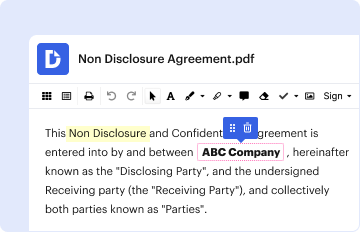
Type text, add images, blackout confidential details, add comments, highlights and more.
02. Sign it in a few clicks
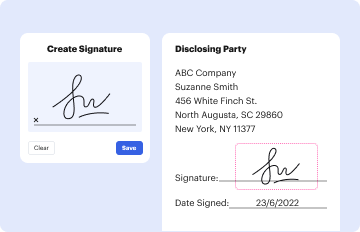
Draw your signature, type it, upload its image, or use your mobile device as a signature pad.
03. Share your form with others
Send vajailpackages via email, link, or fax. You can also download it, export it or print it out.

How to use or fill out Player Registration Form - Home of Bishops Falls Minor Hockey with DocHub

Form edit decoration
9.5
Ease of Setup
DocHub User Ratings on G2
9.0
Ease of Use
DocHub User Ratings on G2
  1. Click ‘Get Form’ to open the Player Registration Form in our editor.
  2. Begin by filling in the 'Division' field, selecting the appropriate category for your child’s age group.
  3. Enter the player's full name in the 'Player’s Name' section, ensuring correct spelling for official records.
  4. Provide the MCP number in the designated field, which is essential for health coverage verification.
  5. Fill out the address, telephone, and cell phone fields accurately to ensure effective communication.
  6. Input a valid email address for updates and notifications regarding registration and events.
  7. Complete the 'Parent/Guardian' section with your name and contact information.
  8. Indicate any medical conditions that coaching staff should be aware of to ensure your child's safety during activities.
  9. Provide an emergency contact name and number for urgent situations.
  10. If this is your child's first time registering, check 'Yes' under 'First time registration'.
  11. Select how you will pay the $300 registration fee by checking either Cash or Cheque.
  12. 'Read and Sign' the Code of Conduct by checking 'Yes' or 'No'.
  13. 'Sign' as Parent/Guardian and date it before submitting your form.

Start using our platform today to complete your Player Registration Form easily and for free!

be ready to get more

Complete this form in 5 minutes or less

Get form

Got questions?

We have answers to the most popular questions from our customers. If you can't find an answer to your question, please contact us.
Contact us

Microsoft Word doesn’t have signing tools to create valid electronic signatures and enforceable documents. Luckily, DocHub is an online eSignature-compliant editor that supports various document formats, such as .doc files. Log in to your account and import the Word edition of your Player Registration Form - Home of Bishops Falls Minor Hockey from your device and cloud, or URL - our editor will automatically turn it into an editable PDF. Make all necessary modifications in your form and click Sign to create your own legally-binding eSignature. You will find four signing options from which to choose.

In case your go-to electronic mail service is Gmail, it is simple to incorporate your DocHub editor into your work. Modify your Player Registration Form - Home of Bishops Falls Minor Hockey with DocHub instruments and attach it to your drafts in Gmail. See how straightforward it can be to exchange documents and collaborate with a swift PDF editing solution at hand.

Security and compliance

At DocHub, your data security is our priority. We follow HIPAA, SOC2, GDPR, and other standards, so you can work on your documents with confidence.

Learn more
ccpa2
pci-dss
gdpr-compliance
hipaa
soc-compliance