



Here's how it works



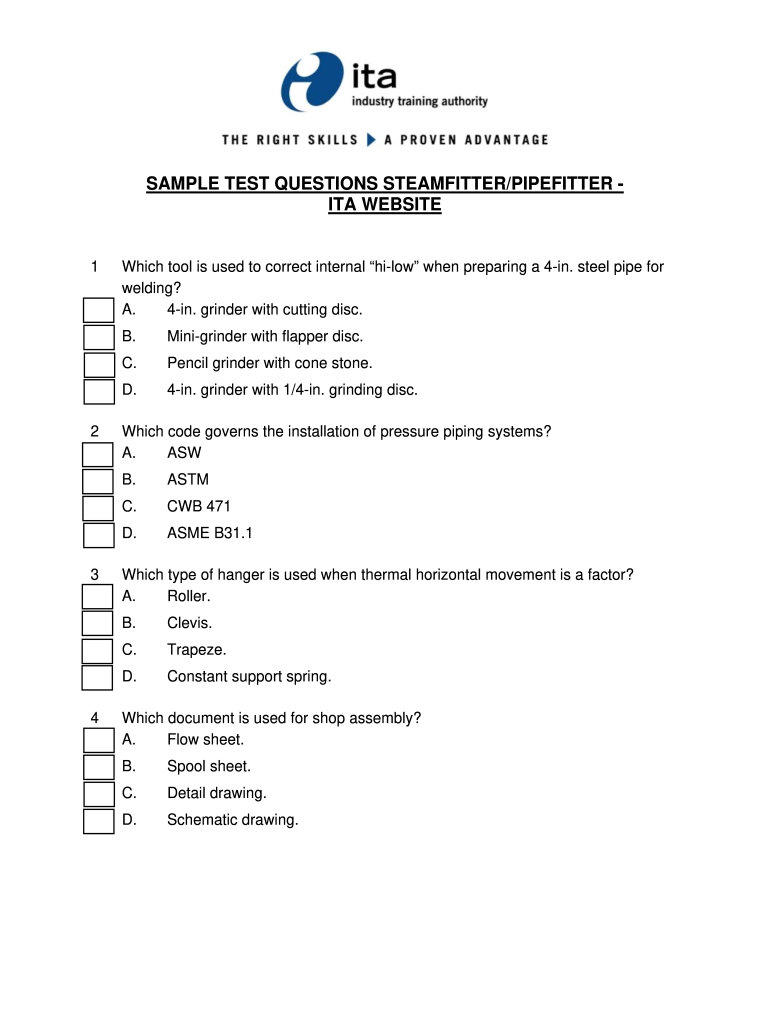
How to use or fill out pipefitter practice test with answers

- Click ‘Get Form’ to open the pipefitter practice test with answers in the editor.
- Begin by reviewing the introductory section of the document, which outlines the purpose of the practice test and its relevance to your training.
- Proceed to each question, carefully reading both the question and answer options. Use our platform's highlighting tool to mark questions you find challenging.
- Select your answers directly within the form. You can easily click on your chosen option for each question.
- Utilize the comment feature to jot down any notes or reminders related to specific questions for future reference.
- Once completed, review your selections. You can use our platform’s comparison feature to check against provided answers if available.
- Finally, save your completed test and share it with peers or instructors for feedback using our sharing options.
Start using our platform today for free and enhance your pipefitting skills with ease!
It's free
Got questions?
Can I use DocHub to create legal electronic signatures on my pipefitter practice test?
Yes, you can utilize DocHub for signing any business and private documentation, including your pipefitter practice test. All electronic signatures you generate with our service are legally binding and court-admissible, as DocHub complies with standards required by ESIGN and UETA. Save your accomplished paperwork with a detailed Audit Trail if needed.
How do you complete free pipefitter practice test online?
You may complete and eSign your free pipefitter practice test online, even on a tight deadline. All you need to access high quality editing instruments on any device is a DocHub profile, that you can sign up within a couple of moments. When you sign up, upload your document or find what you are searching for in our catalog, complete it using the editing instruments you want, and put your electronic signature on it at the end.
Security and compliance
At DocHub, your data security is our priority. We follow HIPAA, SOC2, GDPR, and other standards, so you can work on your documents with confidence.
Learn more


Related forms