Asthma action plan.pdf - All For Kids Pediatric Clinic - afkpeds 2026

Get Form
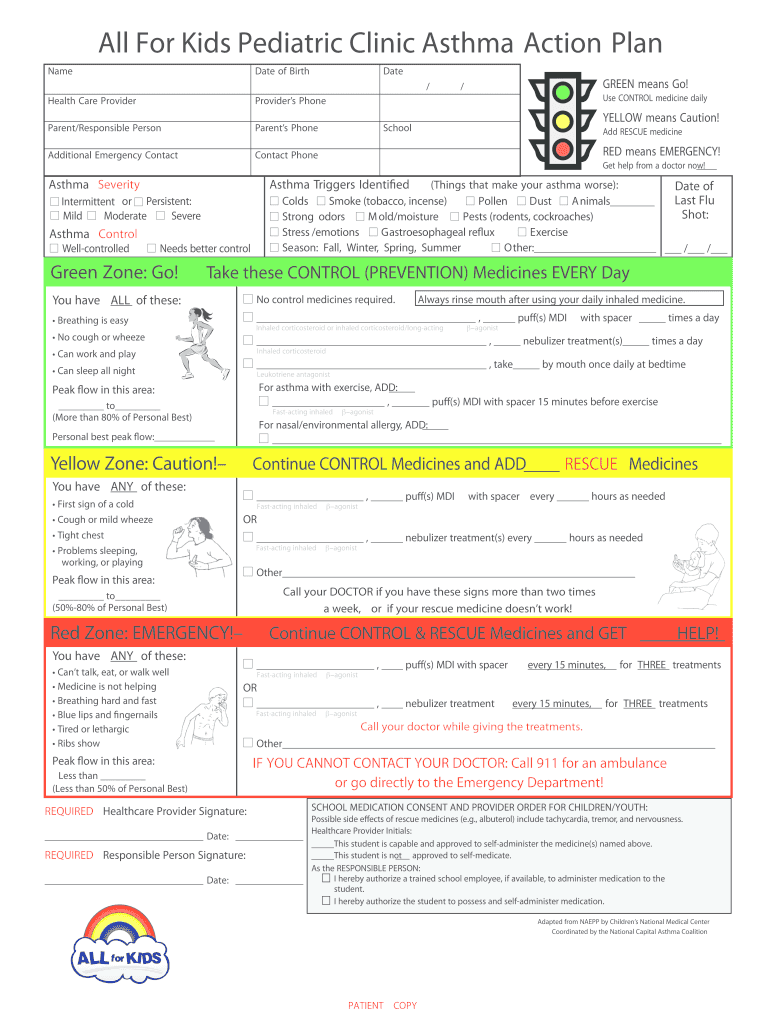
asthma action plan Preview on Page 1

Here's how it works

01. Edit your asthma action plan online
Type text, add images, blackout confidential details, add comments, highlights and more.
02. Sign it in a few clicks
Draw your signature, type it, upload its image, or use your mobile device as a signature pad.
03. Share your form with others
Send asthma action plan pdf via email, link, or fax. You can also download it, export it or print it out.

How to use or fill out Asthma action plan.pdf - All For Kids Pediatric Clinic - afkpeds with Our Platform

Form edit decoration
9.5
Ease of Setup
DocHub User Ratings on G2
9.0
Ease of Use
DocHub User Ratings on G2
  1. Click ‘Get Form’ to open the Asthma action plan in our editor.
  2. Begin by entering the child's Name, Date of Birth, and Date at the top of the form. This information is crucial for identifying the patient.
  3. Fill in the Health Care Provider's name and phone number, along with the Parent/Responsible Person's details. Ensure that all contact information is accurate for emergencies.
  4. Identify asthma severity by checking the appropriate box under 'Asthma Severity'. This section helps determine daily medication needs.
  5. List any identified asthma triggers in the designated area. This will assist in managing and avoiding potential exacerbations.
  6. Complete the sections on Asthma Control, detailing both CONTROL and RESCUE medicines as prescribed. Be sure to note dosages and frequency.
  7. Finally, ensure that both required signatures are obtained at the bottom of the form before submission.

Start using our platform today to easily fill out your Asthma action plan for free!

be ready to get more

Complete this form in 5 minutes or less

Get form

Got questions?

We have answers to the most popular questions from our customers. If you can't find an answer to your question, please contact us.
Contact us

Sure, and it’s really easy! DocHub is a web-based PDF editor with advanced document management functions that allow you promptly adjust your forms, fill out blank fields and drop new ones for other people to fill out, and create eSignatures in several ways. Upload your asthma action plan pediatric pdf, provide information as requested, and choose how you want to eSign your document - by typing your name, drawing your signature, uploading its image, or using a QR code.

You need only a web connection and a web browser to complete your asthma care plan on an iOS phone. Open the DocHub website and authenticate. Then, add your document or choose it from the list in your dashboard. Then use our editing instruments to complete your form and preserve all your modifications. You may also send it to a specified recipient straight away.

Your asthma action plan will include your medicines and instructions for what to do when you are feeling well, what to do when you have asthma symptoms and what to do when your asthma symptoms are getting worse. It should include the names of your medicines, how much to take and when to take it.
If you have a printed copy, stick it on the fridge or pin it to a noticeboard. You can also save a digital copy on your phone.
An asthma action plan is designed to help families manage their childs asthma. The goal is to avoid asthma emergencies. The plan can guide parents and caregivers on what medications to use, and when to use them, to prevent and control flare-ups.

Security and compliance

At DocHub, your data security is our priority. We follow HIPAA, SOC2, GDPR, and other standards, so you can work on your documents with confidence.

Learn more
ccpa2
pci-dss
gdpr-compliance
hipaa
soc-compliance
be ready to get more

Complete this form in 5 minutes or less

Get form