School of neighborhoodcrusades 2026

Get Form
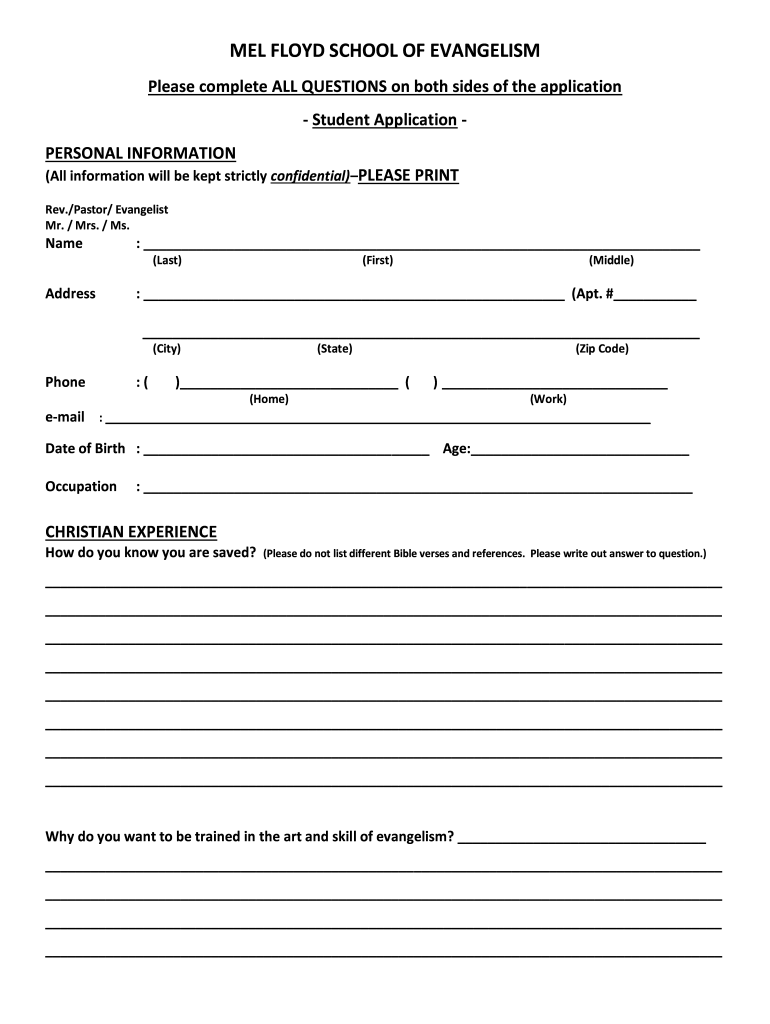
school of neighborhoodcrusades Preview on Page 1

Here's how it works

01. Edit your form online
Type text, add images, blackout confidential details, add comments, highlights and more.
02. Sign it in a few clicks
Draw your signature, type it, upload its image, or use your mobile device as a signature pad.
03. Share your form with others
Send it via email, link, or fax. You can also download it, export it or print it out.

How to use or fill out school of neighborhoodcrusades with our platform

Form edit decoration
9.5
Ease of Setup
DocHub User Ratings on G2
9.0
Ease of Use
DocHub User Ratings on G2
  1. Click ‘Get Form’ to open it in the editor.
  2. Begin by filling out the 'Personal Information' section. Enter your title (Rev./Pastor/Evangelist, Mr., Mrs., Ms.), full name, address, phone numbers, email, date of birth, age, and occupation. Ensure all information is printed clearly.
  3. In the 'Christian Experience' section, articulate how you know you are saved. Provide a thoughtful response rather than listing Bible verses.
  4. Explain your motivation for training in evangelism in the designated area. This is an opportunity to express your passion and goals.
  5. Complete the 'Church Membership' section by providing your church's name and address or indicating if you are currently unchurched. Include your pastor's contact information.
  6. List two references with their names and addresses in the 'References' section. Make sure to include their phone numbers as well.
  7. Answer additional questions regarding your current student status and how you heard about this course. Provide any extra comments or information as needed.
  8. Finally, ensure that you make a $50 registration donation as specified at the end of the form.

Start using our platform today to easily complete your application for free!

be ready to get more

Complete this form in 5 minutes or less

Get form

Got questions?

We have answers to the most popular questions from our customers. If you can't find an answer to your question, please contact us.
Contact us

Sure, a typed name is accepted as a legitimate electronic signature when you create it on your paperwork utilizing a compliant solution like DocHub. Simply add your school of neighborhoodcrusades to our editor, click Sign in the top tool pane → Create your signature → Type your name in the proper tab, and select how it will look on your document.

Document editing with DocHub is equally convenient on desktop and mobile devices. You just need an internet browser to revise your school of neighborhoodcrusades on Android. Open our website and sign in to access the instruments you require. Add your file and introduce your intended modifications. Next, you can keep your form in your file storage or send it out immediately.

Security and compliance

At DocHub, your data security is our priority. We follow HIPAA, SOC2, GDPR, and other standards, so you can work on your documents with confidence.

Learn more
ccpa2
pci-dss
gdpr-compliance
hipaa
soc-compliance