




Here's how it works

01. Edit your form online
Type text, add images, blackout confidential details, add comments, highlights and more.

02. Sign it in a few clicks
Draw your signature, type it, upload its image, or use your mobile device as a signature pad.

03. Share your form with others
Send it via email, link, or fax. You can also download it, export it or print it out.
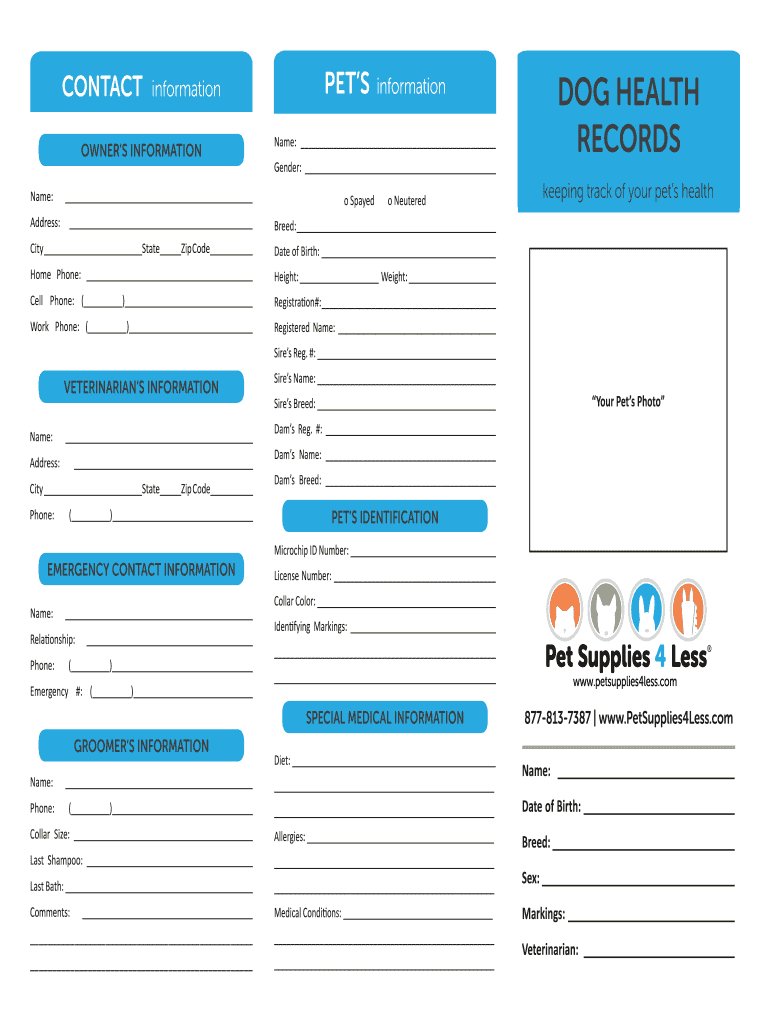
How to use or fill out CONTACT information PETS DOG HEALTH OWNERS INFORMATION

- Click ‘Get Form’ to open it in the editor.
- Begin with the OWNER’S INFORMATION section. Fill in your name and address accurately to ensure proper identification.
- Next, move to the PET’S information section. Enter your pet's name, gender, breed, and date of birth. Indicate if your pet is spayed or neutered by checking the appropriate box.
- In the DOG HEALTH RECORDS section, document your pet’s health history including vaccination dates and any special medical information. This helps keep track of their health effectively.
- Complete the VETERINARIAN’S INFORMATION section with your vet's details for easy reference during emergencies.
- Finally, fill out the EMERGENCY CONTACT INFORMATION to ensure you have a reliable contact in case of urgent situations involving your pet.
Start using our platform today to easily manage and complete your pet's health documentation for free!
Fill out CONTACT information PETS DOG HEALTH OWNERS INFORMATION online
It's free
It's free
Security and compliance
At DocHub, your data security is our priority. We follow HIPAA, SOC2, GDPR, and other standards, so you can work on your documents with confidence.
Learn more


