




Here's how it works



How to use or fill out CAMP PENIEL Medical Staff License Verification - camppeniel with our platform

- Click ‘Get Form’ to open it in the editor.
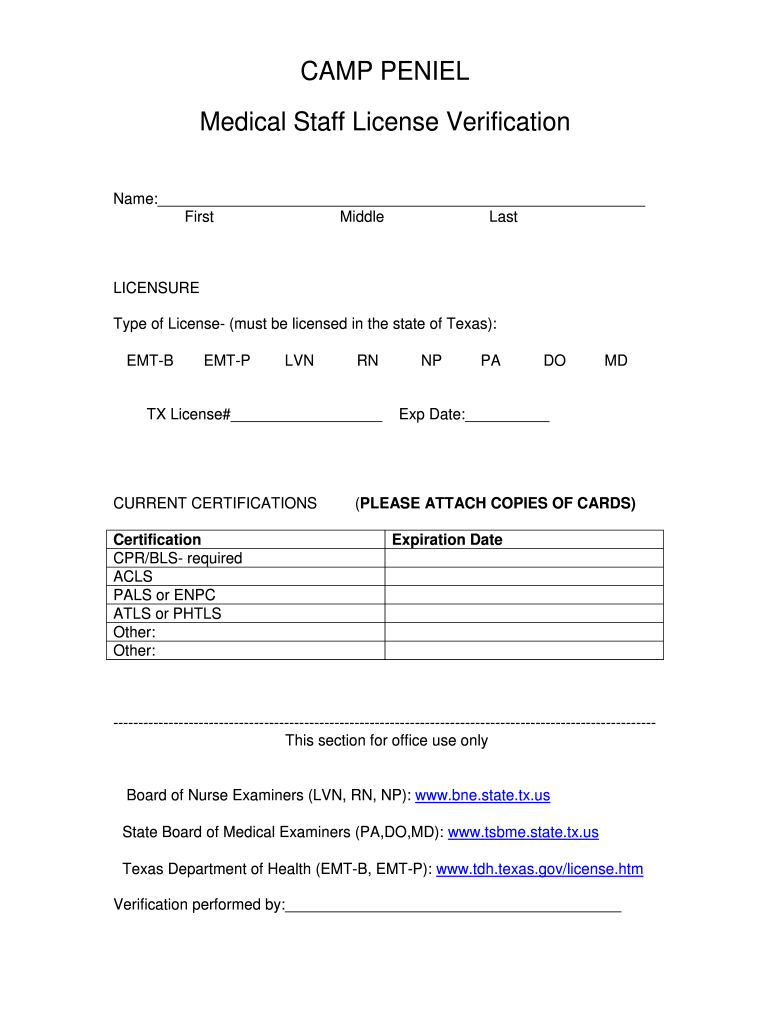
- Begin by entering your full name in the designated fields: First, Middle, and Last. Ensure accuracy as this information is crucial for verification.
- In the LICENSURE section, select the type of license you hold from the options provided (EMT-B, EMT-P, LVN, RN). Make sure you are licensed in Texas and enter your TX License number.
- Next, move to CURRENT CERTIFICATIONS. List any relevant certifications such as CPR/BLS (required), ACLS, PALS or ENPC, ATLS or PHTLS. Don’t forget to include expiration dates for each certification.
- Attach copies of your certification cards as instructed. This step is essential for completing your application.
- Finally, review all entered information for accuracy before submitting the form through our platform.
Start using our platform today to complete your CAMP PENIEL Medical Staff License Verification effortlessly!
It's free
Got questions?
Can I sign my CAMP PENIEL Medical Staff License Verification - camppeniel on a mobile?
Yes, you’ll find many different apps for this on the web. Nevertheless, if you need to eSign your CAMP PENIEL Medical Staff License Verification - camppeniel without installing extra software, DocHub is the optimum choice you can make. This robust editor works on mobile devices just like on desktops. Open our editor in any internet browser, register or sign in to your account, and start managing your paperwork.
How to fill out and sign CAMP PENIEL Medical Staff License Verification - camppeniel online?
You may quickly fill out, edit, and even eSign your CAMP PENIEL Medical Staff License Verification - camppeniel using DocHub. Create a new profile and begin your free trial. After that, you may add the document with the form and simply make all the needed edits. No need to print on paper or use a third-party application to sign it, as you can put your electronic signature on your document faster via DocHub.
Security and compliance
At DocHub, your data security is our priority. We follow HIPAA, SOC2, GDPR, and other standards, so you can work on your documents with confidence.
Learn more


