




Here's how it works

01. Edit your croydon discretionary housing payment online
Type text, add images, blackout confidential details, add comments, highlights and more.

02. Sign it in a few clicks
Draw your signature, type it, upload its image, or use your mobile device as a signature pad.

03. Share your form with others
Send discretionary housing payment croydon via email, link, or fax. You can also download it, export it or print it out.
How to use or fill out Croydon discretionary support CDS - croydon gov with our platform

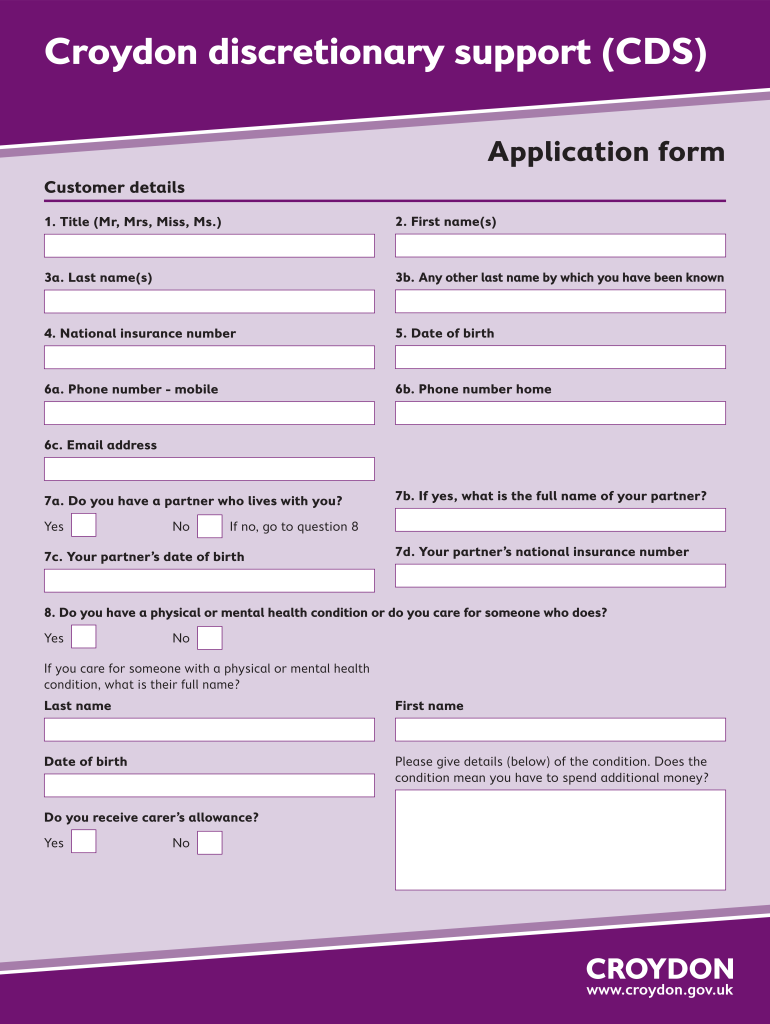
- Click ‘Get Form’ to open the Croydon discretionary support application in the editor.
- Begin by filling in your customer details. Enter your title, first name(s), last name(s), and any other last names you may have used. Provide your national insurance number and date of birth.
- Next, input your contact information including mobile and home phone numbers, as well as your email address.
- Indicate whether you have a partner living with you. If yes, provide their full name, date of birth, and national insurance number.
- Answer questions regarding health conditions or caregiving responsibilities. If applicable, detail any additional expenses incurred due to these conditions.
- Complete the address section by providing your residence details including house name/flat number, street, town, and postcode.
- Continue through the form by detailing your residency duration in Croydon and any previous discretionary support payments received.
- List all benefits currently received by you and your partner. Include income sources and any savings or assets you may have.
- Finally, review the declaration section carefully before signing to confirm that all information provided is accurate.
Start using our platform today for free to complete your Croydon discretionary support application seamlessly!
Fill out Croydon discretionary support CDS - croydon gov online
It's free
It's free
Security and compliance
At DocHub, your data security is our priority. We follow HIPAA, SOC2, GDPR, and other standards, so you can work on your documents with confidence.
Learn more


