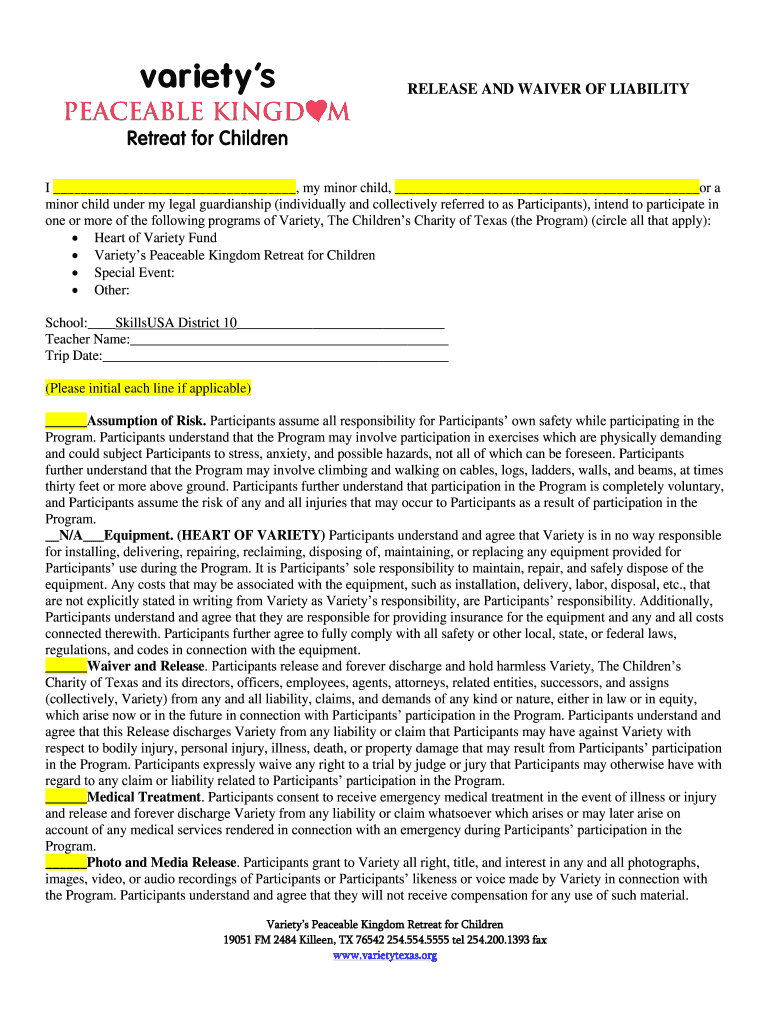
RELEASE AND WAIVER OF LIABILITY - SkillsUSA Texas 2026

Get Form
texas information Preview on Page 1

Here's how it works

01. Edit your texas information online
Type text, add images, blackout confidential details, add comments, highlights and more.
02. Sign it in a few clicks
Draw your signature, type it, upload its image, or use your mobile device as a signature pad.
03. Share your form with others
Send program texas via email, link, or fax. You can also download it, export it or print it out.

How to use or fill out RELEASE AND WAIVER OF LIABILITY - SkillsUSA Texas with our platform

Form edit decoration
9.5
Ease of Setup
DocHub User Ratings on G2
9.0
Ease of Use
DocHub User Ratings on G2
  1. Click ‘Get Form’ to open the RELEASE AND WAIVER OF LIABILITY - SkillsUSA Texas in the editor.
  2. Begin by filling in your name and the name of your minor child or the child under your guardianship in the designated fields. This identifies all participants involved.
  3. Circle all applicable programs you intend to participate in, such as 'Heart of Variety Fund' or 'Special Event'. Ensure you accurately represent your involvement.
  4. Provide details about your school, teacher's name, and trip date in the respective fields. This information is crucial for program coordination.
  5. Initial each line under 'Assumption of Risk' to acknowledge understanding of potential hazards associated with participation.
  6. Complete sections regarding equipment responsibility and waiver release by reading carefully and initialing where required.
  7. Sign and date at the bottom of the form, ensuring that if you are a guardian signing for a minor, all necessary signatures are included.

Start using our platform today to easily complete your RELEASE AND WAIVER OF LIABILITY - SkillsUSA Texas form for free!

be ready to get more

Complete this form in 5 minutes or less

Get form

Got questions?

We have answers to the most popular questions from our customers. If you can't find an answer to your question, please contact us.
Contact us

Most eSignature solutions require users to have a paid subscription. With DocHub, there are two ways for you to create an electronic signature to your texas charity free of charge:

  • You can do it during a 7-day trial period;
  • You can sign up for a free plan.

The second option, though, has restrictions on the number of signatures, sign requests, emails, and documents for editing available per month. You can check for full details here.

As a comprehensive document editing platform, DocHub is available on mobile phones. Open DocHub in your choice of mobile internet browser and use our smart mobile-friendly toolset to fill out your RELEASE AND WAIVER OF LIABILITY - SkillsUSA Texas.

Security and compliance

At DocHub, your data security is our priority. We follow HIPAA, SOC2, GDPR, and other standards, so you can work on your documents with confidence.

Learn more
ccpa2
pci-dss
gdpr-compliance
hipaa
soc-compliance