




Here's how it works

01. Edit your 29 states and capitals online
Type text, add images, blackout confidential details, add comments, highlights and more.

02. Sign it in a few clicks
Draw your signature, type it, upload its image, or use your mobile device as a signature pad.

03. Share your form with others
Send 30 states and capitals via email, link, or fax. You can also download it, export it or print it out.
How to use or fill out 29 state and capital with our platform

- Click ‘Get Form’ to open it in the editor.
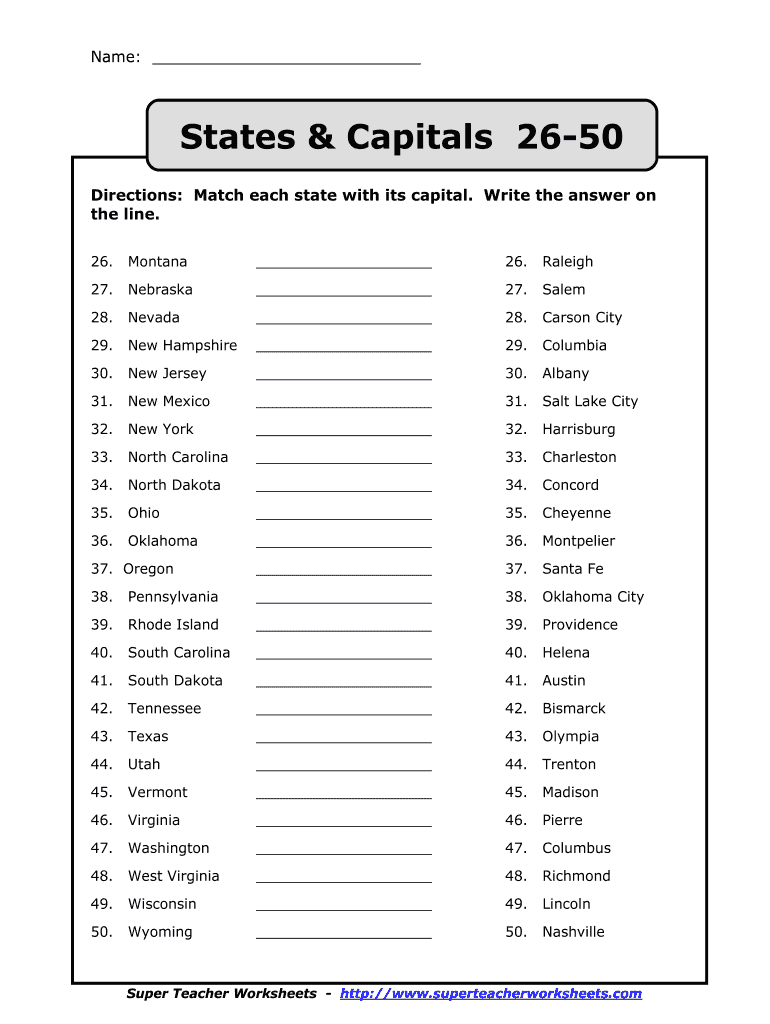
- Begin by reviewing the list of states on the left side of the form. Each state is numbered for easy reference.
- In the blank lines next to each state, type the corresponding capital. Use the answer key provided as a guide if needed.
- Ensure that your entries are clear and legible. You can adjust font size and style using our editing tools for better visibility.
- Once you have filled in all capitals, review your answers for accuracy before saving or sharing your completed document.
Start using our platform today to effortlessly complete your forms online for free!
Fill out 29 state and capital online
It's free
It's free
Security and compliance
At DocHub, your data security is our priority. We follow HIPAA, SOC2, GDPR, and other standards, so you can work on your documents with confidence.
Learn more


