




Here's how it works

01. Edit your form online
Type text, add images, blackout confidential details, add comments, highlights and more.

02. Sign it in a few clicks
Draw your signature, type it, upload its image, or use your mobile device as a signature pad.

03. Share your form with others
Send it via email, link, or fax. You can also download it, export it or print it out.
How to use or fill out the Grand Rapids Information Form

- Click ‘Get Form’ to open it in the editor.
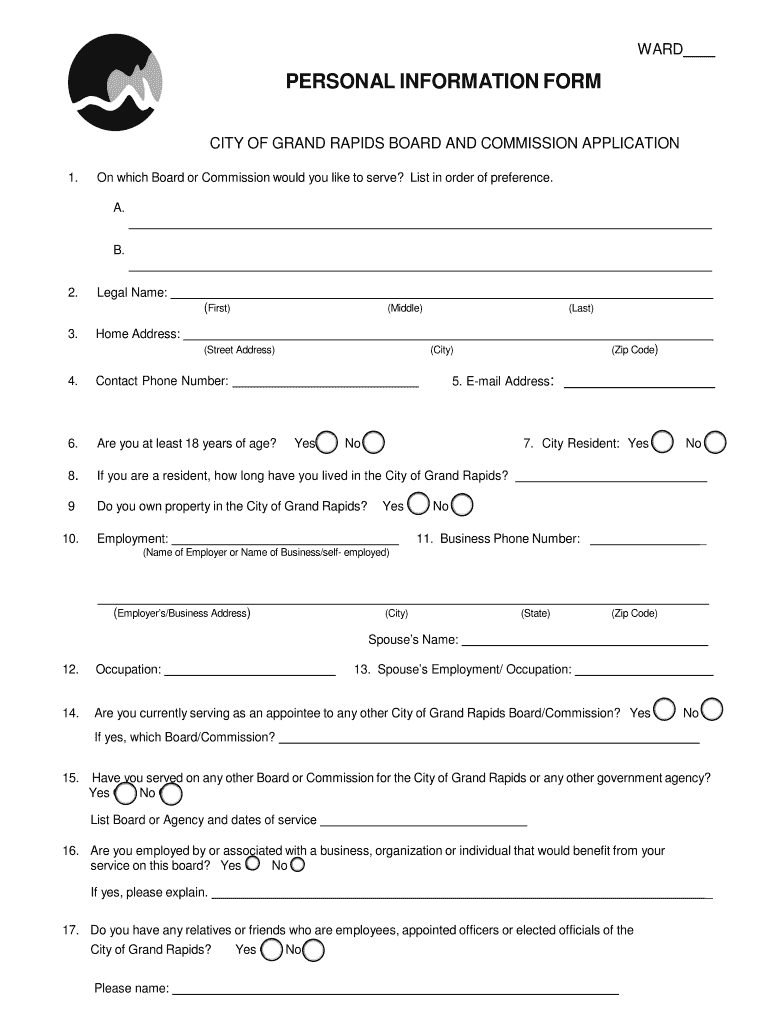
- Begin by selecting your preferred Board or Commission in the first section. List your choices in order of preference, ensuring clarity for your application.
- Fill in your legal name, including first, middle, and last names. Provide your home address, email address, and contact phone number accurately.
- Indicate whether you are at least 18 years old and confirm your residency status in Grand Rapids. If applicable, specify how long you have lived there.
- Complete the employment section by providing details about your current employer or business, including contact information.
- Answer questions regarding any potential conflicts of interest and previous service on other boards or commissions. Be honest and thorough in your explanations.
- Finally, review all provided information for accuracy before signing and dating the application to affirm its truthfulness.
Start filling out the Grand Rapids Information Form today using our platform for free!
Fill out grand rapids information form online
It's free
It's free
Security and compliance
At DocHub, your data security is our priority. We follow HIPAA, SOC2, GDPR, and other standards, so you can work on your documents with confidence.
Learn more


