




Here's how it works

01. Edit your ihq omega psi phi online
Type text, add images, blackout confidential details, add comments, highlights and more.

02. Sign it in a few clicks
Draw your signature, type it, upload its image, or use your mobile device as a signature pad.

03. Share your form with others
Send ihq omega via email, link, or fax. You can also download it, export it or print it out.
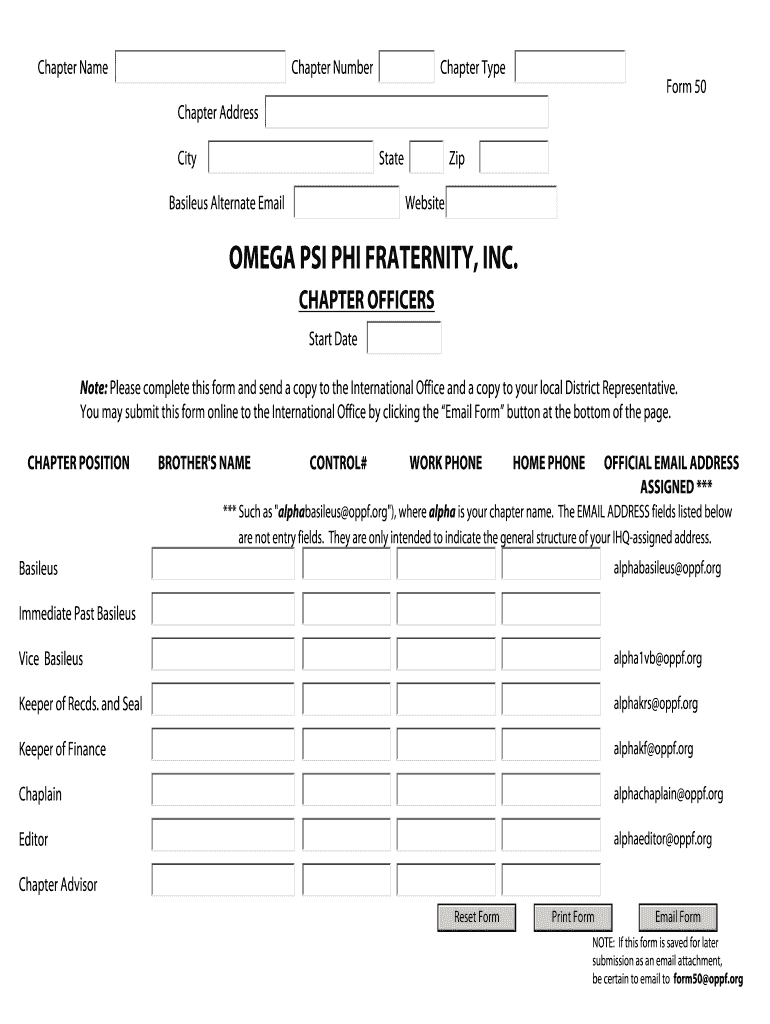
How to use or fill out omega psi phi 50 with our platform

- Click ‘Get Form’ to open the omega psi phi 50 in the editor.
- Begin by entering your Chapter Name and Chapter Number in the designated fields. Ensure accuracy as this information is crucial for identification.
- Fill in the Chapter Address, including City, State, and Zip Code. This helps maintain proper communication with your chapter.
- Provide the Basileus Alternate Email and ensure it follows the format specified (e.g., alphabasileus@oppf.org).
- Complete the Chapter Officers section by entering each officer's name, control number, work phone, home phone, and official email address as per your chapter's structure.
- Once all fields are filled out correctly, click on the ‘Email Form’ button at the bottom to submit a copy to both the International Office and your local District Representative.
Start using our platform today to streamline your form completion process for free!
Fill out omega psi phi 50 online
It's free
It's free
Security and compliance
At DocHub, your data security is our priority. We follow HIPAA, SOC2, GDPR, and other standards, so you can work on your documents with confidence.
Learn more


