




Here's how it works



How to use or fill out OPTION TO PURCHASE ADDENDUM TO RESIDENTIAL LEASE bb with our platform

- Click ‘Get Form’ to open it in the editor.
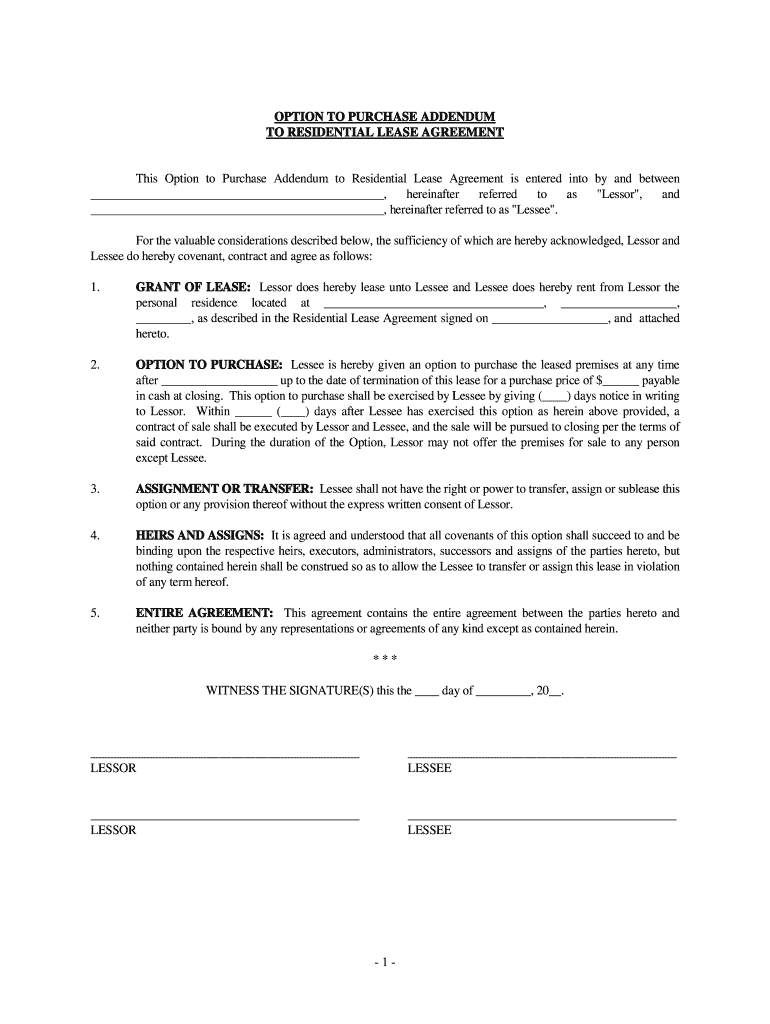
- Begin by entering the names of the Lessor and Lessee in the designated fields at the top of the document. Ensure accuracy as these names will be referenced throughout the agreement.
- In the 'Grant of Lease' section, fill in the address of the leased property along with the date when the Residential Lease Agreement was signed.
- Next, navigate to the 'Option to Purchase' section. Specify the date after which Lessee can exercise their option to purchase and enter the purchase price. Also, indicate how many days notice must be given to Lessor before exercising this option.
- Complete any additional sections regarding assignment or transfer rights, heirs and assigns, and ensure that all parties understand that this document represents the entire agreement.
- Finally, have both Lessor and Lessee sign and date at the bottom of the form. This finalizes your agreement.
Start using our platform today for free to streamline your document editing and signing process!
It's free
Got questions?
What do I need to sign my -1- OPTION TO PURCHASE ADDENDUM TO RESIDENTIAL LEASE bb electronically?
Electronic document signing demands a software solution that works in compliance with data protection and eSignature standards. DocHub is a perfect tool for that, since it fulfills all the previously mentioned requirements. Whatever method you like to sign your -1- OPTION TO PURCHASE ADDENDUM TO RESIDENTIAL LEASE bb in DocHub, your eSignature will be legally binding and court-admissible.
What browser do I need to edit -1- OPTION TO PURCHASE ADDENDUM TO RESIDENTIAL LEASE bb online?
If you need to edit your -1- OPTION TO PURCHASE ADDENDUM TO RESIDENTIAL LEASE bb on the internet swiftly, it does not matter what internet browser you employ. DocHub’s simple editing tools are accessible using any internet browser. Just open the appropriate tab in the editor, add your file, and fill it out without stress.
Security and compliance
At DocHub, your data security is our priority. We follow HIPAA, SOC2, GDPR, and other standards, so you can work on your documents with confidence.
Learn more


