Type text, add images, blackout confidential details, add comments, highlights and more.
02. Sign it in a few clicks
Draw your signature, type it, upload its image, or use your mobile device as a signature pad.
03. Share your form with others
Send photography order form via email, link, or fax. You can also download it, export it or print it out.
How to use or fill out whole in one photography with our platform
Ease of Setup
DocHub User Ratings on G2
Ease of Use
DocHub User Ratings on G2
Click ‘Get Form’ to open it in the editor.
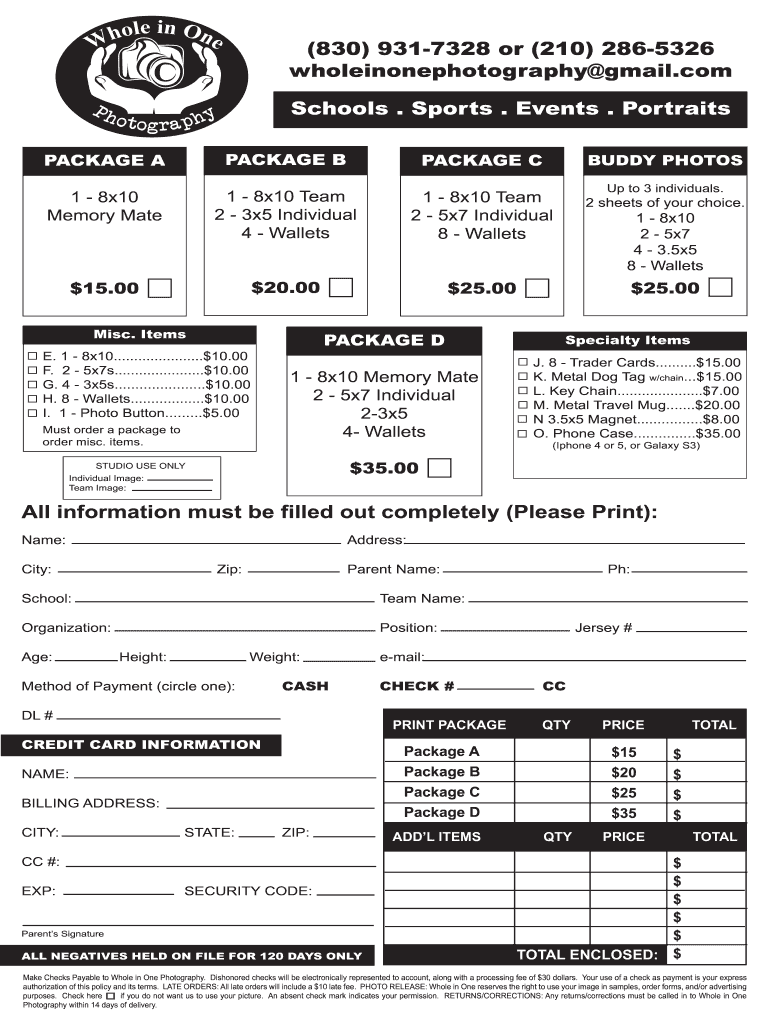
Begin by filling out the personal information section. Enter your Name, Address, City, Zip, Parent Name, School, Team Name, Organization, Position, Age, Height, and Weight. Ensure all fields are completed accurately.
Select your desired package from the options provided (Package A, B, C, or D) and indicate the quantity for each package you wish to order.
Fill in the Method of Payment section by circling your preferred payment method (CASH or CHECK). If paying by credit card, provide your CC number and expiration date.
Review the Specialty Items and Buddy Photos sections if you wish to add any additional items to your order. Indicate quantities as needed.
Finally, sign where indicated for Parent’s Signature and ensure that all totals are calculated correctly before submitting your form.
Start using our platform today to streamline your photography order process for free!
Fill out whole in one photography online It's free
How the Camera Obscura Turned Dark Rooms Into Dream
Oct 2, 2025 In the most rudimentary terms, the camera obscura (whose Latin name means dark chamber) is a dark and enclosed environment with a hole on oneRead more
Cookie consent notice
This site uses cookies to enhance site navigation and personalize your experience.
By using this site you agree to our use of cookies as described in our Privacy Notice.
You can modify your selections by visiting our Cookie and Advertising Notice.