




Here's how it works

01. Edit your pnu tuition fee online
Type text, add images, blackout confidential details, add comments, highlights and more.

02. Sign it in a few clicks
Draw your signature, type it, upload its image, or use your mobile device as a signature pad.

03. Share your form with others
Send philippine normal university tuition fee via email, link, or fax. You can also download it, export it or print it out.
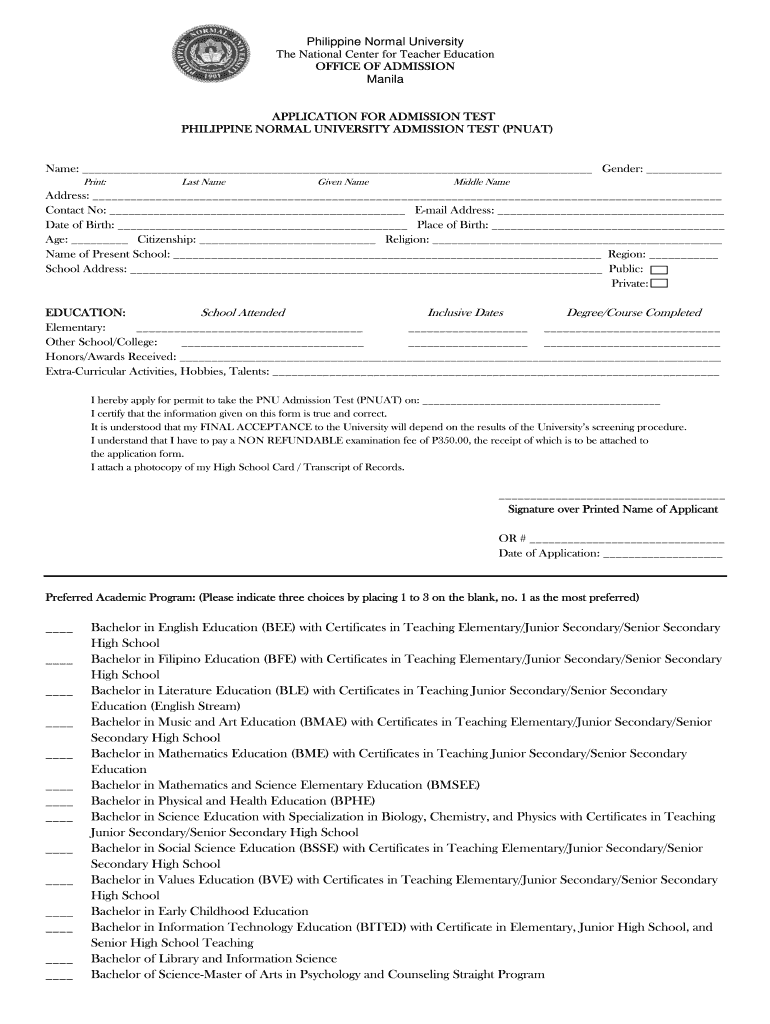
How to use or fill out pnu admission with our platform

- Click ‘Get Form’ to open the PNU Admission form in the editor.
- Begin by entering your personal information. Fill in your Last Name, Given Name, and Middle Name in the designated fields.
- Provide your Address, Contact Number, and Email Address accurately to ensure proper communication.
- Complete the Date of Birth and Place of Birth sections. Make sure to double-check for accuracy.
- Indicate your Age, Citizenship, and Religion as required.
- List the name of your Present School along with its Region and address. Specify whether it is a Public or Private institution.
- Fill out the Education section by detailing schools attended, inclusive dates, and degrees or courses completed.
- Mention any Honors/Awards received and Extra-Curricular Activities, Hobbies, or Talents that you wish to highlight.
- Indicate your preferred academic programs by placing numbers from 1 to 3 next to your choices.
- Finally, review all entered information for accuracy before signing over your printed name and attaching necessary documents like the examination fee receipt.
Start filling out your PNU Admission form today using our platform for free!
Fill out pnu admission online
It's free
It's free
Security and compliance
At DocHub, your data security is our priority. We follow HIPAA, SOC2, GDPR, and other standards, so you can work on your documents with confidence.
Learn more


