




Here's how it works



How to use or fill out cms exhibit 286 with our platform

- Click ‘Get Form’ to open the cms exhibit 286 in the editor.
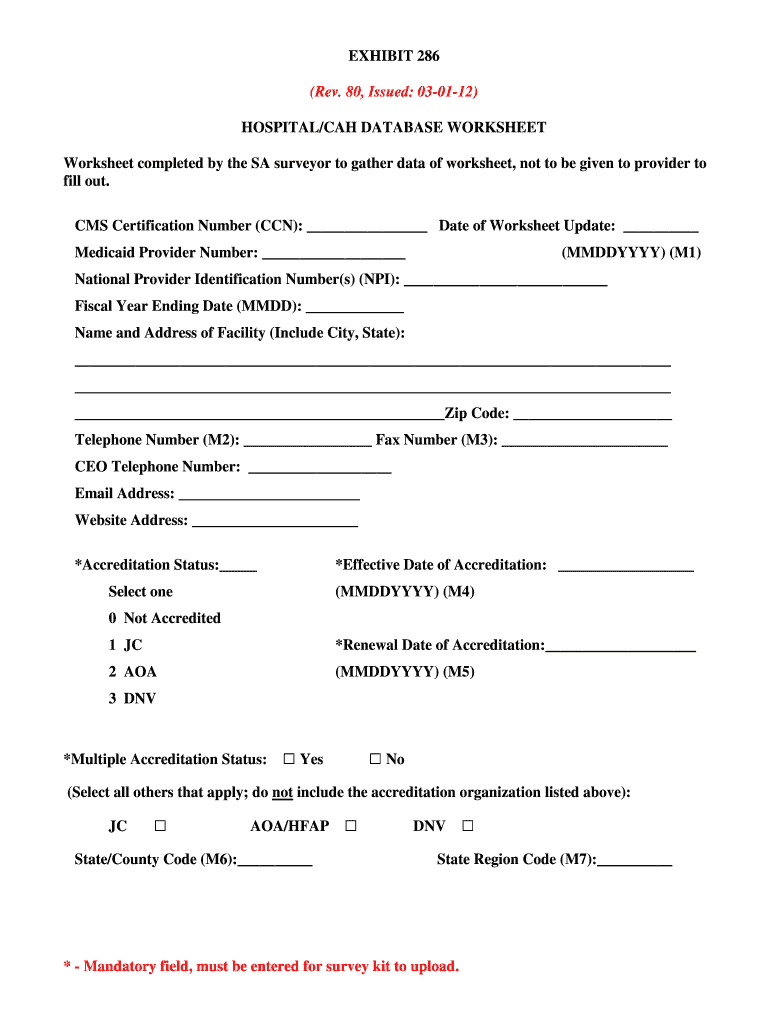
- Begin by entering the CMS Certification Number (CCN) and the Date of Worksheet Update in the designated fields. Ensure these are accurate as they are crucial for tracking.
- Fill in the Medicaid Provider Number and National Provider Identification Number(s) (NPI). These identifiers are essential for compliance with Medicare regulations.
- Complete the facility's Name and Address, including City, State, and Zip Code. Double-check that all information is correct to avoid processing delays.
- Proceed to fill out mandatory fields marked with an asterisk (*), such as Accreditation Status and Effective Date of Accreditation. These fields must be completed for successful submission.
- Review each section carefully, ensuring all required information is provided. Utilize our platform’s features to save your progress frequently.
Start filling out cms exhibit 286 today using our platform for free!
It's free
Got questions?
Can I use DocHub to create legal eSignatures on my cms exhibit 286?
Yes, you can utilize DocHub for signing any business and private paperwork, including your cms exhibit 286. All electronic signatures you create with our tool are legally binding and court-admissible, as DocHub complies with standards required by ESIGN and UETA. Save your completed form with a detailed Audit Trail if necessary.
How do you get cms exhibit 286 for my state?
If you are looking for a state-specific cms exhibit 286 sample, you can find it in our DocHub Forms & Templates catalog. Use the search field, key in your form’s name, and search through the results for your state. You may also filter out irrelevant results while searching our catalog by groups.
How many CMS conditions of participation are there?
What are the CMS conditions of participation?
How many conditions of participation are there currently in home health?
Security and compliance
At DocHub, your data security is our priority. We follow HIPAA, SOC2, GDPR, and other standards, so you can work on your documents with confidence.
Learn more


