




Here's how it works



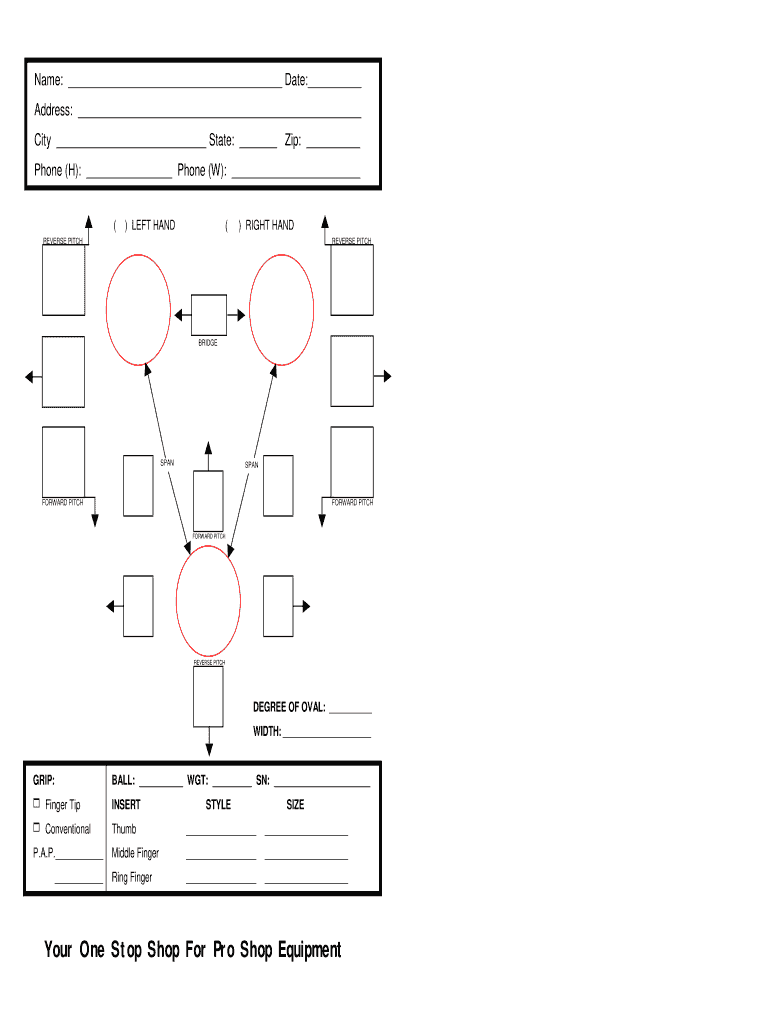
How to use or fill out bowling ball drilling layout sheet with our platform

- Click ‘Get Form’ to open the bowling ball drilling layout sheet in the editor.
- Begin by entering your name and date at the top of the form. This personal information is essential for record-keeping.
- Fill in your address, city, state, and zip code to ensure accurate communication regarding your bowling ball specifications.
- Provide your phone numbers for both home and work. This allows for easy follow-up if needed.
- Indicate whether you are a left or right-handed bowler by checking the appropriate box.
- Complete the reverse pitch, forward pitch, and span sections carefully. These measurements are crucial for customizing your bowling ball grip.
- Specify the degree of oval and width to tailor the ball's fit to your hand shape.
- Finally, fill in details about your grip style, including finger tip or conventional options, along with sizes for each finger.
Start using our platform today to easily complete your bowling ball drilling layout sheet for free!
It's free
Got questions?
Can I sign my bowling ball drill sheet on a mobile?
Of course, you’ll find numerous applications for this on the web. However, if you need to eSign your bowling ball drill sheet without installing additional software, DocHub is the best choice you can make. This robust editor works on mobile devices just like on desktops. Open our editor in your preferred internet browser, register or sign in to your account, and start processing your forms.
Do I need to install software to modify my bowling ball drilling layout sheet?
When you edit your bowling ball drilling layout sheet with DocHub, you merely need a steady web connection and virtually any web browser installed on your device. No need to install any third-party applications or research tutorials. Just open a tab with DocHub, drag and drop your file, and modify it on the spot.
Security and compliance
At DocHub, your data security is our priority. We follow HIPAA, SOC2, GDPR, and other standards, so you can work on your documents with confidence.
Learn more


