
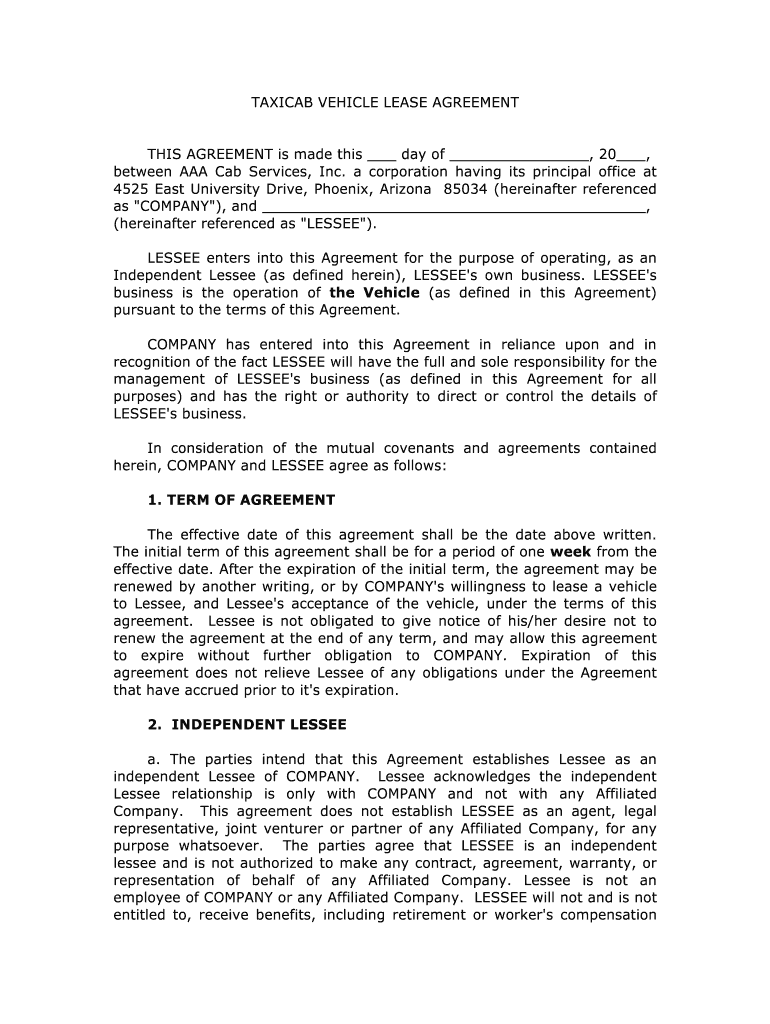




Here's how it works

01. Edit your taxi lease agreement online
Type text, add images, blackout confidential details, add comments, highlights and more.

02. Sign it in a few clicks
Draw your signature, type it, upload its image, or use your mobile device as a signature pad.

03. Share your form with others
Send taxi driver contract agreement via email, link, or fax. You can also download it, export it or print it out.
How to use or fill out work and pay agreement with our platform

- Click ‘Get Form’ to open the work and pay agreement in the editor.
- Begin by entering the date at the top of the document. This is crucial as it marks the effective date of your agreement.
- Fill in your name as 'LESSEE' along with any required personal information, ensuring accuracy for legal purposes.
- Review the 'TERM OF AGREEMENT' section carefully. Specify the initial term duration and understand renewal conditions.
- In the 'INDEPENDENT LESSEE' section, acknowledge your responsibilities and rights as an independent operator by initialing where indicated.
- Complete the 'FEES AND DEPOSITS' section by filling in lease fees and any applicable deposits, ensuring you understand all financial obligations.
- Finally, review all sections for completeness before signing. Use our platform’s tools to add your signature electronically for a seamless process.
Start using our platform today to easily fill out your work and pay agreement online for free!
Fill out work and pay agreement online
It's free
It's free
Security and compliance
At DocHub, your data security is our priority. We follow HIPAA, SOC2, GDPR, and other standards, so you can work on your documents with confidence.
Learn more


Related forms
2013 form 4891
The document is the Michigan Corporate Income Tax (CIT) Annual Return Form 4891 for the tax year 2013. It outlines the r ...

Kentucky 720s 2014 form
The document is a Kentucky S Corporation Income Tax and Limited Liability Entity Tax (LLET) return form, detailing the n ...
2009 oregon form
The document provides detailed instructions for filing Oregon income tax returns for part-year residents and nonresident ...
2012 pa 40 form
The document is the Pennsylvania Income Tax Return form (PA-40) for the year 2012, which includes instructions for filin ...
City college technology application form
The document is an application form for re-admission to the New York City College of Technology, outlining the necessary ...
Cuny employment application
The document is an employment application form for part-time positions at The City University of New York (CUNY), specif ...

Ct referral case
The document is an application form for referring a case to the Complex Litigation Docket (CLD) in the Connecticut Super ...