




Here's how it works

01. Edit your singapore entry form online
Type text, add images, blackout confidential details, add comments, highlights and more.

02. Sign it in a few clicks
Draw your signature, type it, upload its image, or use your mobile device as a signature pad.

03. Share your form with others
Send form singapore via email, link, or fax. You can also download it, export it or print it out.
How to use or fill out Singapore Form No Download Needed with Our Platform

- Click ‘Get Form’ to open it in the editor.
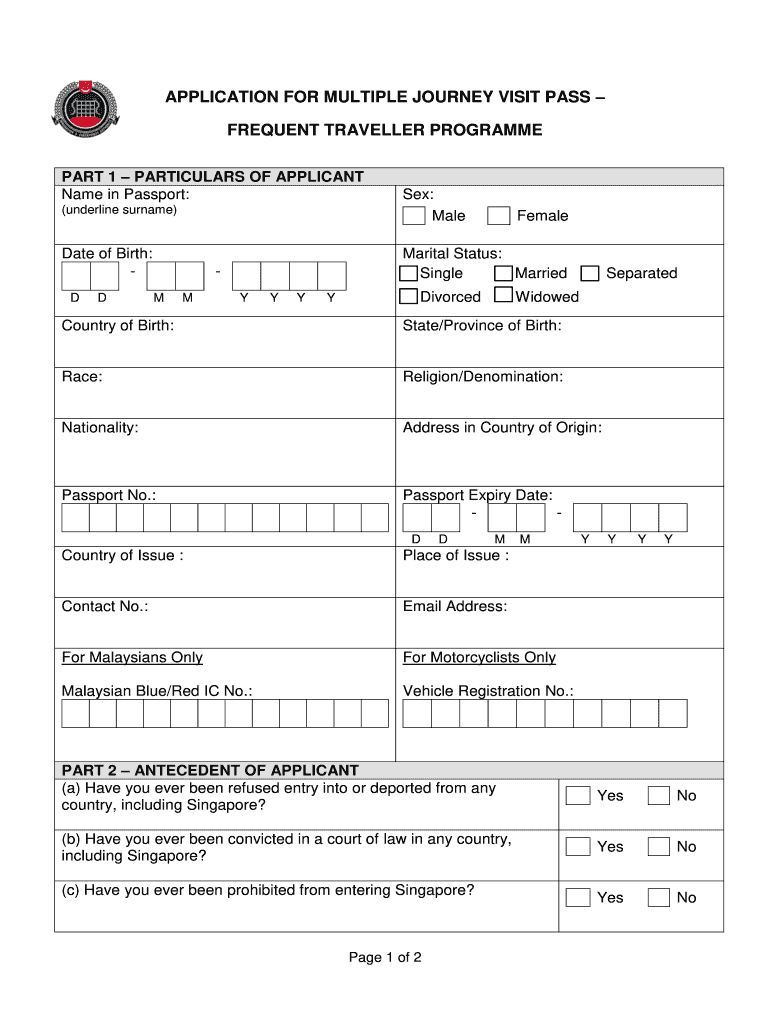
- Begin with Part 1 – Particulars of Applicant. Fill in your Name in Passport, ensuring to underline your surname. Enter your Date of Birth, selecting the appropriate day and month.
- Indicate your Marital Status by selecting either Single or Married. Then, specify your Sex as Male or Female.
- Complete the remaining fields in Part 1, including Country of Birth, State/Province of Birth, Race, Religion/Denomination, Nationality, Address in Country of Origin, Passport No., Passport Expiry Date, Country of Issue, Place of Issue, Contact No., and Email Address.
- For Malaysians only: If applicable, provide your Malaysian Blue/Red IC No. and Vehicle Registration No.
- Move to Part 2 – Antecedent of Applicant. Answer the questions regarding entry refusals and convictions by selecting Yes or No.
- In Part 3 – Declaration by Applicant, read through the declaration carefully. Confirm that all information is true and correct before signing and dating the form.
Start filling out your application for free today using our platform!
Fill out singapore form no No Download Needed needed online
It's free
It's free
Security and compliance
At DocHub, your data security is our priority. We follow HIPAA, SOC2, GDPR, and other standards, so you can work on your documents with confidence.
Learn more


