




Here's how it works

01. Edit your form online
Type text, add images, blackout confidential details, add comments, highlights and more.

02. Sign it in a few clicks
Draw your signature, type it, upload its image, or use your mobile device as a signature pad.

03. Share your form with others
Send it via email, link, or fax. You can also download it, export it or print it out.
The best way to edit School Bus Emergency Evacuation Drill Verification Form in PDF format online

Working on documents with our feature-rich and user-friendly PDF editor is simple. Make the steps below to complete School Bus Emergency Evacuation Drill Verification Form online quickly and easily:
- Log in to your account. Sign up with your credentials or register a free account to test the product before upgrading the subscription.
- Import a form. Drag and drop the file from your device or add it from other services, like Google Drive, OneDrive, Dropbox, or an external link.
- Edit School Bus Emergency Evacuation Drill Verification Form. Quickly add and underline text, insert pictures, checkmarks, and signs, drop new fillable areas, and rearrange or delete pages from your document.
- Get the School Bus Emergency Evacuation Drill Verification Form completed. Download your modified document, export it to the cloud, print it from the editor, or share it with others using a Shareable link or as an email attachment.
Benefit from DocHub, the most straightforward editor to promptly manage your documentation online!
Fill out School Bus Emergency Evacuation Drill Verification Form online
It's free
It's free
Security and compliance
At DocHub, your data security is our priority. We follow HIPAA, SOC2, GDPR, and other standards, so you can work on your documents with confidence.
Learn more


Related forms
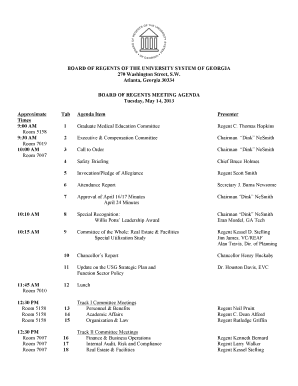
Agenda May 2013 -Final (as of May 2) doc - usg
The document outlines the agenda for the Board of Regents meeting of the University System of Georgia on May 14, 2013. I ...
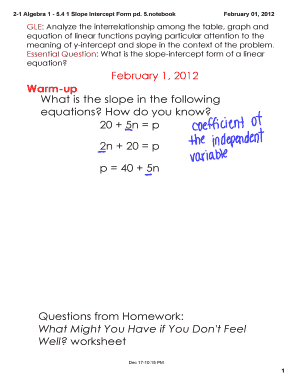
2-1 Algebra 1 - 5 4 1 Slope Intercept Form pd 5 notebook SMART Board Interactive Whiteboard Notes
2-1 Algebra 1 - 5 4 1 Slope Intercept Form pd 5 notebook SMART Board Interactive Whiteboard Notes
The document is a lesson plan for Algebra 1 focusing on the slope-intercept form of linear equations. It emphasizes unde ...

2-10 Algebra 1 - 5 5 2 Standard andamp
The document is a lesson plan for Algebra 1 focusing on the standard and point-slope forms of linear equations. It empha ...
About: State of Maine Judicial Branch
The 2012 Annual Report of the Judiciary of the State of Hawai‘i outlines its mission to administer justice impartially a ...
Save As Idaho Department of Environmental Quality Print Form Clean Water State Revolving Fund Submit
Save As Idaho Department of Environmental Quality Print Form Clean Water State Revolving Fund Submit
The document is a notification indicating that the content is not currently displayed and suggests upgrading to the late ...
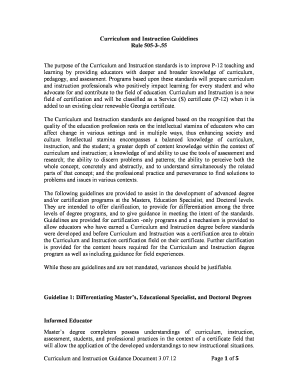
Curriculum and Instruction Guidelines
The Curriculum and Instruction Guidelines aim to enhance P-12 education by equipping educators with comprehensive knowle ...

Dear Idaho Business Educators, - pte idaho
The document is a communication to Idaho Business Educators, highlighting upcoming events, contests, and professional de ...
Licensed Providers: Children 6 Weeks to 5 Years Old BiMonthly Status Report Summary
The document is a comprehensive market rate survey of licensed child care programs in Illinois for fiscal year 2010, pre ...