




Here's how it works

01. Edit your form online
Type text, add images, blackout confidential details, add comments, highlights and more.

02. Sign it in a few clicks
Draw your signature, type it, upload its image, or use your mobile device as a signature pad.

03. Share your form with others
Send it via email, link, or fax. You can also download it, export it or print it out.
How to use or fill out request credit form reporter with our platform

- Click ‘Get Form’ to open the request credit form reporter in the editor.
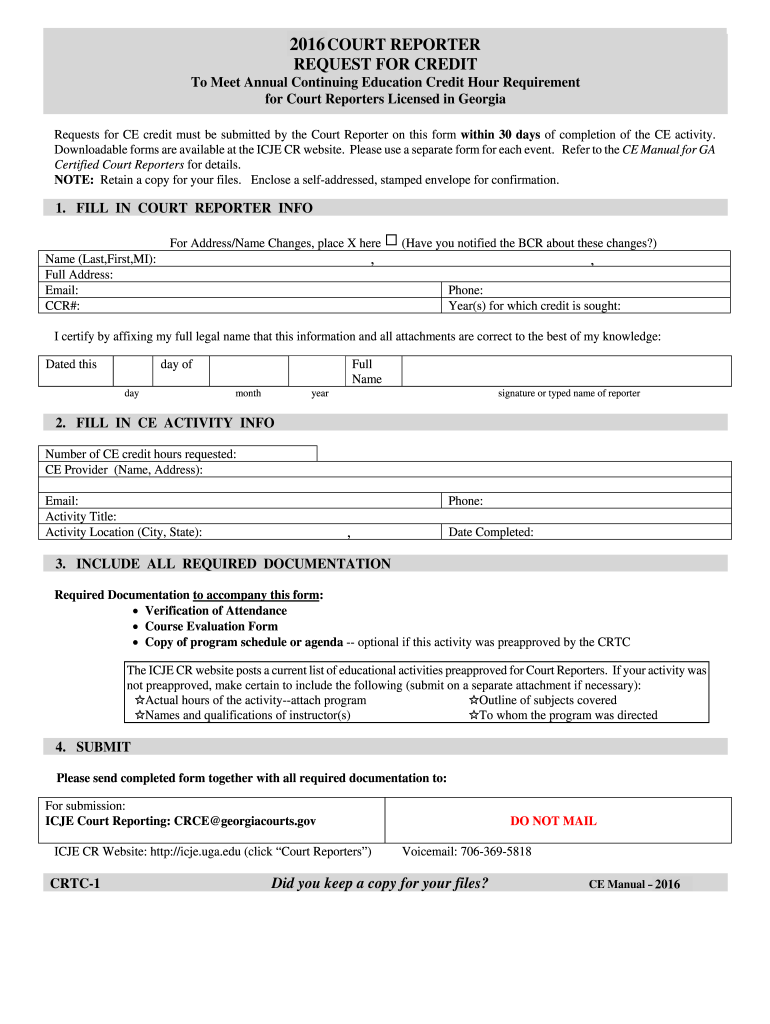
- Begin by filling in your court reporter information. Include your full name, address, email, CCR number, and phone number. If there are any changes to your address or name, mark the appropriate box.
- Next, specify the year(s) for which you are seeking credit and certify the accuracy of your information by signing and dating the form.
- Proceed to fill in the CE activity details. Enter the number of CE credit hours requested, CE provider's name and address, activity title, location, and completion date.
- Ensure all required documentation is included. This includes verification of attendance and course evaluation forms. If applicable, attach additional materials such as program outlines or instructor qualifications.
- Finally, submit your completed form along with all documentation to the specified email address provided on the form.
Start using our platform today for free to streamline your document editing and submission process!
Fill out request credit form reporter online
It's free
It's free
Security and compliance
At DocHub, your data security is our priority. We follow HIPAA, SOC2, GDPR, and other standards, so you can work on your documents with confidence.
Learn more


