






Definition and Meaning of SecureZIP
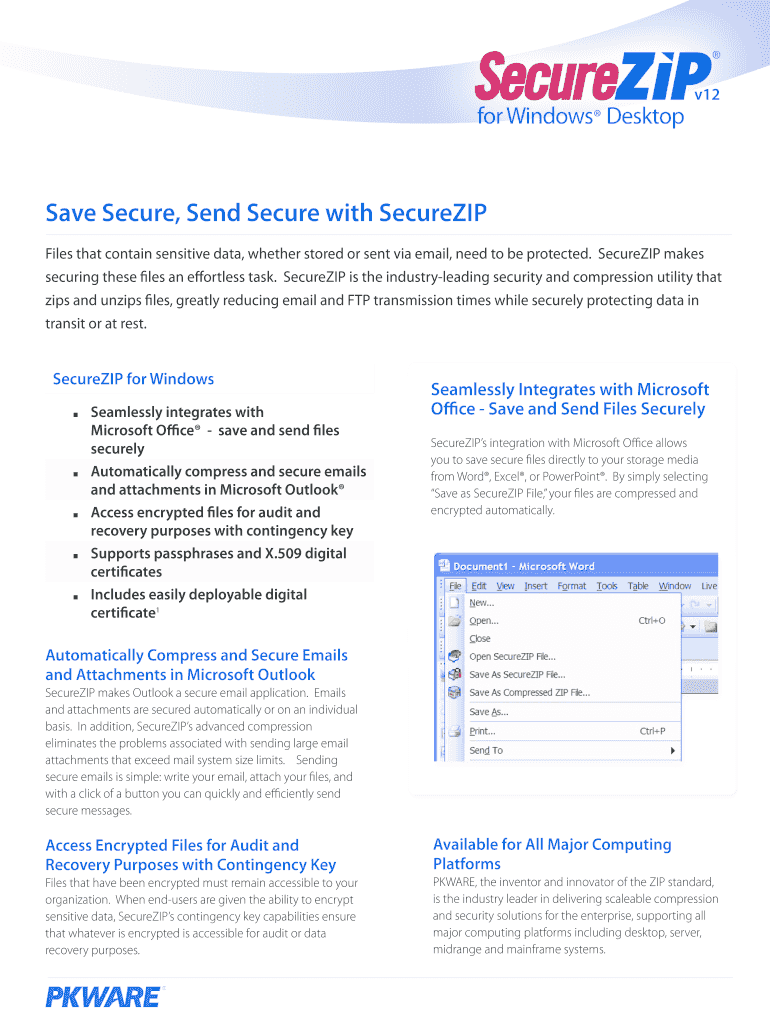
SecureZIP by PKWare is an advanced security and compression utility designed to protect sensitive information during both storage and transmission. It combines powerful encryption with data compression, offering seamless integration with Microsoft Office and Outlook to ensure documents are securely saved and sent. By encrypting files through versatile methods like passphrases and digital certificates, SecureZIP provides a robust layer of security essential for enterprises that manage sensitive data, ensuring compliance with industry standards.
Steps to Use SecureZIP for Secure Document Management
-
Installation and Setup:
- Download SecureZIP from the official PKWare website.
- Follow the on-screen instructions for installation.
- Integrate with your existing Microsoft Office and Outlook applications.
-
Compressing and Encrypting Files:
- Open SecureZIP and select the files you wish to compress.
- Choose the encryption method, either passphrase or digital certificate.
- Save the secured and compressed file in your desired location.
-
Sending Secure Files:
- Attach the compressed file in your email client, such as Outlook.
- Ensure recipients have the passphrase or corresponding digital certificate for decryption.
-
Receiving and Decrypting Files:
- After receiving a SecureZIP encrypted file, use the provided passphrase or your digital certificate to decrypt and access the contents.
Obtaining SecureZIP for High-Level Security Needs
- Purchase and Licensing: SecureZIP is available for purchase through the PKWare website. Licensing options cater to individual users, business entities, and large enterprises.
- Trial Versions: A limited trial version may be available, allowing users to explore its features before committing to a purchase.
- Support and Updates: Upon purchasing, users gain access to customer support and software updates, ensuring ongoing security and feature enhancements.
Importance of Using SecureZIP for Data Protection
- Data Security: SecureZIP is crucial for safeguarding sensitive documents, providing protection against unauthorized access and data breaches.
- Regulatory Compliance: Helps enterprises comply with data protection regulations, such as GDPR and HIPAA, by providing strong encryption methods.
- File Management Efficiency: Combines compression with encryption to reduce file sizes while maintaining data protection, optimizing storage and transmission processes.
Types of Users and Industries Benefiting from SecureZIP
- Enterprises and Corporations: Businesses dealing with sensitive client data or intellectual property.
- Financial Services: Institutions managing confidential financial records and customer information.
- Healthcare Organizations: Ensures compliance with health information standards and protects patient records.
- Government Agencies: Safeguards sensitive documents critical to national security and citizen privacy.
Important Terms Related to SecureZIP
- Encryption: The process of converting information into a secure format that is unreadable without a decryption key.
- Passphrase: A sequence of words used to protect encrypted data, typically easier to remember than traditional passwords.
- Digital Certificate: An electronic credential confirming the ownership of a public key, used for encrypting and decrypting information.
- Contingency Key: A backup key used to recover data in case of loss of the primary decryption credentials.
Legal and Compliance Considerations
- Adhering to Legal Standards: SecureZIP helps organizations adhere to legal obligations regarding data encryption and secure transmission, essential for avoiding non-compliance penalties.
- Audit Trails: Maintains comprehensive records of data access and modifications, facilitating audits and investigations.
Software Compatibility and Integration
- Microsoft Office and Outlook Integration: SecureZIP seamlessly works with commonly used office applications to enhance productivity while maintaining security.
- Cross-Platform Usability: Compatible with various computing platforms and systems, catering to diverse organizational needs.
- Additional Software: Compatible with security-focused applications that enhance overall data management strategies.
Examples and Use Cases of SecureZIP
- Health Records Management: Hospitals use SecureZIP to encrypt patient records before sharing them across departments.
- Financial Transaction Reports: Financial organizations send encrypted transaction data to international branches securely.
- Legal Document Transfers: Law firms protect client information by using SecureZIP to encrypt and compress files sent via emails.
These selected blocks offer in-depth insights into how SecureZIP functions as a formidable tool for secure file management, its relevance across various industries, and how businesses and individual users can implement this technology to enhance data protection practices.