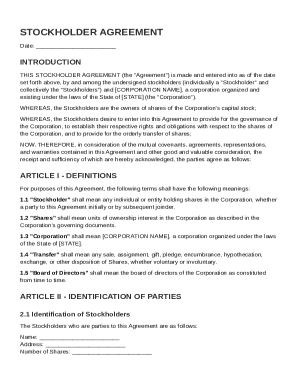
Definition and Meaning of the Registration Form
A registration form is a document used to collect specific information from individuals or entities for a particular event, service, or function. Typically, it includes fields that request personal details, such as name, contact information, and, depending on the context, additional relevant data. Registration forms serve various purposes, from enrolling participants in events like the 49th Annual United Nations Weekend to facilitating membership in organizations or services. They help organize and maintain structured data, ensuring that necessary information is gathered efficiently and effectively.
How to Use the Registration Form
Understanding how to use a registration form is essential to ensure accurate and complete submission. Typically, begin by carefully reading all instructions provided within or alongside the form. This helps to accurately interpret what information is required and avoid common mistakes. Ensure all mandatory fields are filled in to adhere to submission requirements. Some registration forms might offer guidance on format preferences, such as capitalizing names or using specific date formats—pay attention to these details for a correct submission. For digital forms, ensure you have a stable internet connection to prevent data loss during submission. Double-check your entries for accuracy before finalizing your submission.
Steps to Complete the Registration Form
-
Review the Form Requirements: Start by reviewing any guidelines or instructions that accompany the form. This includes understanding what sections are mandatory and any additional documents that may be required.
-
Gather Necessary Information: Before filling out the form, collect all necessary information. This could range from basic personal details to specific data like passport numbers or membership IDs.
-
Fill Out the Form: Enter information into each field carefully and accurately. Follow any formatting guidelines, such as using capital letters or consistent date formats.
-
Verify Information: After completing the form, review all entries to ensure they are correct and complete. Look for any potential errors that might invalidate the form.
-
Submit the Form: Depending on the form's requirements, it might be submitted digitally, mailed, or delivered in person. Follow the correct submission process to ensure it reaches the intended recipient or database.
Key Elements of the Registration Form
Registration forms typically contain several key elements, each designed to capture specific information. Common elements include:
- Personal Information: Name, contact details, and address.
- Event or Service Details: The specific event or service for which registration is occurring.
- Required Documentation: Any documentation or additional information needed for registration.
- Consent and Signature: Space for acknowledging terms and conditions or providing a digital/electronic signature.
These elements ensure the form meets its intended purpose of registering and organizing applicants' details comprehensively.
Examples of Using the Registration Form
The versatility of registration forms allows them to be used in numerous scenarios. Examples include:
-
Event Registrations: Enrolling for conferences, workshops, or cultural exchange weekends like the United Nations event in Mountain Lakes, NJ.
-
Service Registration: Signing up for access to services, whether professional consulting or digital subscriptions.
-
Educational Enrollments: Registering for courses, seminars, or online learning platforms where specific details are required to tailor the experience to the participant's needs.
Such scenarios highlight the efficiency and organizational function of these forms across various domains.
Who Typically Uses the Registration Form
Registration forms are commonly utilized by various groups and individuals:
-
Event Organizers: Use forms to streamline participant enrollment and plan logistics based on the anticipated number of attendees.
-
Educational Institutions: Collect data from students enrolling in programs or courses, ensuring that all necessary information is recorded before commencing studies.
-
Businesses and Organizations: Utilize forms for membership sign-ups, processing new employee information, or customer registrations for services.
These users rely on the structured format of registration forms to systematically gather essential information.


Required Documents for Registration Forms
Depending on the nature of the registration, accompanying documents may be required. Common examples include:
-
Identification Documents: Such as a driver's license or passport for verification purposes.
-
Proof of Eligibility: Documentation like prior certifications when registering for advanced educational courses or workshops.
-
Payment Proofs: Especially for event registrations that mandate an entry fee or membership cost.
Gathering and preparing these documents in advance facilitates a smooth registration process.
Form Submission Methods for Registration Forms
Registration forms can often be submitted through various channels, and understanding each method ensures timely and correct delivery:
-
Online Submission: Many forms are available electronically, providing a convenient way to submit via secure web platforms.
-
Mail Submission: Some events or institutions still accept physical copies through postal mail, requiring that forms be printed, filled out, and sent to a specified address.
-
In-Person Delivery: Particularly relevant for local events or organizations, allowing for direct handover to the appropriate authority or desk.
Choosing the right submission method depends on convenience, form guidelines, and the urgency of registration.