




Here's how it works

01. Edit your free pet sitting software online
Type text, add images, blackout confidential details, add comments, highlights and more.

02. Sign it in a few clicks
Draw your signature, type it, upload its image, or use your mobile device as a signature pad.

03. Share your form with others
Send pet sitting software free via email, link, or fax. You can also download it, export it or print it out.
How to use or fill out pet sitting software with our platform

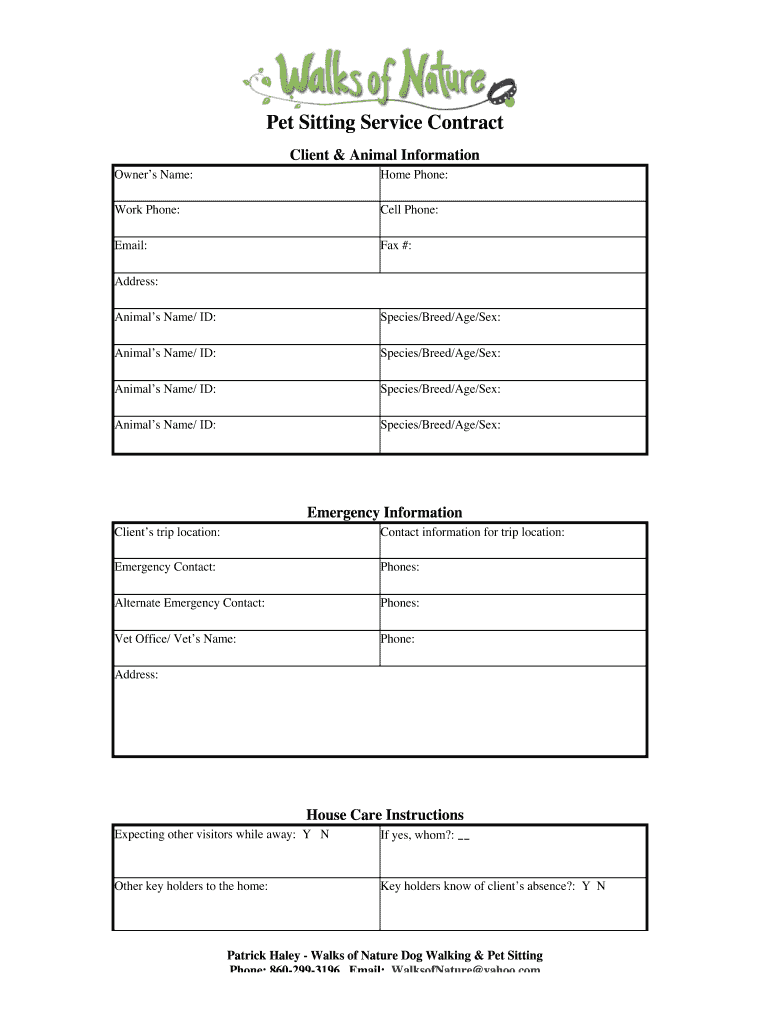
- Click ‘Get Form’ to open the Pet Sitting Service Contract in the editor.
- Begin by entering your personal information in the 'Client & Animal Information' section. Fill in your name, phone numbers, email, and address accurately.
- List each pet's details under 'Animal’s Name/ID', including species, breed, age, and sex. Ensure all pets are accounted for.
- In the 'Emergency Information' section, provide your trip location and emergency contact details. This ensures that caretakers can reach you if needed.
- Fill out the 'House Care Instructions' carefully. Indicate if there will be other visitors and provide any necessary instructions regarding house care.
- Detail the services required in the 'Description of Services' section. Specify dates, number of visits per day, and costs associated with each service.
- Complete individual animal instructions by detailing feeding schedules, health care needs, exercise routines, and any behavioral issues.
- Review the 'Liability Waiver & Policies' thoroughly before signing to ensure understanding of responsibilities and policies.
Start using our platform today to streamline your pet sitting documentation for free!
Fill out pet sitting software online
It's free
It's free
Security and compliance
At DocHub, your data security is our priority. We follow HIPAA, SOC2, GDPR, and other standards, so you can work on your documents with confidence.
Learn more


