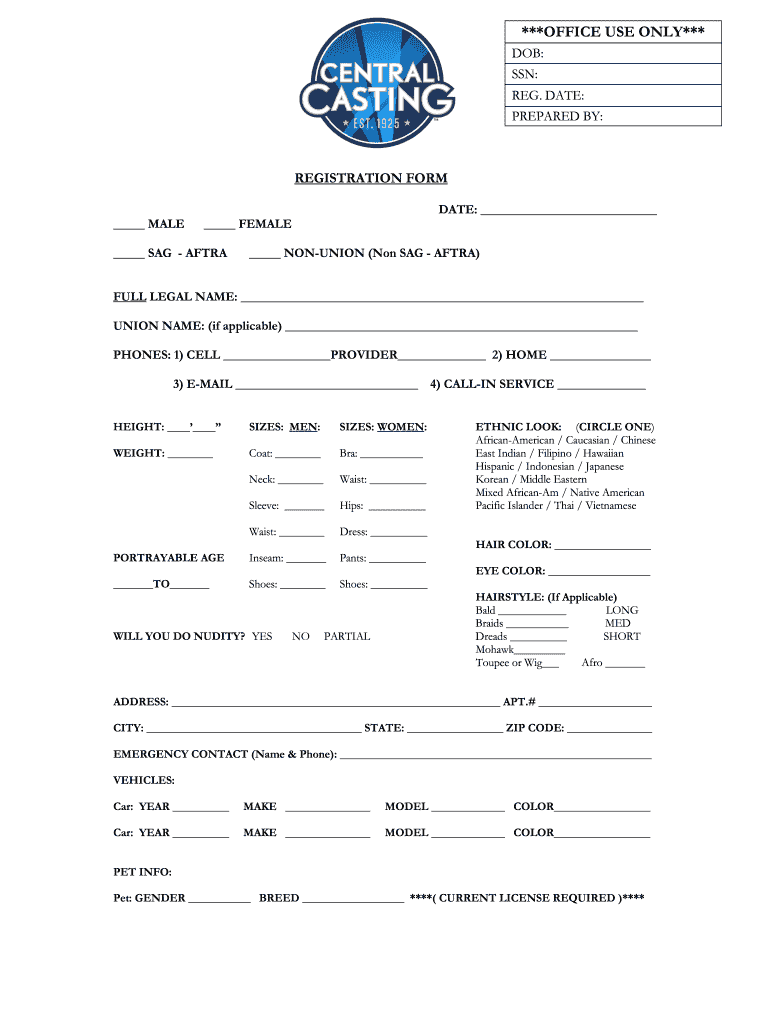
Casting registration form 2026

Get Form
casting form Preview on Page 1

Here's how it works

01. Edit your casting form online
Type text, add images, blackout confidential details, add comments, highlights and more.
02. Sign it in a few clicks
Draw your signature, type it, upload its image, or use your mobile device as a signature pad.
03. Share your form with others
Send casting registration form via email, link, or fax. You can also download it, export it or print it out.

How to use or fill out casting registration form with our platform

Form edit decoration
9.5
Ease of Setup
DocHub User Ratings on G2
9.0
Ease of Use
DocHub User Ratings on G2
  1. Click ‘Get Form’ to open the casting registration form in the editor.
  2. Begin by entering your full legal name in the designated field. This is crucial for identification purposes.
  3. Select your gender and union status by checking the appropriate boxes provided.
  4. Fill in your contact information, including cell phone, home phone, email, and any call-in service details.
  5. Provide your physical measurements such as height, weight, and sizes for clothing. Be sure to fill out all relevant fields accurately.
  6. Indicate your portrayable age range and provide details about your hairstyle and ethnic look by circling the options that apply.
  7. Complete your address information along with emergency contact details.
  8. If applicable, list vehicle information and pet details as required at the end of the form.

Start filling out your casting registration form online for free today!

be ready to get more

Complete this form in 5 minutes or less

Get form

Got questions?

We have answers to the most popular questions from our customers. If you can't find an answer to your question, please contact us.
Contact us
Backstage gives you every upcoming opportunity in the industry there is! They tell you exactly what the casting agents are asking for, due dates, and most importantly its reliable and safe.
Becoming a Background Actor with Central Casting is free and easy! Complete the Talent Onboarding steps so you can get booked on movies and TV shows.
How to create a registration form in 7 steps Determine form length. Set clear fields. Set up a confirmation message. Add a payment option (if applicable) Check for accessibility. Embed the form for easy completion. Create your own registration form with SurveyMonkey.
Consider adding times, dates, and locations to your forms, especially if youre hosting multiple auditions. Also consider roles available, and the option to upload a short video. Lastly, close out your audition form by letting auditionees know youre excited to see them and let them know how you will be in touch.
EventForm - Google Workspace Marketplace. Turn your Google Form into a powerful tool to manage event registrations! EventForm provides features like a website, registration and reminder emails, ticket sales, capacity limit, waitlist more.

Security and compliance

At DocHub, your data security is our priority. We follow HIPAA, SOC2, GDPR, and other standards, so you can work on your documents with confidence.

Learn more
ccpa2
pci-dss
gdpr-compliance
hipaa
soc-compliance
be ready to get more

Complete this form in 5 minutes or less

Get form

People also ask

To create an effective event registration form, you should understand the key points it should include: Basic information. Basic information about the user must be entered into the form, such as first name, last name, email, and phone number. Event details. Payment details. Special requests. Confirmation and notifications.

central casting registration