
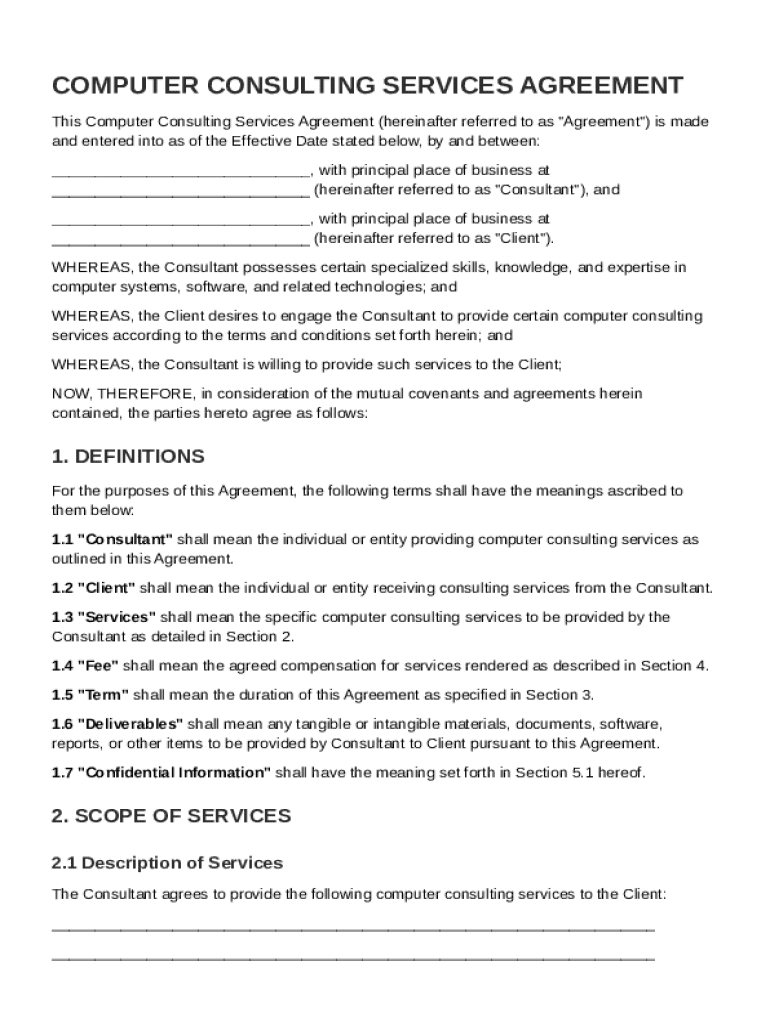







Definition & Meaning
A Computer Consulting Services Agreement, commonly referred to as the Computer Consult Contract Template, is a legally binding document between a consultant and a client. This agreement outlines the terms and conditions under which computer consulting services are provided. It serves as a clear framework for defining the working relationship, including the scope of services, compensation, and confidentiality obligations. This template ensures that both parties have a mutual understanding of their responsibilities and expectations, thereby minimizing the risk of misunderstandings.
Key Elements of the Computer Consult Contract Template
The Computer Consult Contract Template comprises several crucial elements that govern the operational and legal aspects of the consulting relationship. These include:
- Scope of Services: Clearly defines the services to be rendered, ensuring both parties are aligned on the work to be performed.
- Compensation Details: Outlines the payment structure, including hourly rates, fixed fees, or milestone-based payments.
- Confidentiality Obligations: Protects sensitive information exchanged during the consulting engagement.
- Intellectual Property Rights: Specifies the ownership of any intellectual property developed during the course of the engagement.
- Termination Conditions: Provides conditions under which the contract can be terminated by either party.
- Indemnification Clauses: Protects each party from liabilities related to breaches or negligence by the other party.
How to Use the Computer Consult Contract Template
Using the Computer Consult Contract Template involves several straightforward steps to ensure a comprehensive and accurate agreement:
- Identify Relevant Sections: Review and select sections pertinent to the specific consulting engagement.
- Customize the Template: Tailor the language and terms according to the specific needs and requirements of both parties.
- Review Legal Requirements: Ensure that the terms comply with applicable laws and regulations.
- Seek Legal Review: Have a legal professional review the document to ensure all nuances are appropriately addressed.
- Execute the Contract: Both parties sign the document, acknowledging their agreement to the terms.
Steps to Complete the Computer Consult Contract Template
To effectively complete the Computer Consult Contract Template, follow these detailed steps:
- Input Basic Information: Fill in the names and contact details of both the consultant and the client.
- Define Scope and Services: Clearly articulate the specific services that will be offered.
- Set Compensation Terms: Clearly outline payment terms, frequency, and method of payment.
- Include Confidentiality Provisions: Specify what information must remain confidential.
- Clarify Intellectual Property Rights: Determine the ownership of any created work or software.
- Establish Penalties for Breach: Set out any penalties or repercussions for breach of contract.
- Sign and Date: Both parties sign the document to formalize the agreement.
Who Typically Uses the Computer Consult Contract Template
This template caters to a wide audience within the tech industry, including:
- Freelance Consultants: Professionals offering specialized technology consulting services to multiple clients.
- IT Service Providers: Firms providing outsourced IT services or solutions.
- Startups: Emerging companies seeking expert advice on technology implementation.
- Corporations: Businesses needing external expertise for specific IT projects.
- Nonprofits: Organizations seeking guidance on digital transformation or technology upgrades.


Legal Use of the Computer Consult Contract Template
Legal compliance is paramount when utilizing the Computer Consult Contract Template. This involves ensuring:
- Adherence to Contract Law: The template must be in alignment with local, state, and federal laws.
- Respect for Confidentiality: All confidentiality provisions must comply with applicable privacy regulations.
- Proper Execution: All parties must sign the document, acknowledging their agreement to the terms legally.
State-specific Rules for the Computer Consult Contract Template
Different states may impose distinct requirements or variations for consulting agreements. Key differences may include:
- Governing Law: The contract may specify which state's laws will govern the agreement.
- Regulatory Compliance: Some states may have specific regulations regarding consulting practices or data protection.
- Dispute Resolution: States might have varying guidelines on arbitration or mediation processes.
Examples of Using the Computer Consult Contract Template
Consider these scenarios for practical application of the template:
- A freelance software developer consults for a financial services company to optimize their digital security systems and outlines services, timelines, and compensation using the template.
- An IT consultancy firm enters into a contract with a retail chain to integrate AI-driven solutions into their supply chain operations, leveraging the template to structure project phases and payment milestones.
- A startup partners with a tech expert to develop a unique mobile application, utilizing the template to clarify ownership rights and confidentiality terms.




