







Definition and Overview of the Signature Page Agreement Template
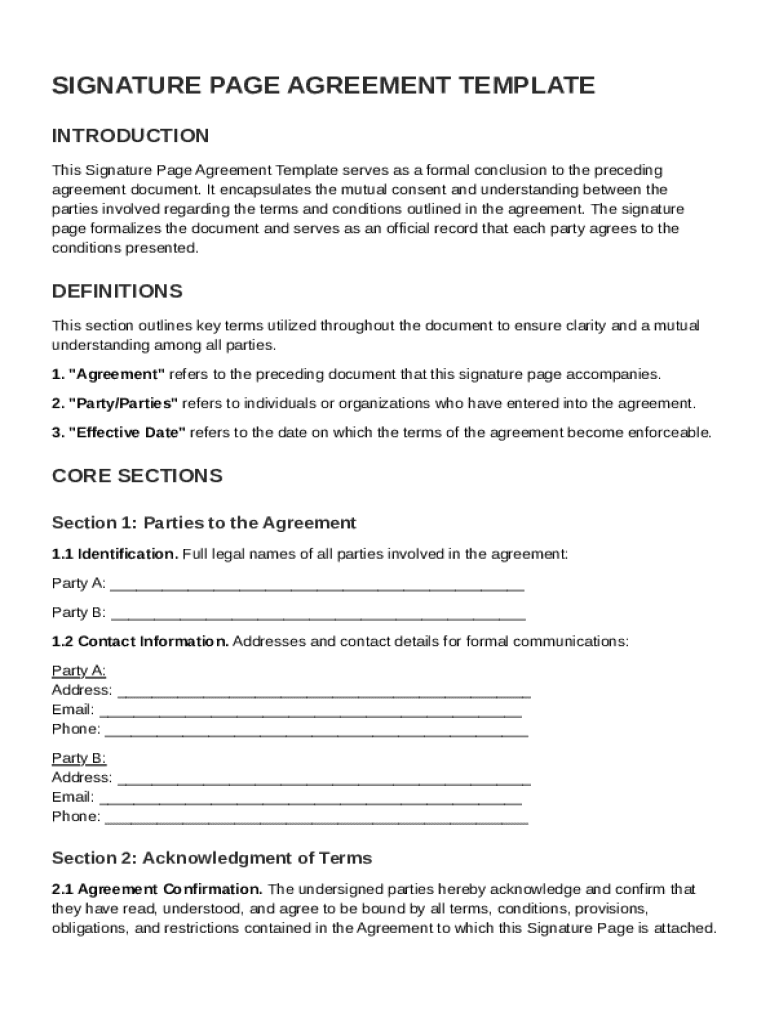
The Signature Page Agreement Template is a critical component of legal contracts, serving as a formal conclusion to an agreement by capturing the mutual consent of all parties involved. This document outlines essential details such as the identification of parties, acknowledgment of terms, and signature blocks for each party. In certain cases, provisions for a witness may also be included. This template emphasizes that an agreement becomes effective only upon execution by all involved parties, ensuring clarity and legal standing in formal agreements.
Key Elements of the Template
-
Identification of Parties: The template clearly identifies all parties entering into the agreement. This includes their names, roles, and affiliations, providing a clear reference for signatories.
-
Acknowledgment of Terms: Before signing, parties acknowledge that they have read and understood the agreement's terms. This section lends credibility to the document as a mutual consensus of the highlighted terms.
-
Signature Blocks: Designed for each party, these blocks require signatories to provide their handwritten or electronic signatures. This section can also include space for additional comments or stipulations specific to each signatory.
-
Witness Provisions: While optional, witness signatures can be included to further authenticate the document, especially in high-stakes agreements like mergers.
Steps to Complete the Signature Page Agreement Template
Completing the Signature Page Agreement Template involves several key steps to ensure all legal and procedural requirements are met.
-
Download and Personalize: Begin by downloading the template and filling in essential information like parties’ details and the agreement's date. Personalized details should accurately reflect the specifics of your legal arrangement.
-
Review Terms and Conditions: Thoroughly review the agreement's terms, involving legal counsel if necessary, to ensure understanding and compliance with all obligations.
-
Insert Signatures: After comprehensive review, insert signatures electronically or in print. Ensure all relevant parties have ample opportunity to sign, as unsigned documents can invalidate the agreement.
-
Secure Witness Signatures: If the agreement requires a witness, facilitate their presence during the signing process to verify authenticity.
-
Finalize and Distribute: Once signed, distribute copies to all parties for their records. Keeping a digital copy ensures easy access and reference, protecting against potential disputes.
How to Use the Signature Page Agreement Template
Proper utilization of the Signature Page Agreement Template ensures that agreements are legally binding and protect all parties involved.
-
Initial Preparation: Begin preparation by gathering all necessary details about the parties and the agreement. This ensures the document reflects the actual intent and context of the exchange.
-
Review for Accuracy: Check every section for accuracy, confirming that the information aligns with all aspects of the underlying agreement.
-
Execution of Signatures: Choose whether to execute signatures digitally or in person based on convenience and the nature of the agreement. Use secure methods to authenticate electronic signatures, maintaining legality under the ESIGN Act.
-
Retention and Distribution: After executing the agreement, every party should retain a copy. Effective filing systems, both digital and printed, ensure easy retrieval for future references or audits.
Legal Use and Compliance
Understanding the legal implications and requirements of using the Signature Page Agreement Template is crucial for lawful compliance.
Legal Binding and Compliance
-
ESIGN Act Adherence: Electronic signatures are legally binding and recognized under the ESIGN Act, making them a viable option for modern transactions.
-
Contractual Obligations: The template must accurately reflect the contract's terms. Failing to meet these obligations can lead to disputes or legal action.
State-Specific Regulations
-
State Variations: Different states may impose specific requirements for signatures and witness provisions. Consult local statutes to ensure full compliance.
-
Uniform Commercial Code Considerations: For sales and leases, the Uniform Commercial Code (UCC) may apply. Check if UCC stipulations affect your agreement and account for them in the document.
Important Terms Related to the Template
Familiarity with key terms associated with the Signature Page Agreement Template is important for effectively negotiating and finalizing agreements.
-
Mutual Consent: This refers to the voluntary agreement of parties to all terms, a cornerstone of legally enforceable agreements.
-
Counterparty Verification: This involves verifying the identity and authority of all signing parties to prevent unauthorized commitments.
-
Anticipatory Breach: Understanding this term helps parties address potential violations before they occur, safeguarding contractual expectations.
Examples of Using the Signature Page Agreement Template
Real-World Applications
-
Business Partnerships: When forming a partnership, the template ensures that both parties agree to uphold certain terms and conditions, preventing future disagreements.
-
Property Leases: Landlords and tenants may use the template to finalize leasing agreements, setting out rental terms and responsibilities clearly.
-
Employment Contracts: Employers can leverage the template to finalize contracts with new hires, delineating job roles and compensatory frameworks.
By integrating these features and processes, the Signature Page Agreement Template streamlines finalizing formal agreements, ensuring clarity and legal compliance in a broad spectrum of scenarios.




