
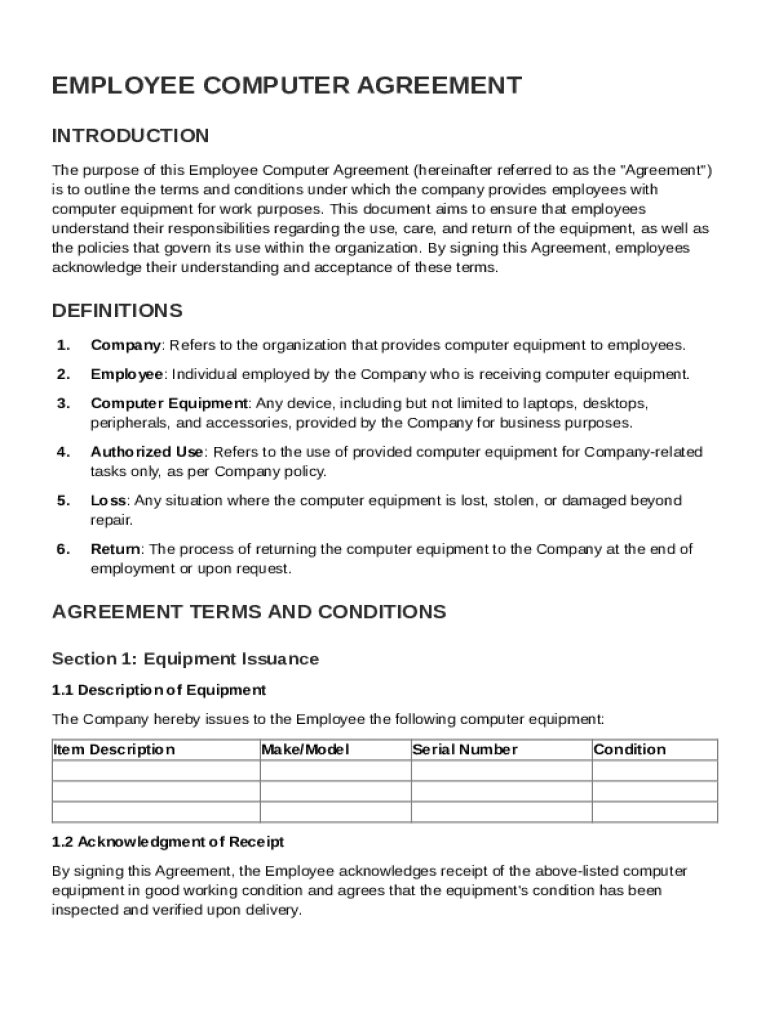







Definition and Meaning of the Employee Computer Agreement Template
The Employee Computer Agreement Template is a pre-structured document outlining the terms and conditions under which a company provides computer equipment to its employees. It serves as a binding contract that specifies both the company’s and the employee's responsibilities regarding the use, maintenance, and security of the equipment. By signing this agreement, employees acknowledge their understanding of their obligations and the company's policies related to computer usage. This ensures both parties have clear expectations, reducing the potential for future disputes.
Key Elements of the Employee Computer Agreement Template
- Equipment Details: Includes a comprehensive list of the computer equipment being assigned, along with serial numbers and specifications.
- Employee Responsibilities: Employees are required to maintain the equipment in good condition, avoid unauthorized use, and report any malfunctions.
- Security Practices: Details on securing the equipment, including usage of passwords and adherence to data protection protocols.
- Return Procedures: Specifies the conditions and timeframe for returning equipment upon termination or at the company’s request.
- Confidentiality Measures: Obligations concerning the protection of company data stored on the equipment.
- Consequences of Non-Compliance: Outlines disciplinary actions for failure to comply with the agreement terms.
How to Use the Employee Computer Agreement Template
- Customize the Template: Customize the template to fit your company's specific policies and the type of equipment provided.
- Distribute to Employees: Provide the completed agreement to employees who will receive company computer equipment.
- Explain Key Sections: Ensure that employees understand each section of the agreement, particularly their responsibilities and the consequences of non-compliance.
- Secure Signatures: Obtain signatures from employees to acknowledge their understanding and acceptance of the terms.
- Maintain Records: Keep signed copies of the agreements in the employee’s personnel files for future reference.
Steps to Complete the Employee Computer Agreement Template
- Review the Template: Begin by thoroughly reviewing the template to understand all sections and determine any section that may require modifications.
- Fill Out Equipment Information: Provide detailed information on the equipment issued, including descriptions and serial numbers.
- Detail Employee Obligations: Clearly outline what is expected from the employee regarding equipment care, usage, and security.
- Finalize Security Protocols: Specify any unique security measures the employee must follow, such as installation of specific software or adherence to IT security standards.
- Set Return Conditions: Define the circumstances under which the employee must return the equipment, including potential costs for damages or loss.
- Gather Signatures: Collect signatures from both the employer and employee to finalize the agreement.
Important Terms Related to the Employee Computer Agreement Template
- Authorized Use: Refers to the specific purposes and conditions under which company equipment is to be used.
- Data Protection: The means by which employee and company data stored on the equipment is kept secure.
- Malware Prevention: Policies encouraging employees to protect devices from viruses and other malicious software.
- Termination Protocol: Steps to be taken regarding equipment return and account access removal if employment ends.
Legal Use of the Employee Computer Agreement Template
This template serves as a legal document ensuring both parties agree to stipulated terms regarding the usage of company-provided computer equipment. In the United States, electronic agreements such as this are legally binding under the ESIGN Act, provided all parties voluntarily consent to the terms. Employers should ensure the template aligns with applicable state and federal laws, including data privacy and employee rights regulations.
State-Specific Rules for the Employee Computer Agreement Template
While the overarching structure of the Employee Computer Agreement Template is commonly applicable, certain states may have unique requirements regarding data protection and employee privacy. For instance:
- California: Employers must ensure compliance with the California Consumer Privacy Act (CCPA) regarding employee data stored on laptops.
- New York: Regulations might necessitate explicit consent for monitoring employee computer use.
- Texas: Additional disclosures may be required concerning telecommuting or remote work policies.
Examples of Using the Employee Computer Agreement Template
Consider a company in California providing laptops to remote workers. The agreement includes specific provisions under the CCPA to protect employee PII stored on these devices. Another example might be a tech firm in New York detailing monitoring practices as part of their employee computer agreement, to comply with state privacy laws. Such tailored inclusions highlight the template's adaptability to various business scenarios and legal landscapes.




