
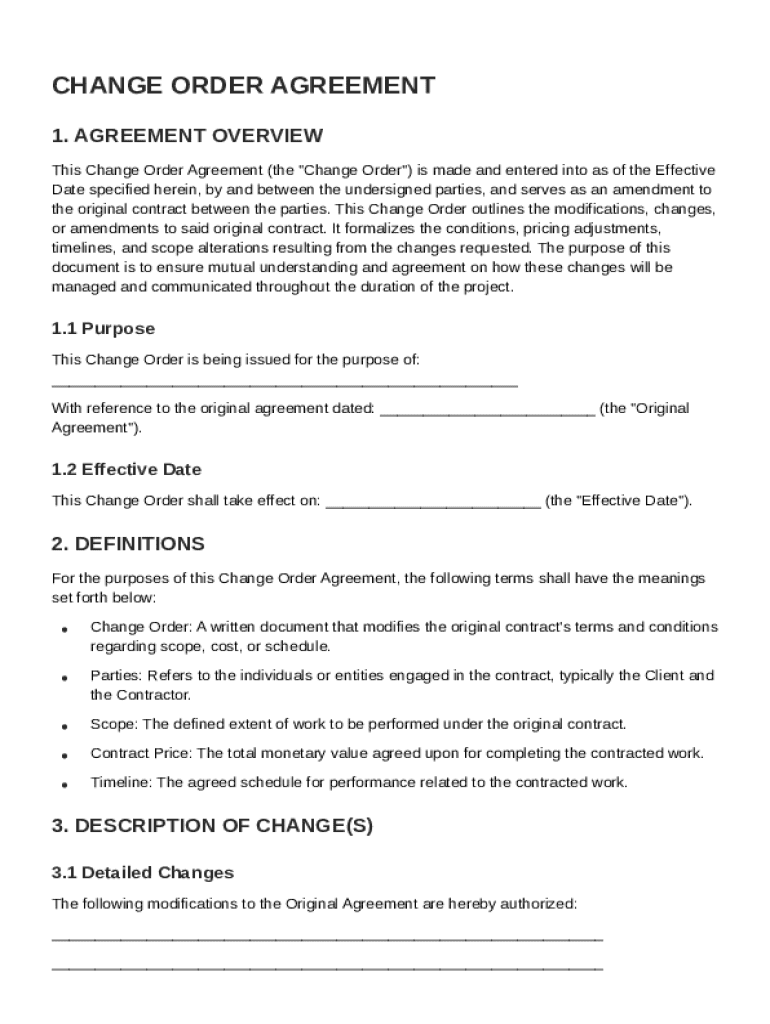







Definition & Meaning
A Change Order Agreement Template serves as a formal modification to an existing contract, specifically outlining agreed-upon changes in various aspects such as scope, pricing, timelines, and responsibilities within a project. This tool is essential in project management, particularly when unforeseen circumstances necessitate adjustments to the original terms, ensuring both parties maintain a mutual understanding and agreement on how these changes will be managed. Each modification within the agreement is clearly defined to prevent discrepancies or misunderstandings, providing a structured method to handle any alterations that arise post-initial contract signing.
Key Elements of the Change Order Agreement Template
A well-structured Change Order Agreement Template includes several crucial elements to ensure comprehensive coverage of all aspects impacted by the change:
-
Change Description: Clearly outlines the specific alterations to the original agreement.
-
Financial Adjustments: Details any changes to the cost, including increases or decreases in the contract price.
-
Revised Timelines: Specifies new deadlines or completion dates resulting from the change.
-
Authorization and Signatures: Captures both parties’ consent and approval of the changes with appropriate signatures.
Steps to Complete the Change Order Agreement Template
-
Review Original Contract: Begin by understanding the terms and conditions of the existing contract.
-
Identify Changes: Clearly define what modifications are necessary, including scope, timeline, and costs.
-
Draft the Change Order: Use the template to document the changes, ensuring all necessary fields are completed accurately.
-
Negotiate Terms: Discuss the drafted changes with the other party to seek mutual agreement.
-
Finalize and Sign: Once both parties agree, finalize the document by obtaining the necessary signatures, making it legally binding.
Who Typically Uses the Change Order Agreement Template
Professionals across various industries utilize Change Order Agreement Templates, primarily in fields where project scope might shift frequently. Typical users include:
-
Project Managers in Construction: Adjustments due to design changes, material availability, or regulatory compliance often require documented amendments.
-
IT Project Coordinators: Technology projects may experience shifts due to evolving project requirements or budget constraints.
-
Consultants: When the scope of consultancy services expands or narrows, formal documentation ensures clarity and accountability.


Legal Use of the Change Order Agreement Template
The Change Order Agreement Template must adhere to legal standards to ensure enforceability. While the template acts as a guideline, it is crucial to:
-
Comply with Contract Laws: Ensure the changes abide by contractual obligations and legal provisions.
-
Include Clear Language: Use unambiguous language to eliminate potential conflicts or legal challenges.
-
Verify Legitimacy of Changes: Document the rationale behind each change, supported by evidence or mutual consent where necessary.
Important Terms Related to Change Order Agreement Template
Understanding specific terminology can enhance the effectiveness and clarity of a Change Order Agreement Template:
-
Amendment: An alteration to the original contract terms, formally documented and mutually agreed upon.
-
Scope Creep: An expansion in the project scope without formal adjustments, potentially leading to disputes if not addressed in a change order.
-
Mutual Agreement: A legally binding decision reached by all involved parties, essential for the enforceability of a change order.
Software Compatibility
DocHub’s Change Order Agreement Template integrates seamlessly with various software, enhancing efficiency in document management and workflow:
-
Google Drive: Import and export templates quickly without file format conversion hassles.
-
Dropbox & OneDrive: Synchronize document changes in real-time for collaborative projects.
-
DocHub Editor: Edit, annotate, and securely sign documents within a single platform, maintaining document integrity and versioning.
Digital vs. Paper Version
The choice between digital and paper versions of a Change Order Agreement Template can impact efficiency and accessibility:
-
Digital Version: Offers ease of editing, sharing, and signing online, ensuring real-time updates and heightened security with encryption.
-
Paper Version: May be preferred in situations requiring physical signatures or where digital access is limited, though it lacks the immediate versatility and automation of digital processing.


