






Definition and Meaning
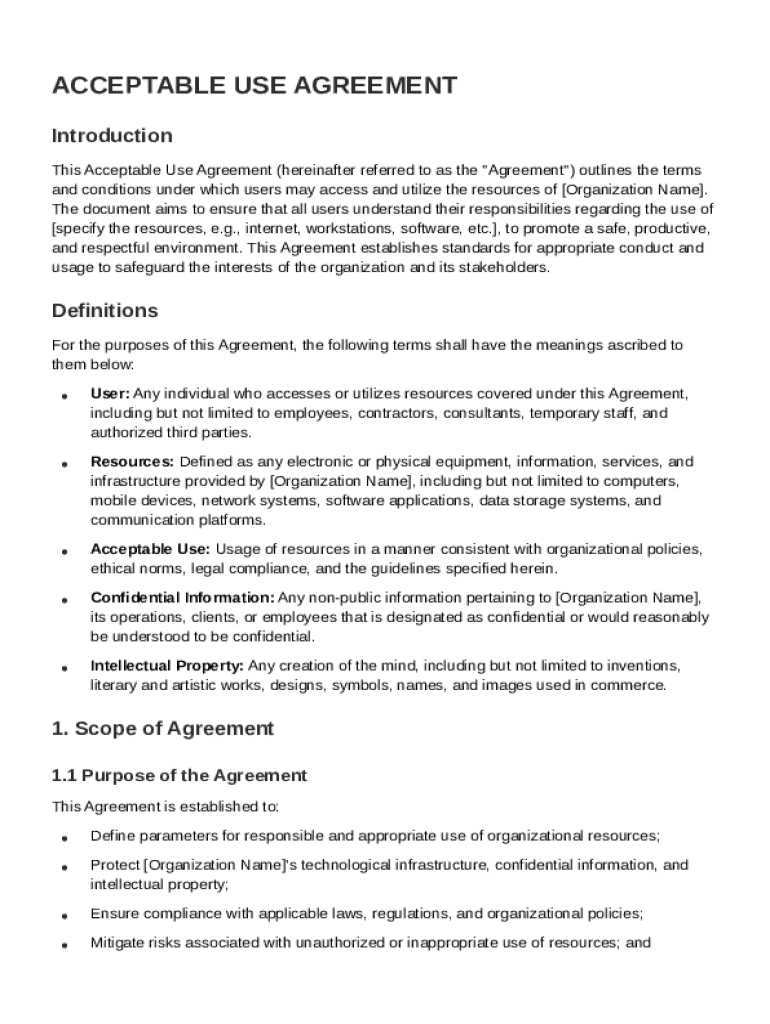
An Acceptable Agreement Template serves as a structured framework designed to outline the terms and conditions under which users can access and utilize various resources, typically in a corporate or organizational context. This template emphasizes compliance with laws, company policies, and ethical standards to foster a secure and respectful environment. It acts as a foundational document that delineates acceptable behavior, outlines prohibited activities, and sets forth the responsibilities and expectations of all parties involved. Additionally, it addresses critical components such as data protection and intellectual property rights, ensuring that users understand the legal obligations tied to their access and activities within the organization's network or resources.
Key Elements of the Acceptable Agreement Template
The Acceptable Agreement Template is composed of several primary sections that together ensure comprehensive coverage of the organization's policies. These sections include:
- Acceptable Use and Prohibited Activities: Detailed descriptions of behaviors deemed permissible and those that are not allowed.
- User Responsibilities: Guidelines that outline the obligations users must fulfill when accessing company resources.
- Data Security Protocols: Measures that focus on the protection of confidential and sensitive information, emphasizing encryption and access controls.
- Monitoring and Enforcement: Procedures for monitoring user activity and enforcing compliance, including potential consequences for violations.
Each of these sections is crucial to maintaining the integrity and security of organizational resources while promoting a safe and cooperative user environment.
Steps to Complete the Acceptable Agreement Template
Completing the Acceptable Agreement Template involves several critical steps, each designed to ensure thoroughness and compliance with internal and external standards:
- Review Organizational Policies: Understand the specific requirements and regulations that apply to your organization.
- Customize Template Sections: Tailor the template's language and sections to align with your organization's goals and legal obligations.
- Consult Legal Experts: Involve legal professionals to validate the template's provisions and avoid potential compliance issues.
- Distribute for Feedback: Share the draft with key stakeholders for input on clarity and comprehensiveness.
- Finalize and Approve: Incorporate feedback and obtain formal approval from relevant authorities within the organization.
- Train Employees: Offer training sessions to ensure all users understand their responsibilities as outlined in the agreement.
Legal Use of the Acceptable Agreement Template
The Acceptable Agreement Template must comply with various legal standards to ensure its enforceability and legitimacy. It should adhere to:
- State and Federal Laws: Following regulations such as data protection laws, discrimination statutes, and workplace safety mandates.
- Industry-Specific Regulations: Considering guidelines relevant to sectors like finance or healthcare that may impose additional data handling and security requirements.
- E-Signature Legislation: Leveraging tools like DocHub's legally binding electronic signatures, which conform to the ESIGN Act, ensuring that digital agreements are recognized legally.
These legal considerations are essential to safeguard not only the organization but also its users from potential legal conflicts or liabilities.
Important Terms Related to the Acceptable Agreement Template
Understanding and properly defining key terms within the Acceptable Agreement Template is vital for clarity and mutual understanding:
- Confidential Information: Data or knowledge that is private to the organization and should not be disclosed without authorization.
- Intellectual Property: Creations of the mind, such as inventions or trademarks, that are protected by law.
- Access Control: Security measures intended to restrict unauthorized users from accessing sensitive information.
- Violation Consequences: Penalties or corrective actions taken in response to breaches of the agreement's terms.
Defining these terms ensures that users fully comprehend the scope and implications of their actions when engaging with organizational resources.
State-Specific Rules for the Acceptable Agreement Template
Certain states have distinct requirements that must be considered when drafting and executing an Acceptable Agreement Template:
- California: The California Consumer Privacy Act (CCPA) necessitates specific language regarding user data protection and privacy.
- New York: The SHIELD Act imposes standards on businesses regarding data breach notifications and security protections.
- Texas: State laws may require specific provisions concerning data encryption and personal data handling.
Understanding how state-specific rules influence the template can prevent compliance pitfalls and foster a stronger, legally compliant framework.
Examples of Using the Acceptable Agreement Template
Real-world scenarios can demonstrate the application and utility of the Acceptable Agreement Template:
- Corporate IT Policies: Defining IT usage policies to prevent unauthorized access and ensure cybersecurity.
- Educational Institutions: Establishing guidelines for student and faculty use of digital resources and online platforms.
- Healthcare Organizations: Ensuring compliance with data protection regulations, such as HIPAA, when handling patient information.
These examples illustrate the template’s adaptability across different sectors, showcasing its ability to safeguard diverse organizational interests.
Software Compatibility
To maximize efficiency and accessibility, an Acceptable Agreement Template should be compatible with various software solutions and platforms:
- DocHub Integration: Allows for seamless document creation, editing, and signing directly within Google Workspace, providing ease of access and collaboration.
- Microsoft Office Suite Compatibility: Ensuring that the template is easily usable within Word, allowing organizations that rely on Microsoft products to integrate this into their existing workflows.
- Cloud Storage Solutions: Facility to store, share, and manage templates through popular cloud providers such as Google Drive or Dropbox, ensuring secure access from multiple devices.
Compatibility with these platforms ensures that the template can be easily incorporated into existing systems, enhancing organizational efficiency.