






Definition and Meaning
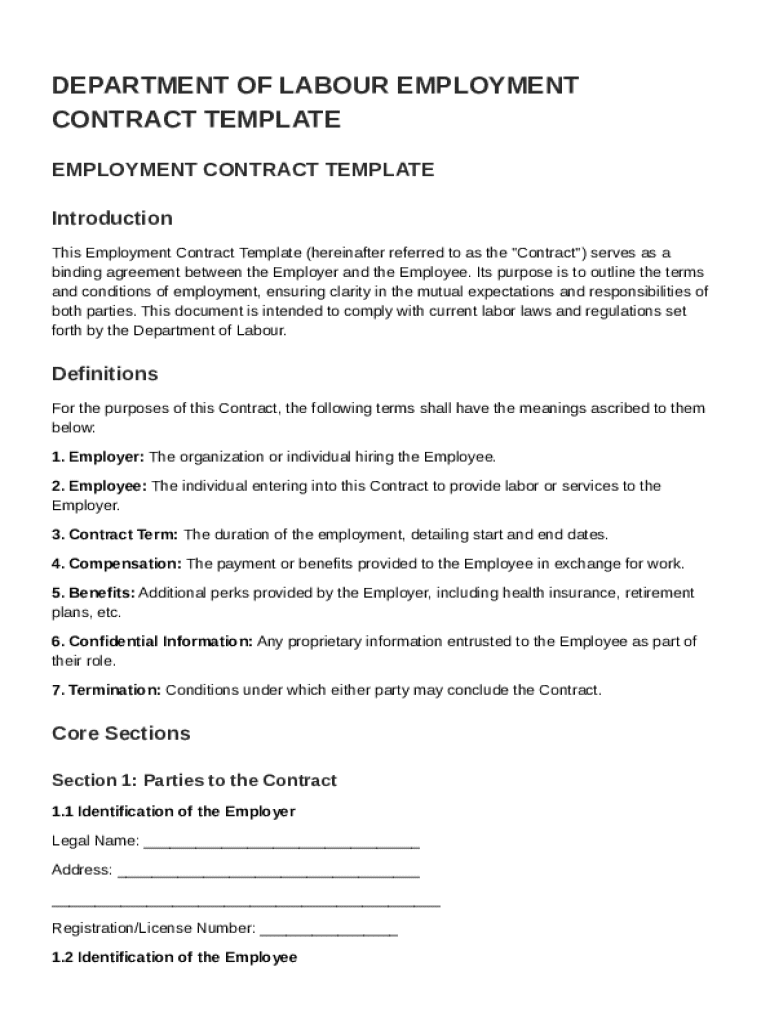
The "Department Of Labour Employment Contract Template" is a standardized document developed to outline the employment agreement between an employer and an employee. This template delineates the fundamental terms and conditions of employment, ensuring transparency and understanding between both parties. It typically includes sections on job responsibilities, compensation, benefits, confidentiality clauses, termination conditions, and dispute resolution procedures. This template serves as a crucial tool for both employers and employees, ensuring compliance with labor laws and fostering clear mutual expectations.
Key Concepts in Employment Contracts
- Job Responsibilities: Clearly defines the tasks and duties expected from the employee.
- Compensation Package: Details salary, bonuses, and other financial benefits.
- Confidentiality Obligations: Protects sensitive company information.
- Termination Procedures: Explains the conditions and processes for ending employment.
- Amendment Protocols: Provides guidelines for modifying contract terms.
How to Use the Department Of Labour Employment Contract Template
To effectively use this employment contract template, employers should first thoroughly review each section to ensure it aligns with specific job requirements and company policies. The document can be customized with company-specific terms and any unique employment conditions. Employers should involve legal counsel to validate that all clauses comply with applicable labor laws. Once completed, both parties should review the document together, asking questions and seeking clarifications if necessary, before signing to indicate agreement.
Customizing the Contract
- Adjust Terms for Specific Roles: Modify job descriptions and duties to match the role.
- Incorporate Company Policies: Include any custom policies that must be adhered to.
- Consult with Legal Professionals: Ensure compliance with relevant laws.
Steps to Complete the Department Of Labour Employment Contract Template
- Gather Necessary Information: Collect details about the employee's role, compensation, benefits, and other relevant employment terms.
- Customize the Template: Fill in the specific terms, conditions, and duties related to the position.
- Review Legal Compliance: Ensure that all sections comply with local and federal employment regulations.
- Discuss with the Employee: Review all terms with the employee, allowing for questions and clarifications.
- Final Review and Adjustments: Make any necessary changes following employee discussions or legal advice.
- Signing the Contract: Both parties should sign and date the document to make it legally binding.
- Provide a Copy to the Employee: Ensure the employee receives a signed copy for their records.
Ensuring a Smooth Completion Process
- Schedule a Review Meeting: Allow time for a thorough discussion and review with the employee.
- Legal Review: Have a legal professional examine the final draft.
- Record Keeping: Maintain a copy within the company’s records for future reference.
Key Elements of the Department Of Labour Employment Contract Template
The contract template is structured into several critical sections, each serving a distinct purpose:
- Introduction and Parties Involved: Identifies the employer and employee and the commencement date of employment.
- Roles and Responsibilities: Details the scope of work expected from the employee.
- Compensation and Benefits: Clearly outlines salary, payment intervals, and entitlements.
- Duration of Employment: Specifies whether the employment is temporary or permanent.
- Confidentiality Clauses: Protects proprietary information and trade secrets.
- Termination Clauses: Explains circumstances and procedures for employment cessation.
- Dispute Resolution: Provides methods for resolving conflicts through mediation or arbitration.
Examples of Important Clauses
- Non-Compete Agreement: Restricts the employee from working with competitors post-employment.
- Intellectual Property: Assigns ownership of any work created during employment to the employer.
- Leave Policies: Outlines vacation, sick leave, and other time-off policies.
Legal Use of the Department Of Labour Employment Contract Template
Employing the Department Of Labour Employment Contract Template legally binds both parties to the terms outlined within. This contract is essential in defending rights and clarifying legal obligations should disputes arise. It ensures that both parties clearly understand their roles and expectations, thus minimizing the potential for misinterpretation or conflict.
Compliance Considerations
- Regulatory Adherence: Aligns with state and federal labor laws to avoid legal repercussions.
- Rights Protection: Safeguards the rights of both the employee and the employer.
- Documentation of Agreement: Legally records the agreed-upon terms of employment.
State-Specific Rules for the Department Of Labour Employment Contract Template
Employment laws can vary significantly from state to state. Employers must adapt the template to meet the legal requirements specific to their state. Factors such as minimum wage regulations, overtime stipulations, and specific benefits mandates can differ, necessitating careful state-by-state customization.
Examples of State Variations
- California: Has unique overtime and minimum wage laws.
- New York: Offers specific employee protections in confidentiality and termination sections.
- Texas: May have different guidelines regarding employee classifications and contracts.
Who Typically Uses the Department Of Labour Employment Contract Template
This employment contract template is utilized by a wide range of businesses, from small enterprises to large corporations, ensuring legal compliance and establishing clear terms in employment agreements. Human Resource departments often spearhead the drafting and customization of these documents. It is also frequently used by startups that may not have established internal legal expertise to draft contracts from scratch.


Examples of Typical Users
- Small Business Owners: Ensure compliance with labor laws without extensive legal resources.
- HR Professionals: Streamline contract processes within larger companies.
- Legal Advisors and Consultants: Customize templates for clients in various industries.
Important Terms Related to the Department Of Labour Employment Contract Template
Understanding the terminology used in employment contracts is crucial for ensuring clarity and avoiding misinterpretation. Some key terms often found in these contracts include:
- Probationary Period: A trial phase to assess employee performance and fit.
- At-Will Employment: States that the employment can be terminated by either party at any time, with or without cause.
- Covenant Not to Compete: Limits the ability of an employee to join competitors post-employment.
Explanation of Terms
- Confidential Information: Protects sensitive business knowledge shared with the employee.
- Severance Pay: Compensation provided upon termination under specific conditions.
- Performance Reviews: Evaluation process of employee duties and contributions.