




Here's how it works

01. Edit your we revoked the approval of your case and mailed you a revocation notice online
Type text, add images, blackout confidential details, add comments, highlights and more.

02. Sign it in a few clicks
Draw your signature, type it, upload its image, or use your mobile device as a signature pad.

03. Share your form with others
Send it via email, link, or fax. You can also download it, export it or print it out.
How to use or fill out notifying revocation with our platform

- Click ‘Get Form’ to open it in the editor.
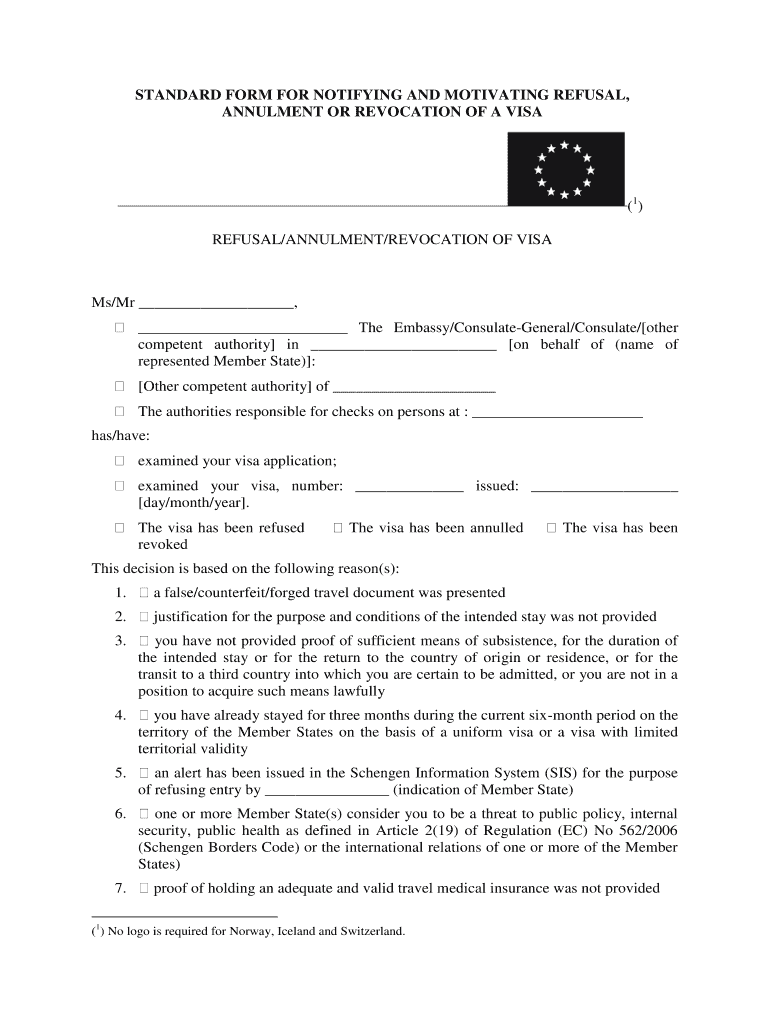
- Begin by filling in the recipient's name and the relevant authority details at the top of the form. This includes specifying whether it is an Embassy, Consulate-General, or another competent authority.
- In the section regarding the visa application, enter the visa number and issue date. Clearly indicate whether the visa has been refused, revoked, or annulled by checking the appropriate box.
- Provide a detailed explanation for the decision in the designated area. You can select from predefined reasons such as issues with travel documents or insufficient proof of means of subsistence.
- Include any remarks or comments that may be necessary for clarity. Ensure that you mention the right to appeal against this decision as per national law.
- Finally, add the date and stamp of the relevant authority and ensure that there is a space for the signature of the person concerned if required by national law.
Start using our platform today to streamline your document editing and signing process for free!
Fill out notifying revocation online
It's free
It's free
Security and compliance
At DocHub, your data security is our priority. We follow HIPAA, SOC2, GDPR, and other standards, so you can work on your documents with confidence.
Learn more


