Definition & Meaning
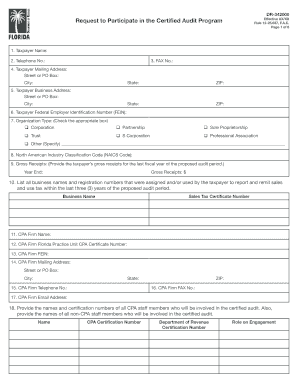
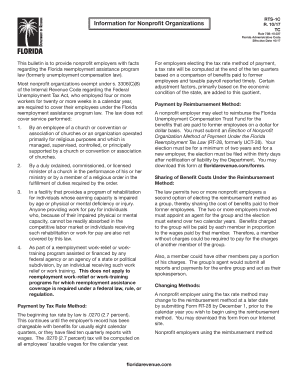
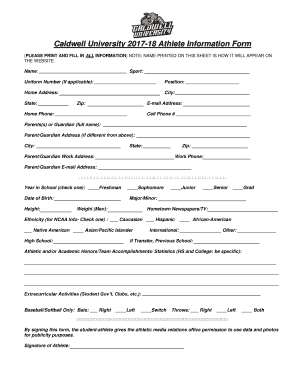
A "tutoring sign in sheet PDF" is primarily a document used to record and track attendance during tutoring sessions. It serves as a tangible record for educational institutions, ensuring that both students and tutors account for and verify their participation. The sheet typically includes essential details such as student names, arrival and departure times, subjects covered, and signatures from relevant educational staff—usually the teacher and potentially a supervising principal. By standardizing the way attendance is documented, these forms help maintain an organized record-keeping system crucial for auditing and funding purposes in educational settings.
Key Elements of the Tutoring Sign In Sheet PDF
The document generally contains several integral sections, each serving a specific role in ensuring accurate data capture:
-
Date and Time: A section to enter the date and exact times of when the tutoring takes place is essential for chronological review and analysis.
-
Student Information: Includes columns for inputting each student's full name to verify attendance and participation accurately.
-
Curriculum Materials: A section for listing materials or subjects covered in the session helps align teaching objectives with educational goals.
-
Teacher and Principal Signatures: To authenticate the document’s legitimacy, a signature area for the session's teacher and verifying authority (typically a principal) is necessary for final approval.
-
Comments: Space for any additional notes allows teachers to highlight concerns or achievements pertinent to specific tutoring sessions or student performance.
Steps to Complete the Tutoring Sign In Sheet PDF
-
Pre-Session Setup: Print or digitally prepare the sign in sheet to ensure all fields are available.
-
Enter Date and Time: Fill in the date at the top along with the starting time of the session.
-
Record Student Attendance: As students arrive, add their names to the appropriate section to confirm their presence.
-
Curriculum and Materials: Note what subjects or topics are covered in the session to maintain focus on educational objectives.
-
Signatures: At the end of the session, ensure both the teacher and, if required, a principal sign the document to verify its accuracy.
-
Comments and Closing: Use the comments section wisely to highlight any specific occurrences or observations made during the tutoring.
Why Should You Use a Tutoring Sign In Sheet PDF?
-
Accountability: Provides a formal record of attendance that aids in verifying claims for staffing or resource allocation.
-
Data Management: Facilitates the systematic collection and analysis of attendance and participation data across multiple sessions.
-
Educational Support: Helps in evaluating the effectiveness of tutoring programs by correlating attendance with academic performance.
-
Compliance: Often required for compliance with district or state educational protocols and funding requirements.
Who Typically Uses the Tutoring Sign In Sheet PDF?
-
Educational Institutions: Schools and learning centers use these sheets to track and organize tutoring sessions.
-
Tutors and Teachers: Responsible for filling out and maintaining these documents to uphold transparency and accountability.
-
Administrative Personnel: Analyze data collected from these sheets to assess program effectiveness and improve operational strategies.
-
Parents and Guardians: May have access as part of educational reviews or input on student development programs.

How to Obtain the Tutoring Sign In Sheet PDF
-
Institutional Resources: Most schools provide standardized forms available through their administrative offices or learning management systems.
-
Online Platforms: Websites like DocHub offer customizable and downloadable templates that can be tailored to any institution’s needs.
-
Digital Libraries: Various educational websites and digital repositories provide free or subscription-based templates conforming to educational standards.
Legal Use of the Tutoring Sign In Sheet PDF
While the tutoring sign in sheet itself does not involve complex legalities, its usage can influence compliance with educational policies. All records must be accurate and verifiable, with documented signatures to ensure authenticity and reinforce data protection protocols. Institutions should ensure the forms used comply with their state's privacy laws, including those concerning student data protection if they collect personally identifiable information.
Software Compatibility: Using Digital Tools
Modern educational systems may opt for digital solutions:
-
DocHub Integration: Allows for direct editing, signing, and sharing of the sign in sheet PDFs, facilitating seamless workflow.
-
Google Workspace: Compatible with tools like Google Drive, enabling easy import, modification, and sharing capabilities for greater efficiency.
In employing the tutoring sign in sheet PDF effectively, all involved stakeholders ensure accountability, improve educational outcomes, and maintain rigorous standards of record-keeping necessary for both daily operations and long-term strategic planning.