Memorial sgs form template 2026

Get Form
desktop themes Preview on Page 1

Here's how it works

01. Edit your desktop themes online
Type text, add images, blackout confidential details, add comments, highlights and more.
02. Sign it in a few clicks
Draw your signature, type it, upload its image, or use your mobile device as a signature pad.
03. Share your form with others
Send questions comments via email, link, or fax. You can also download it, export it or print it out.

How to use or fill out memorial sgs form template with our platform

Form edit decoration
9.5
Ease of Setup
DocHub User Ratings on G2
9.0
Ease of Use
DocHub User Ratings on G2
  1. Click ‘Get Form’ to open the memorial sgs form template in the editor.
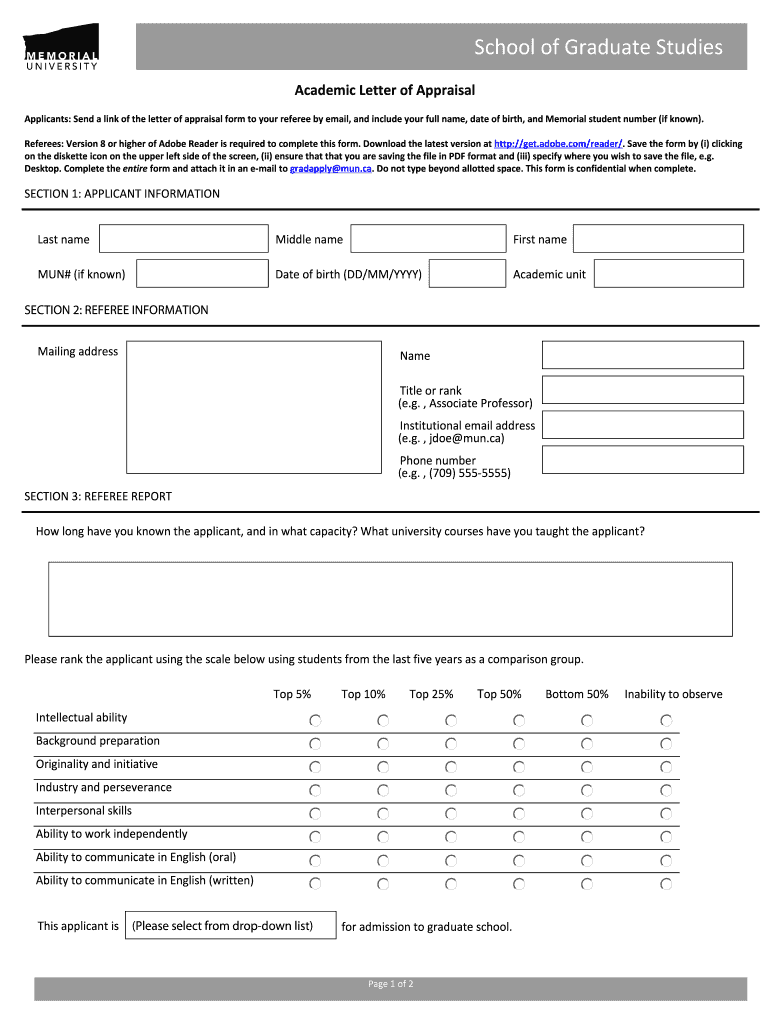
  2. Begin with SECTION 1: APPLICANT INFORMATION. Fill in your last name, middle name, first name, MUN# (if known), date of birth, and academic unit.
  3. Proceed to SECTION 2: REFEREE INFORMATION. Enter the mailing address, referee's name, title or rank, institutional email address, and phone number.
  4. In SECTION 3: REFEREE REPORT, provide details on how long you have known the applicant and in what capacity. Use the ranking scale to evaluate various attributes of the applicant.
  5. Move to SECTION 4: LETTER OF REFERENCE. Utilize the space provided to comment on the applicant's strengths and potential for graduate studies.
  6. Finally, complete SECTION 5: DECLARATION, SIGNATURE, AND SUBMISSION OF FORM by typing your full name and date. Ensure all information is accurate before submission.

Start using our platform today for free to streamline your document editing and form completion!

be ready to get more

Complete this form in 5 minutes or less

Get form

Got questions?

We have answers to the most popular questions from our customers. If you can't find an answer to your question, please contact us.
Contact us

Of course, you’ll find numerous apps for this on the web. Nonetheless, if you need to eSign your memorial sgs form template without installing additional software, DocHub is the best choice you can make. This powerful editor works on mobile devices just like on desktops. Open our editor in your preferred internet browser, register or log in to your account, and start processing your documents.

If you want to edit your memorial sgs form template on the internet quickly, it does not matter what browser you use. DocHub’s simple editing tools are accessible using any internet browser. Simply open the appropriate tab in the editor, add your file, and fill it out without stress.

Memorial University of Newfoundland, or MUN (/mʌn/), is a public research university in the province of Newfoundland and Labrador, based in St. Johns, with satellite campuses in Corner Brook, Happy Valley-Goose Bay, and Harlow, England.
I want to apply Choose a program and a campus. Memorial University offers a wide variety of programs. Review application deadlines. Application deadlines vary by program. Check the admission requirements. A) General admission requirements. Start the application. Submit your application and pay the fee.
However, once youve been accepted, Memorial University has a single email policy, meaning that all official correspondence will be sent to you through your assigned @mun.ca email. This includes important information about faculty/school admission decisions, course registration, scholarships, and residence.

Security and compliance

At DocHub, your data security is our priority. We follow HIPAA, SOC2, GDPR, and other standards, so you can work on your documents with confidence.

Learn more
ccpa2
pci-dss
gdpr-compliance
hipaa
soc-compliance
be ready to get more

Complete this form in 5 minutes or less

Get form