




Here's how it works



How to use or fill out Woof River Animal Rescue with our platform

- Click ‘Get Form’ to open the Woof River Animal Rescue Adoption Application in the editor.
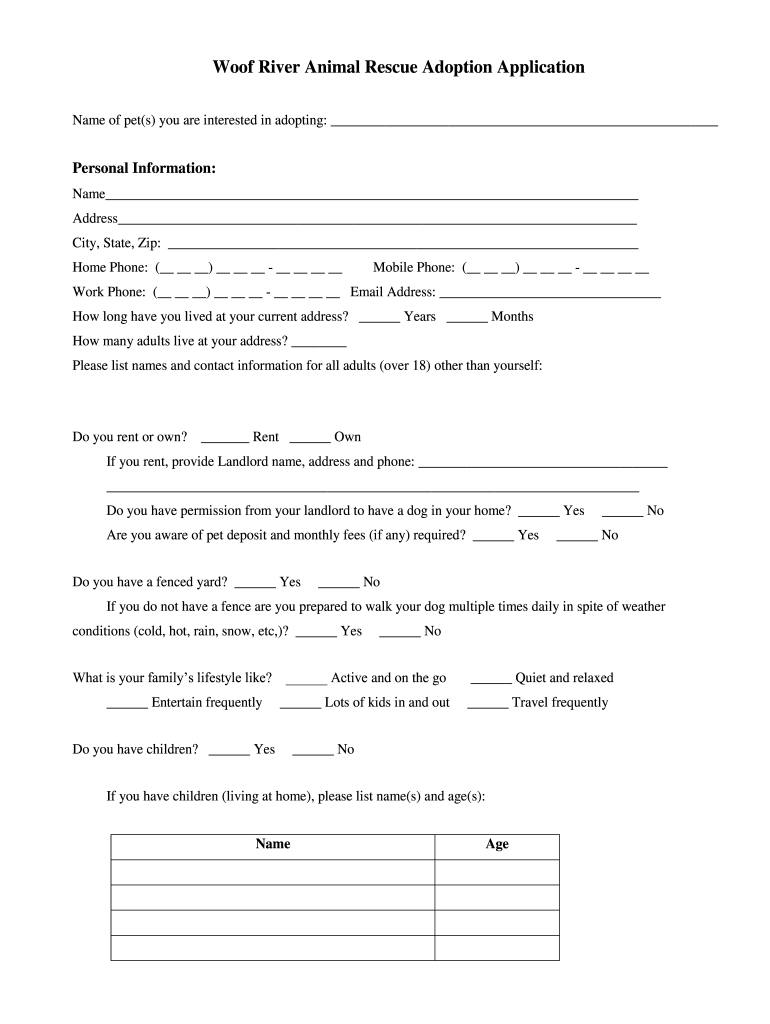
- Begin by entering the name of the pet(s) you wish to adopt at the top of the form. This helps streamline your application process.
- Fill out your personal information, including your name, address, and contact numbers. Ensure accuracy for effective communication.
- Indicate how long you have lived at your current address and provide details about other adults living with you. This section helps assess your household environment.
- Specify whether you rent or own your home. If renting, include landlord details and confirm permission for a dog.
- Answer questions regarding your lifestyle and family dynamics, as this information is crucial for matching you with a suitable pet.
- Respond to questions about your future pet's care, exercise routine, and any previous pet ownership experience to provide insight into your readiness for adoption.
- Review and initial the agreements for adoption at the end of the form to confirm your commitment to responsible pet ownership.
Start filling out your application today using our platform for free!
It's free
Got questions?
What is the best way to electronically sign my woof river animal rescue?
A lot of software solutions are available on the market for document modifying and signing. DocHub is one of the most widely used online solutions that comply with all security and compliance requirements and guarantees your eSigned paperwork is legally enforceable. All you need to give it a try is to sign up for an account, upload your woof river animal rescue, provide the necessary information, and click Sign. Create your electronic signature by typing, drawing it, uploading its picture to your template, or scanning a unique QR code.
How do you fill out woof river animal rescue on iOS?
You need only a web connection and a browser to fill out your woof river animal rescue by using an iOS phone. Open the DocHub website and authenticate. Then, add your file or choose it from the list in your dashboard. Then use our editing instruments to fill out your form and preserve all your modifications. You may also send it to a dedicated recipient straight away.
Why do animal rescues charge so much?
What is the 3-3-3 rule for pets?
Is the 3-3-3 rule real?
Security and compliance
At DocHub, your data security is our priority. We follow HIPAA, SOC2, GDPR, and other standards, so you can work on your documents with confidence.
Learn more


