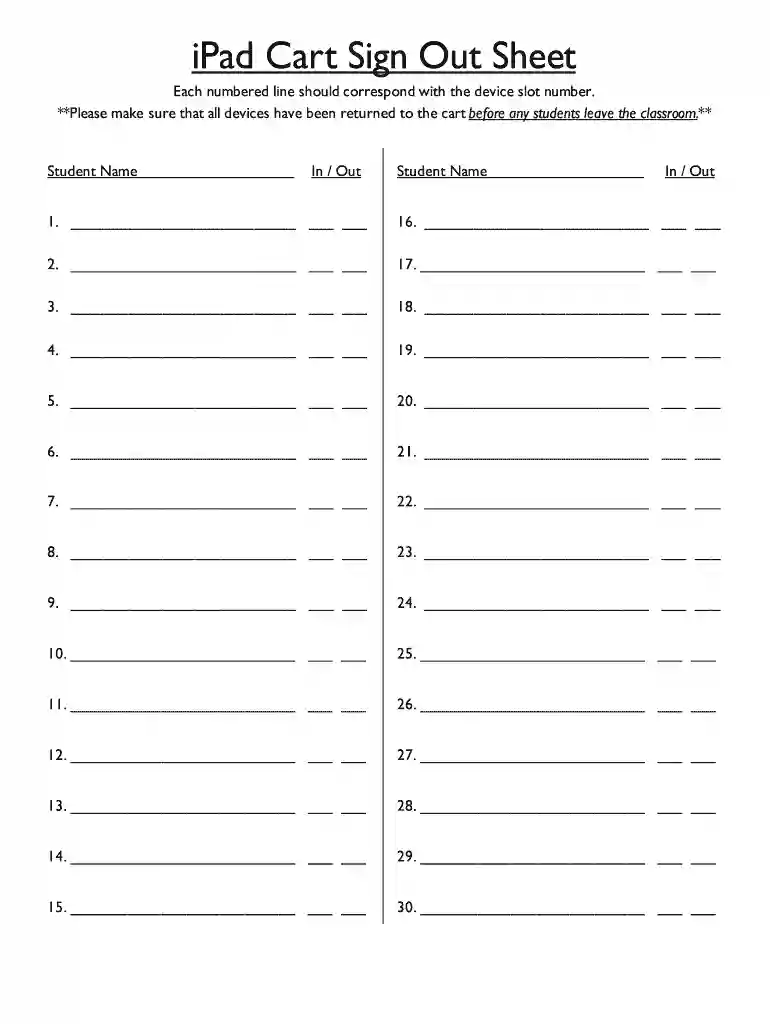
Ipad sign out sheet 2026

Get Form
ipad sign out sheet Preview on Page 1

Here's how it works

01. Edit your ipad sign out sheet online
Type text, add images, blackout confidential details, add comments, highlights and more.

02. Sign it in a few clicks
Draw your signature, type it, upload its image, or use your mobile device as a signature pad.

03. Share your form with others
Send ipad sign sheet via email, link, or fax. You can also download it, export it or print it out.

How to use or fill out iPad Sign Out Sheet with DocHub

Form edit decoration
9.5
Ease of Setup
DocHub User Ratings on G2
9.0
Ease of Use
DocHub User Ratings on G2
  1. Click ‘Get Form’ to open the iPad Sign Out Sheet in our platform's editor.
  2. Locate the first empty line corresponding to device slot number 1. Enter the student’s name in the designated field.
  3. In the 'In / Out' section next to the student's name, mark whether the device is being checked out (In) or returned (Out) by selecting the appropriate option.
  4. Repeat steps 2 and 3 for each subsequent line until all devices have been accounted for, ensuring that you fill in all 30 slots as needed.
  5. Once completed, review the entries for accuracy. Make sure all devices are marked correctly before students leave the classroom.

Start using our platform today to streamline your document management and enhance your workflow!

be ready to get more

Complete this form in 5 minutes or less

Get form

Got questions?

We have answers to the most popular questions from our customers. If you can't find an answer to your question, please contact us.
Contact us
Sign out and remove your account On your iPhone or iPad, open the Google app . On the top left, tap your profile image. Tap the account thats signed in. From here you can: Remove your account: Select Manage. Next to the account you want to remove, tap Remove Remove. Tap Back . On the top right, choose Done.
How to Fix Sign Out is Not Available Due to Restrictions Youll see this message when Screen Time restrictions prevent you from signing out of your Apple account. To fix it, open the Settings app and go to Screen Time Turn Off Screen Time, enter your passcode, and tap Turn Off Screen Time again.
Sign out on your iPhone, iPad or Apple Vision Pro Open the Settings app, then tap your name. Scroll down to the bottom. Tap Sign Out. Enter your Apple Account password and tap Turn Off. Turn on the data that you want to keep a copy of on your device. Tap Sign Out.
Go to Settings Apps Mail. Tap Mail Accounts, tap the email account you want to remove from your iPad, then tap Sign Out or Delete Account. Note: If you change your mind later, you can add the email account back to your iPad.
Youll see your profile picture or an icon with your initial. Click on this icon, and a dropdown menu will appear. In this menu, youll see the option to Sign out. Click on it, and youll be logged out of Google Sheets.

Security and compliance

At DocHub, your data security is our priority. We follow HIPAA, SOC2, GDPR, and other standards, so you can work on your documents with confidence.

Learn more
be ready to get more

Complete this form in 5 minutes or less

Get form