




Here's how it works

01. Edit your form online
Type text, add images, blackout confidential details, add comments, highlights and more.

02. Sign it in a few clicks
Draw your signature, type it, upload its image, or use your mobile device as a signature pad.

03. Share your form with others
Send it via email, link, or fax. You can also download it, export it or print it out.
How to use or fill out petition for judicial review albany ga form with our platform

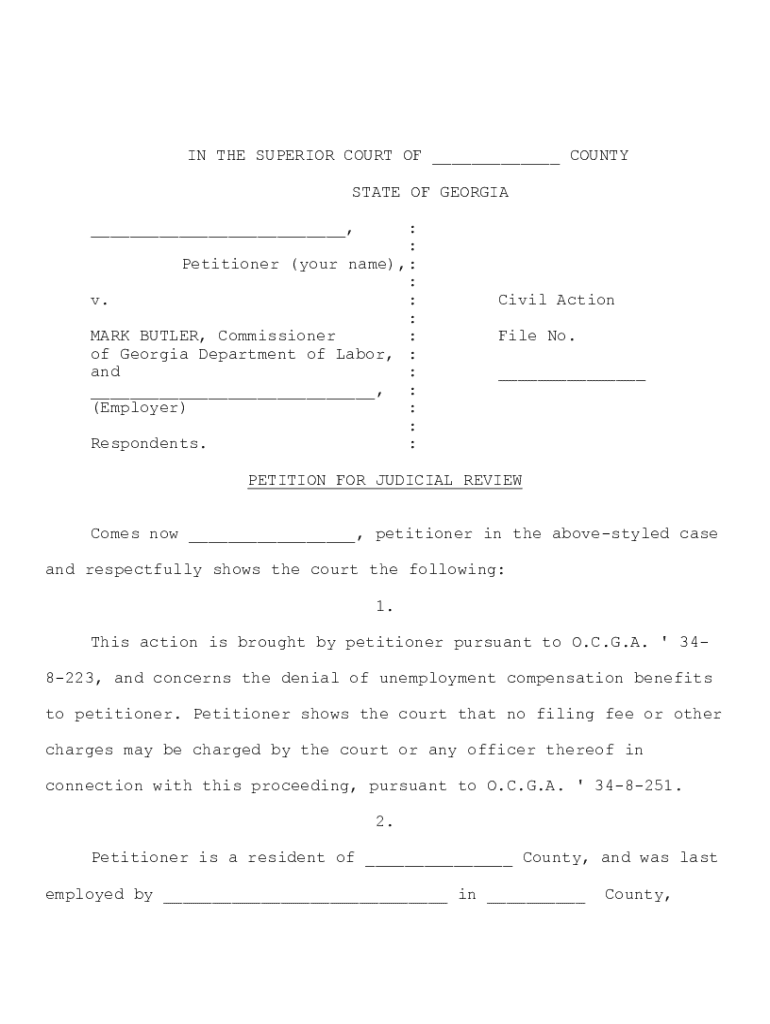
- Click ‘Get Form’ to open the petition for judicial review albany ga form in the editor.
- Begin by filling in your name as the petitioner at the top of the form. Ensure that you provide accurate personal details, including your mailing address and phone number, as this information is crucial for court notifications.
- In section 2, indicate your county of residence and the name of your last employer. This helps establish jurisdiction for your case.
- Proceed to section 6 where you will circle whether you were determined eligible or not for unemployment benefits. This is a key point in your petition.
- Complete sections regarding any appeals made and decisions received from the Board of Review. Be sure to cross through any lines that do not apply to your situation.
- Finally, review all entries for accuracy before submitting. Make three copies of the completed form and file them at the superior court clerk’s office, ensuring you inform them about the no-fee requirement under O.C.G.A. § 34-8-251.
Start using our platform today to streamline your document editing and filing process for free!
Fill out petition for judicial review albany ga form online
It's free
It's free
Security and compliance
At DocHub, your data security is our priority. We follow HIPAA, SOC2, GDPR, and other standards, so you can work on your documents with confidence.
Learn more


