
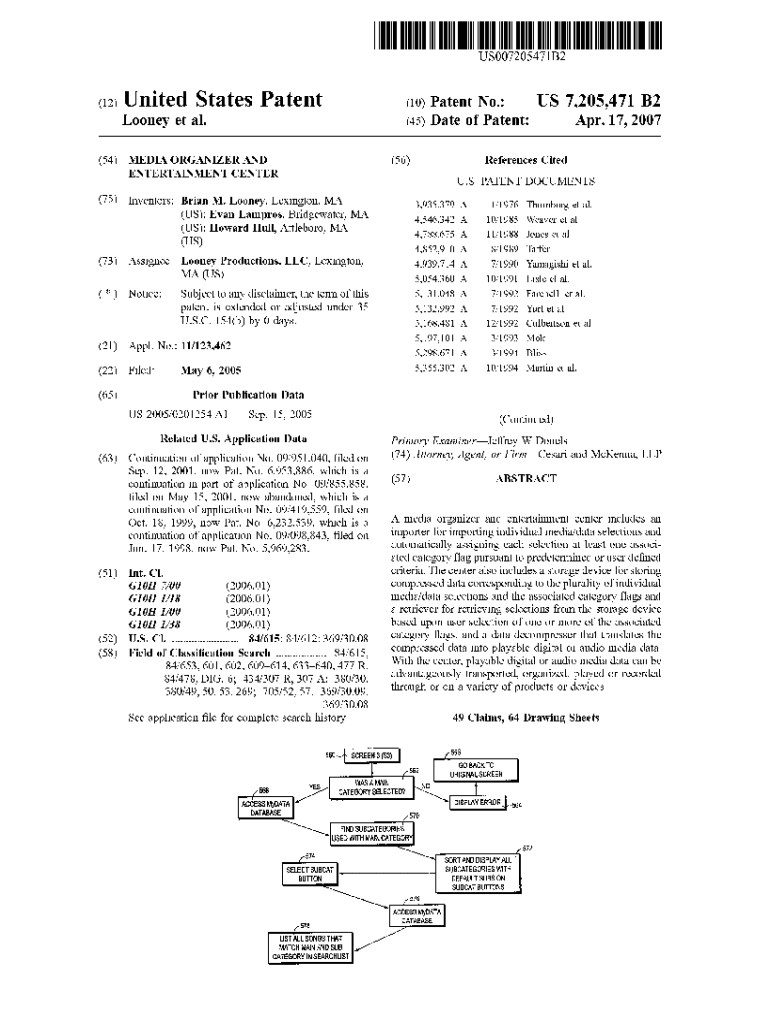







Definition and Meaning of US 7,205,471 B2
US 7,205,471 B2 is a patent titled 'Media Organizer and Entertainment Center' developed by Brian M. Looney and others. It encompasses a system designed to help users import, categorize, store, and play back various media types such as music, movies, and books. This patent involves the use of advanced data compression and storage technologies to provide a personalized user experience. The system's primary features include customizable categories, a graphical user interface for ease of navigation, playlist creation, and options for blocking media based on ratings.
Key Features of the Patent
- Media Import and Categorization: Allows users to import different media types and categorize them according to preferences.
- Advanced Data Technologies: Utilizes data compression and storage to improve efficiency and user experience.
- Personalized Playback: Offers options for playback based on user-defined criteria.
- User Interface: Provides a graphical interface for easy navigation and interaction.
Steps to Utilize US 7,205,471 B2
Understanding how to leverage the Media Organizer and Entertainment Center is essential for maximizing its benefits. Here are typical steps users might follow:
- Import Media: Begin by importing media files such as music or videos into the system.
- Organize Content: Use the system's categorization features to organize media into personal categories.
- Customize Settings: Customize playback settings and criteria according to personal preferences.
- Utilize the Interface: Navigate the system using the intuitive graphical user interface to create, manage, and modify playlists.
- Set Restrictions: Apply blocking options to restrict content based on age ratings or other criteria.
Practical Example of Use
For example, a user interested in creating a movie library can import all movie files into the system, categorize them by genre, and personalize the playback settings to automatically skip over explicit scenes based on movie ratings.
Who Typically Uses US 7,205,471 B2
The 'Media Organizer and Entertainment Center' is particularly beneficial for:
- Media Enthusiasts: Individuals who consume a large amount of digital media and prefer organized access to their files.
- Parents: Users interested in controlling media exposure for their children using blocking features based on ratings.
- Media Professionals: Individuals involved in managing or distributing media content who require efficient systems for content organization and playback.
Key Elements in US 7,205,471 B2
Central elements of this patent include:
- Graphical User Interface: Designed for user-friendly navigation and media management.
- Customization Features: Allow personalization of both organization and playback settings.
- Data Compression: Techniques used to reduce storage space without sacrificing media quality.
- Playback Options: Flexible playback controls based on individual user preferences.
Legal Use of the US 7,205,471 B2
Ensuring compliance with US 7,205,471 B2 involves understanding its scope and applying it correctly within a legal framework:
- Patent Protection: This innovation is protected under patent law, which means it cannot be copied or implemented without proper authority.
- Usage Rights: Users must comply with usage rights and restrictions outlined by the patent holder.
- Licensing: Parties interested in using or integrating this technology may require licensing agreements with the patent holders.
Important Terms Related to US 7,205,471 B2
Several terms are crucial when discussing this patent:
- Data Compression: Methodology used to minimize storage requirements while maintaining media quality.
- Media Block: A feature that restricts access to certain media types based on predefined criteria.
- Personalization: Customization options allowing users to tailor the media experience according to their preferences.
- Graphical User Interface (GUI): A visual platform for interacting with and navigating the media system.
Eligibility Criteria for Utilizing US 7,205,471 B2
Eligibility to effectively utilize the Media Organizer and Entertainment Center involves:
- Technical Capability: Users must have basic skills to navigate digital media systems and interfaces.
- Compliance with Terms: Ensuring all usage adheres to licensing agreements and legal provisions.
- Access to Compatible Equipment: Ownership of suitable devices for media playback and management.


Software Compatibility
The Media Organizer and Entertainment Center described in the patent are compatible with various digital platforms, ensuring seamless integration:
- Diverse File Formats: The system supports numerous file formats to accommodate a wide range of media types.
- Cross-Platform Accessibility: Interfaces are designed for operation across different operating systems and devices.
- Integration with Popular Software: Ensures compatibility with software tools and platforms commonly used for media consumption and management.




