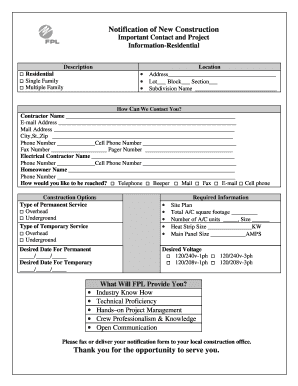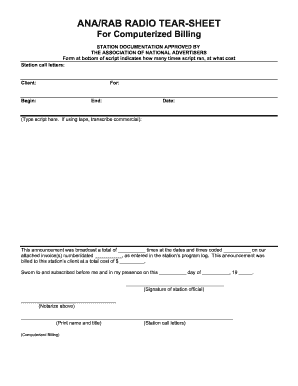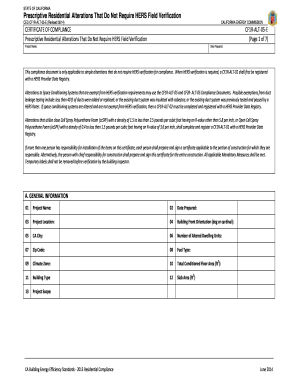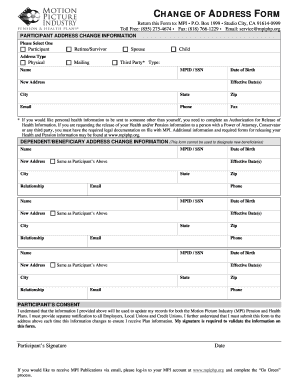







Definition and Importance of Completing Forms Online
Online forms have streamlined many processes, from filing taxes to signing legal agreements. An online form is a digital version of a document that can be filled out and submitted electronically. This format has gained popularity because it simplifies tasks that often require detailed personal or business information. With online forms, users can avoid the inefficiencies of mailing or faxing paper documents, ensuring faster processing times and reducing errors associated with manual form handling.
- Online forms can be used for various purposes, such as applications, renewals, and reporting.
- Digital forms allow users to save their progress, making it easier to gather necessary documentation without feeling rushed.
- The transition to online forms often includes built-in logic, which can guide users through complex questions that are adaptive based on previous answers.
How to Use a Form Online
Using an online form involves a few straightforward steps that make it accessible for both experienced and first-time users.
- Access the Form: Visit the website hosting the form, such as DocHub. Many forms can be directly downloaded or accessed through relevant portals like a government or business service site.
- Fill Out the Required Information: Enter data in the specified fields. Typical fields include text boxes, dropdown lists, and checkboxes.
- Review and Verify: Check the information for accuracy. Some forms have built-in checks to identify omissions or errors.
- Submit the Form: Once completed, submit the form through the platform’s submission interface. Some platforms offer confirmation upon successful submission.
- Online platforms offer options to sign electronically, eliminating the need for physical signatures.
- Users can often receive instant feedback or submission receipts via email.
Steps to Complete the Form Online
Completing a form online is a methodical process that requires attention to detail to ensure all necessary information is accurately recorded.
- Preparation: Ensure you have all required documents before beginning. This often includes identification numbers, official names, and financial documents.
- Field Entry: Input required information. Digital forms often highlight mandatory fields with asterisks or color indicators.
- Add Attachments: Upload any necessary documents directly to the form. Popular platforms like DocHub support numerous file types including PDF, DOC, and XLX.
- Electronic Signature: Utilize the platform’s tools to digitally sign the form if required. This feature is vital for legal compliance, as platforms adhere to regulations such as the ESIGN Act.
- If using DocHub, you have the flexibility to pause and restart the task, preserving all input data.
- Most systems integrate with email services or cloud storage, enabling easy retrieval of additional documents during the process.
Key Elements of Form Online
There are several crucial components that every effective online form contains to ensure proper completion and submission.
-
User-friendly Interface: Intuitive designs help guide users naturally through the form completion process.
-
Secure Submissions: Modern forms encrypt data to protect sensitive information from unauthorized access.
-
Progress Tracking: Many forms allow users to track submission status, providing peace of mind and minimizing anxiety about processing times.
-
Automated Saving: As users fill out forms, automatic saving features help prevent data loss due to connectivity issues or computer malfunctions.
-
Fillable fields include standardized sections like personal details, financial information, or additional comments fields.
-
Help menus or FAQs within forms can assist users who encounter challenges.
Why Should You Complete Forms Online
Completing forms online offers unparalleled convenience and efficiency compared to traditional paper forms.
-
Time Efficiency: Humans save significant amounts of time by not having to travel to collection points or wait in postal lines.
-
Cost Reduction: Online forms typically eliminate costs associated with paper, printing, postage, and physical storage.
-
Environmental Impact: Digital forms reduce paper consumption significantly, thus contributing positively to environmental sustainability.
-
Mobile compatibility ensures users can complete forms from virtually anywhere.
-
Digital forms often provide multilingual support, enhancing accessibility for users from diverse backgrounds.
Software Compatibility in Online Form Usage
Software compatibility is a vital aspect when working with online forms, ensuring seamless integration into existing workflows of businesses and individuals.
-
Integration With Platforms: Tools like DocHub integrate with Google Workspace, enabling users to directly import and edit documents from Google Drive or Gmail.
-
Document Formats Supported: Platforms support various file formats beyond PDFs, such as DOC, PPT, and TXT files.
-
Compatibility with Other Software: Many forms are compatible with widely used tax or accounting software like TurboTax, facilitating easier data transfer and processing.
-
Real-time editing capabilities facilitate collaboration without the need for physical presence.
-
Automated reminders and scheduling options assist in managing form-related tasks and deadlines.
Specific Examples of Using Forms Online
There are numerous practical examples illustrating the effectiveness of completing forms online, applicable across several domains.
-
Tax Filing: Individuals can use forms in tax software to report earnings and deductions, ensuring compliance with IRS guidelines.
-
Legal Agreements: Platforms enable digital signing of contracts, maintaining legality and accelerating business operations.
-
Application Processes: Various applications, such as DMV registrations or university admissions, utilize online forms to streamline submissions.
-
Document workflows are streamlined, eliminating unnecessary steps such as mailing or faxing.
-
Forms can accommodate various user scenarios, from simple renewals to complex multi-party agreements.
Legal Use and Compliance of Forms Online
When using forms online, legal compliance is a critical consideration, especially concerning the handling and protection of personal data.
-
Adherence to Regulations: Platforms like DocHub ensure signatures are legally binding under the ESIGN Act, providing an electronic equivalent to handwritten signatures.
-
Secure Data Handling: The use of encryption (e.g., 256-bit SSL) protects sensitive information during transfer and storage.
-
Secure Access Protocols: Authentication methods, such as OAuth 2.0, provide secure login options, ensuring only authorized users can access or modify the form data.
-
Compliance with local and federal legal standards ensures that collected data is handled correctly.
-
Password protection and multi-factor authentication add extra security layers for sensitive forms.
Gathering Necessary Documents for Completing Forms Online
Having comprehensive knowledge of required documentation is essential for the successful completion of online forms.
- Read Instructions Carefully: Each form comes with detailed instructions specifying the necessary documents.
- Organize Documents: Arrange relevant documents in a logical order, typically electronically to ease the upload process.
- Extra Copies: Keep electronic copies as backup to facilitate quick access and re-submission if needed.
- Documentation often includes identification, proof of income, and relevant records related to the form's purpose.
- Use folders in cloud storage services to organize and quickly access requisite documents when beginning the form process online.