
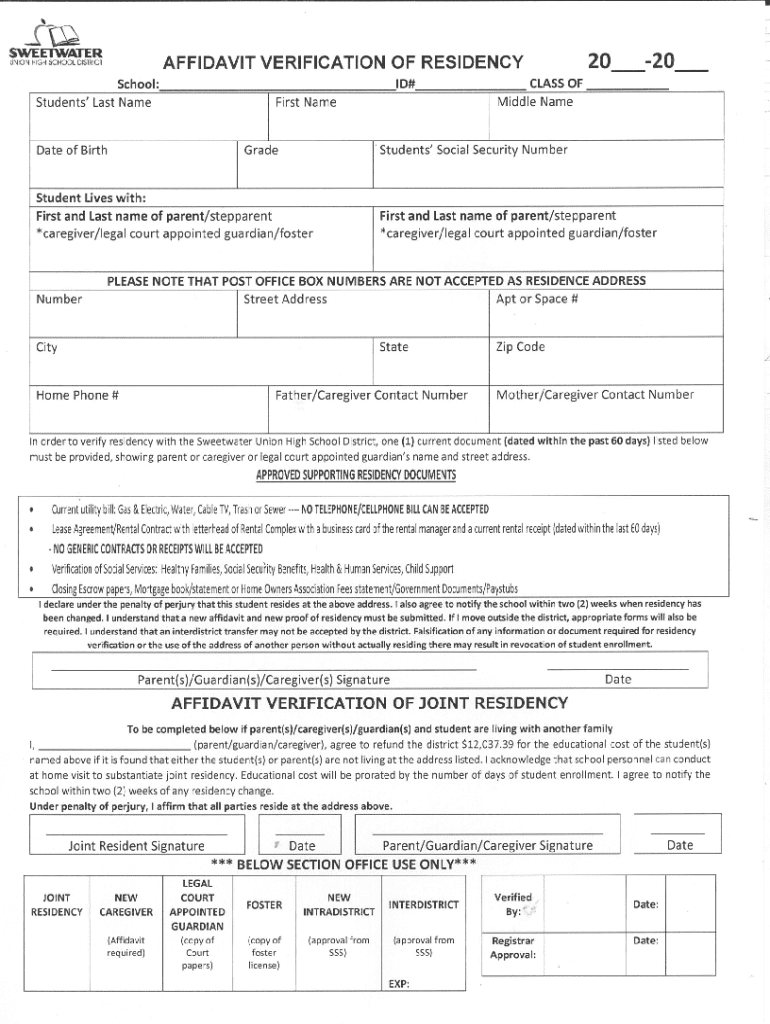







Definition and Meaning of Form Online
"Form online" typically refers to the process of filling out and submitting forms using an internet-based platform. Rather than dealing with paper forms, individuals and businesses can complete, sign, and submit forms electronically, often resulting in more efficient and environmentally friendly document management. The term encompasses a wide range of applications, from employment and tax forms to applications and legal documents.
Key Elements of Form Online
- Digital Structure: Unlike physical forms, online forms allow users to input data directly into electronic fields. This includes text boxes, checkboxes, and dropdown menus.
- Interactive Templates: Many online forms offer interactive elements that can guide users through complex sections, ensuring all necessary information is provided.
- Electronic Signatures: Users can sign forms digitally, using tools like a mouse, touchscreen, or uploaded signature image, making the process secure and legally binding.
- Cloud Accessibility: Forms can typically be accessed and saved in cloud storage, offering flexibility and accessibility from any location.
How to Use the Form Online
Steps to Complete the Form Online
- Access the Form: Navigate to the website offering the online form. This could be a government site for taxes or licenses, a company portal for HR documents, or platforms like DocHub for various document types.
- Input Information: Fill in required fields, typically including personal information or responses to specific queries. Online platforms often provide prompts to minimize errors.
- Review Entries: Before proceeding, check input for accuracy. Many systems allow you to save a draft and come back to it later, which is useful for more complicated forms.
- Add Signatures: Append your digital signature if needed. Most platforms provide multiple options for creating a valid electronic signature.
- Submit the Form: Once complete, submit the form through the online platform. A confirmation message or email is usually provided.
Why You Should Form Online
Benefits of Completing Forms Online
- Convenience: Forms can be filled out from any location with internet access, eliminating the need for physical travel or printing.
- Efficiency: Digital forms streamline data entry, often with features that auto-complete or verify information as you type.
- Time-Saving: Instant submission means that forms are processed faster than their paper counterparts, expediting approvals or responses.
- Environmental Impact: Reduced paper usage contributes to more sustainable practices, lessening the environmental footprint of document handling.
Who Typically Uses the Form Online
Online forms are utilized by a diverse range of individuals and organizations:
- Businesses: Companies use online forms for internal processes such as employee onboarding, client agreements, and vendor contracts.
- Government Agencies: Entities like the IRS or DMV provide online tax filings and license applications to facilitate public access to their services.
- Educational Institutions: Schools use them for applications, registrations, and consent forms, streamlining processes for students and faculty.


Legal Use of the Form Online
Compliance with Electronic Transaction Laws
- Legally Binding Signatures: Electronic signatures on online forms comply with laws like the ESIGN Act in the U.S., ensuring they are as legally valid as handwritten signatures.
- Data Privacy and Security: Platforms usually employ encryption and secure authentication methods to protect sensitive information submitted through online forms.
Important Terms Related to Form Online
- Encryption: The process of encoding data to prevent unauthorized access, critical in protecting online form submissions.
- OAuth: An open-standard protocol used for secure authorization, often seen in platforms offering forms online.
- Interactive Fields: Digital elements like text boxes and checkboxes that enable users to input data directly within the form.
- Cloud Storage: Allows forms to be stored and accessed online, providing easy retrieval and sharing capabilities.
State-Specific Rules for the Form Online
Variations Across Jurisdictions
- Regulations: States may have specific requirements regarding the submission and approval of certain forms, such as tax documents or business registrations.
- Access Limitations: Some forms may not be universally available online and could require additional validation or documentation based on state laws.
Examples of Using the Form Online
Practical Applications
- Employment Applications: Job seekers can submit their applications electronically, often including interactive resumes and cover letters.
- Tax Filings: Individuals and businesses use online platforms to complete tax forms like the W-9 or 1040, streamlining the filing process with direct IRS submission.
- Permit Applications: Online forms simplify the permit application process, allowing users to apply for construction, event, or business licenses remotely.
This comprehensive approach ensures that the utility of online forms extends across various sectors, highlighting their versatility and efficiency.




