




Here's how it works

01. Edit your divorse form online
Type text, add images, blackout confidential details, add comments, highlights and more.

02. Sign it in a few clicks
Draw your signature, type it, upload its image, or use your mobile device as a signature pad.

03. Share your form with others
Send divorse forms via email, link, or fax. You can also download it, export it or print it out.
How to use or fill out answer petition with our platform

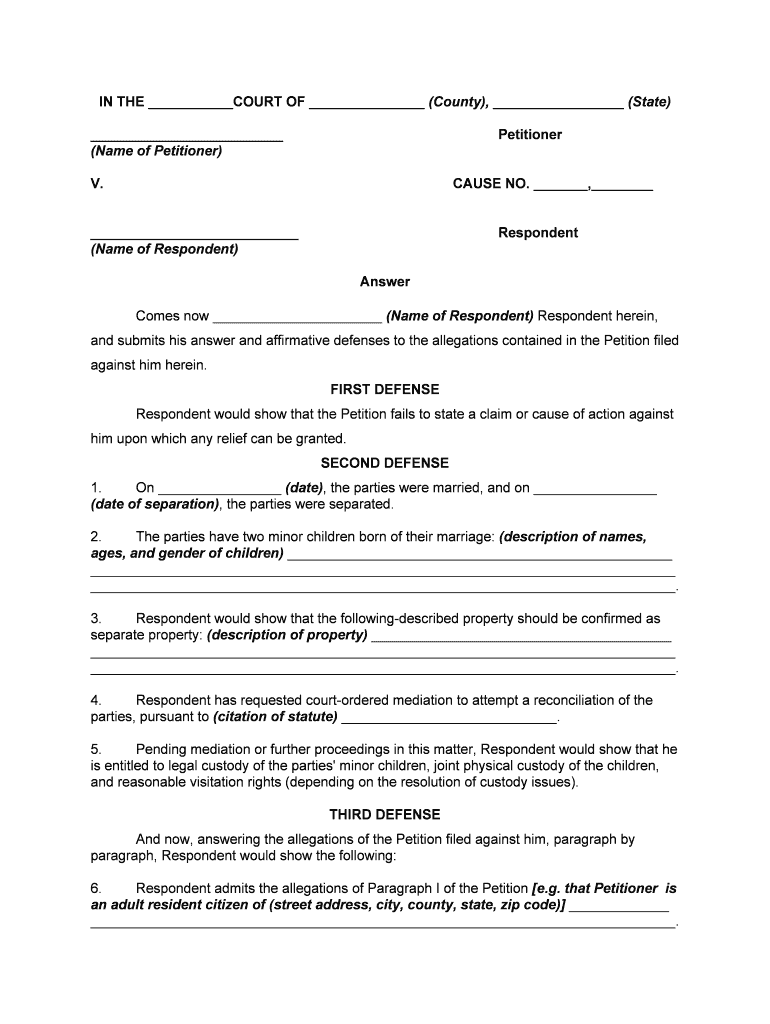
- Click ‘Get Form’ to open the answer petition in the editor.
- Begin by entering the court name, county, and state at the top of the form. This sets the context for your response.
- Fill in your name as the Respondent and provide the name of the Petitioner in the designated fields.
- In the FIRST DEFENSE section, clearly state your defenses against the allegations. Use concise language to explain why you believe the Petition lacks merit.
- Provide details about your marriage and separation dates, along with information about any minor children involved. Be sure to include their names, ages, and genders.
- Describe any property you wish to claim as separate property in detail.
- If applicable, indicate any requests for mediation or custody arrangements in accordance with local statutes.
- Respond to each allegation from the Petition paragraph by paragraph, ensuring clarity and accuracy in your admissions or denials.
- Conclude by signing and dating the document at the bottom, ensuring all required fields are completed before submission.
Start using our platform today for free to streamline your answer petition process!
Fill out answer petition online
It's free
It's free
Security and compliance
At DocHub, your data security is our priority. We follow HIPAA, SOC2, GDPR, and other standards, so you can work on your documents with confidence.
Learn more


