Type text, add images, blackout confidential details, add comments, highlights and more.
02. Sign it in a few clicks
Draw your signature, type it, upload its image, or use your mobile device as a signature pad.
03. Share your form with others
Send it via email, link, or fax. You can also download it, export it or print it out.
How to use or fill out 195 Extension of Lease, 12-14 with our platform
Ease of Setup
DocHub User Ratings on G2
Ease of Use
DocHub User Ratings on G2
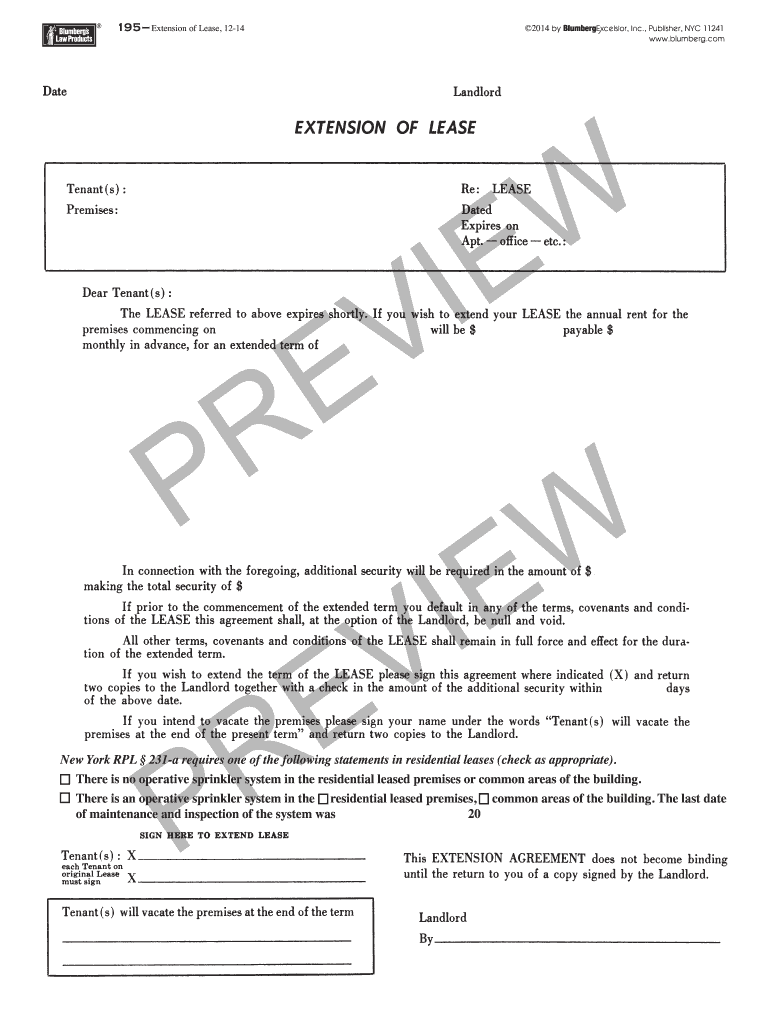
Click ‘Get Form’ to open the 195 Extension of Lease, 12-14 in the editor.
Begin by reviewing the introductory section, which outlines the purpose of the lease extension. Ensure you understand the terms before proceeding.
Locate the section regarding the sprinkler system. You must check one of the two statements provided: either confirm there is no operative sprinkler system or indicate that there is one and provide the last maintenance date.
Fill in any additional required fields, such as tenant and landlord information, ensuring all details are accurate to avoid future disputes.
Once all sections are completed, review your entries for accuracy. Utilize our platform's editing tools to make any necessary adjustments.
Finally, save your document and proceed to sign it electronically if required. This can be done seamlessly within our editor.
Start using our platform today to complete your lease extension effortlessly and for free!
Fill out 195 Extension of Lease, 12-14 online It's free
8 days ago Changes to Form 4562. New lines 19h and 20e have been added to report MACRS depreciation during the 2025 tax year for 50-year property.Read more
extension shown below is needed to allow viewing the contents of any other lease of the IP configuration. Thus, the IP addressing provided by theRead more
Cookie consent notice
This site uses cookies to enhance site navigation and personalize your experience.
By using this site you agree to our use of cookies as described in our Privacy Notice.
You can modify your selections by visiting our Cookie and Advertising Notice.